AI Agent (Auto Shortlist and Auto Outreach)
Putting your recruiting on autopilot with AI Agent
The Pin AI Agent automates your top-of-funnel recruiting. It sources, evaluates, and qualifies candidates against your criteria, then automatically routes the qualified ones to either your Shortlist (for you to review later) or Outreach (to be contacted on your behalf). This guide walks you through setting up the Agent from scratch.
How it works
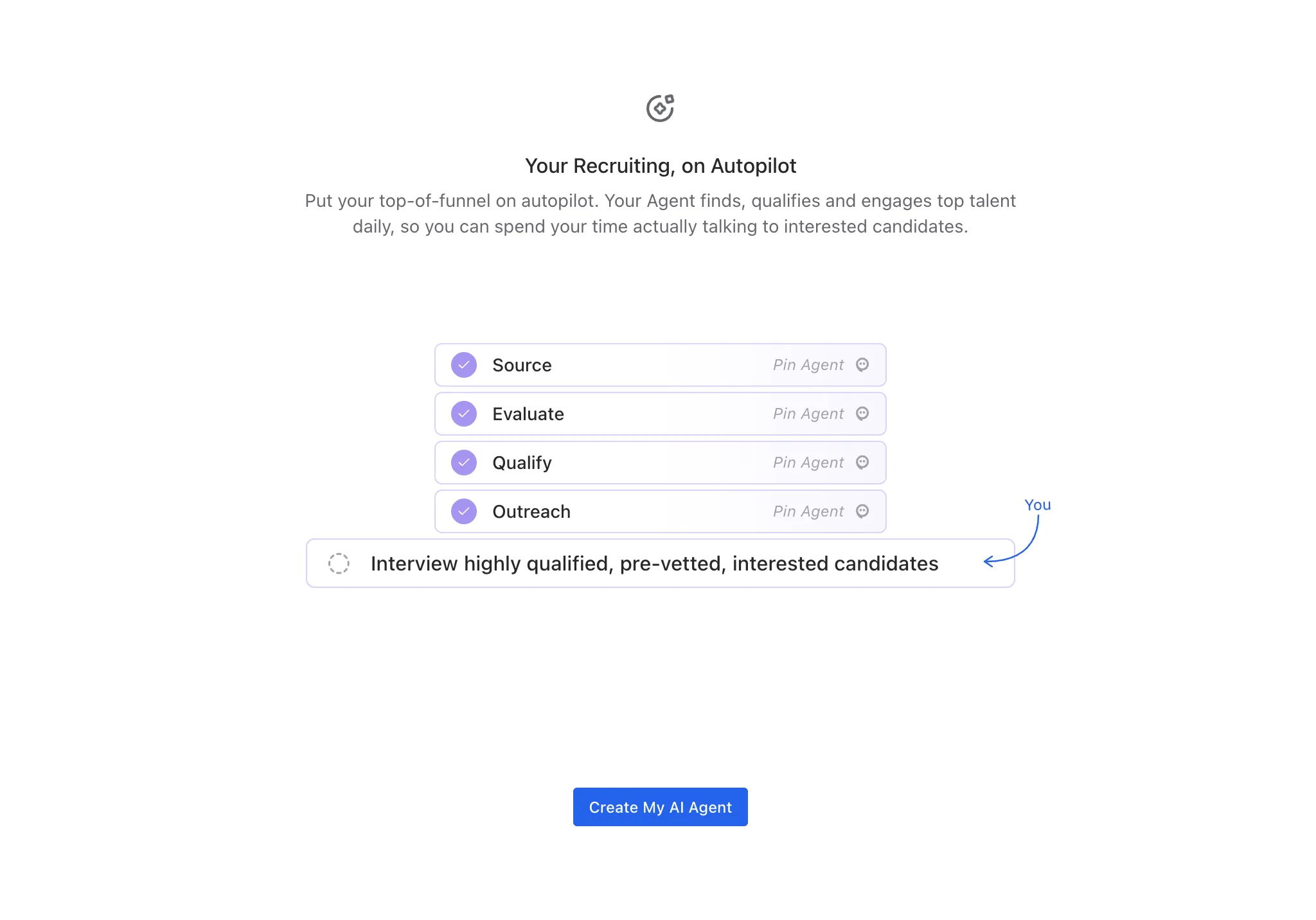
Pin handles four stages of your funnel automatically — Source, Evaluate, Qualify, and Outreach — so you can focus on interviewing candidates who are already qualified, pre-vetted, and interested. After you calibrate the AI Agent on a few candidates, you decide what it does with everyone it qualifies: set them aside on a shortlist, or reach out to them directly.
The AI Agent works per job. You'll set it up for each search you want to automate. No need to keep your browser on the agent! It'll continue working for you in the background if you have it live.
Step 1: Create your AI Agent
- Open the job you want to automate.
- From the left sidebar, select AI Agent (or click Create AI Agent from the banner on your sourcing view).
- Review the four stages the Agent will handle — Source, Evaluate, Qualify, and Outreach — then click Create My AI Agent.
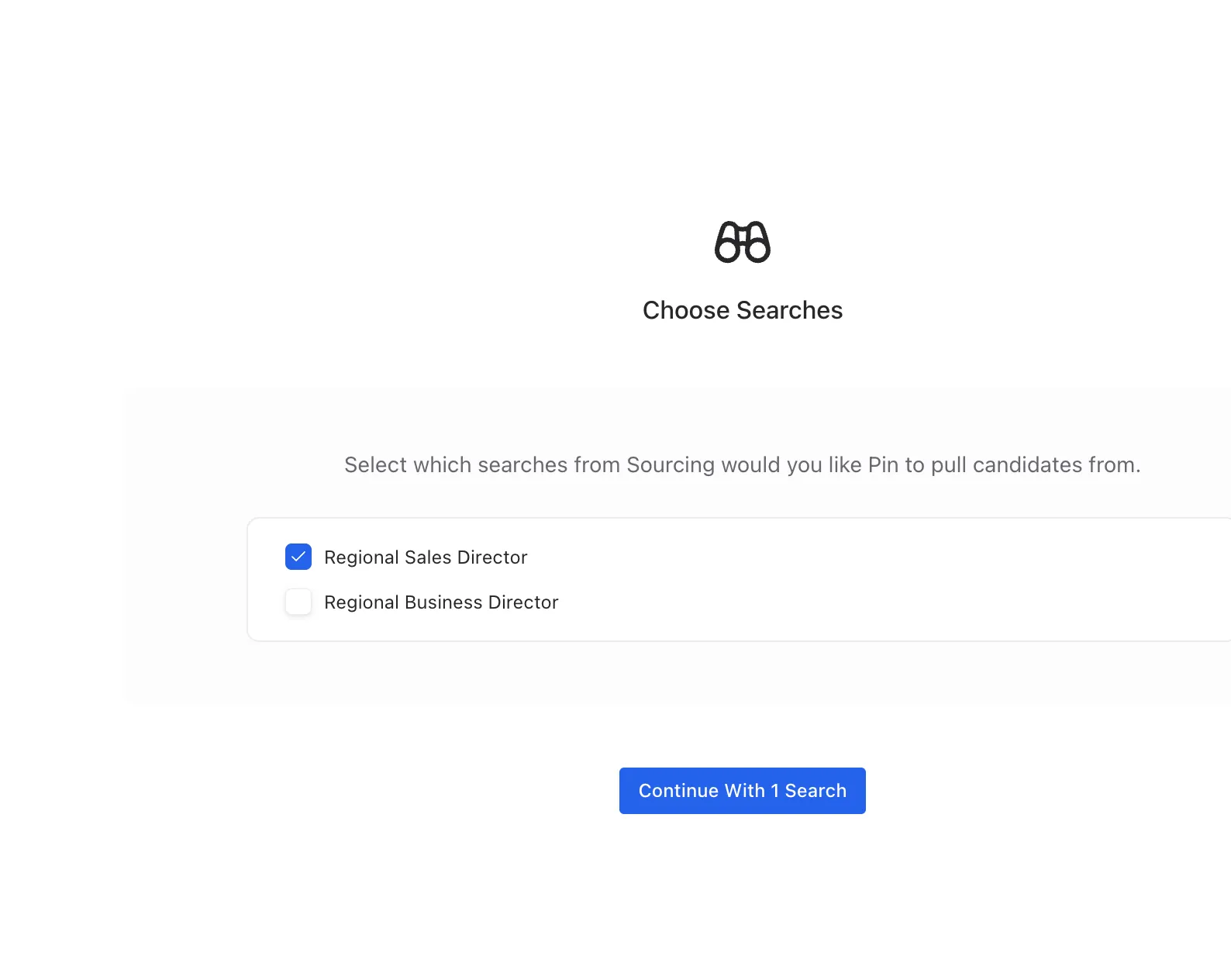
- Select which searches from Sourcing you want Pin to pull candidates from.
Step 2: Calibrate by reviewing candidates
Pin presents a small set of candidates (typically 5) so you can confirm its judgment matches yours. This calibration step trains the AI Agent on your preferences.
For each candidate, you'll see their Evaluation (how they answered your qualifying questions), Criteria matches, and scores like Talent Score, Estimated Salary, and Acceptance Likelihood.
- Review the candidate's evaluation and criteria.
- Optionally share your feedback into the Give Pin feedback on this candidate field to sharpen future matching.
- Click Approve or Decline.
- Repeat for each candidate in the calibration set.
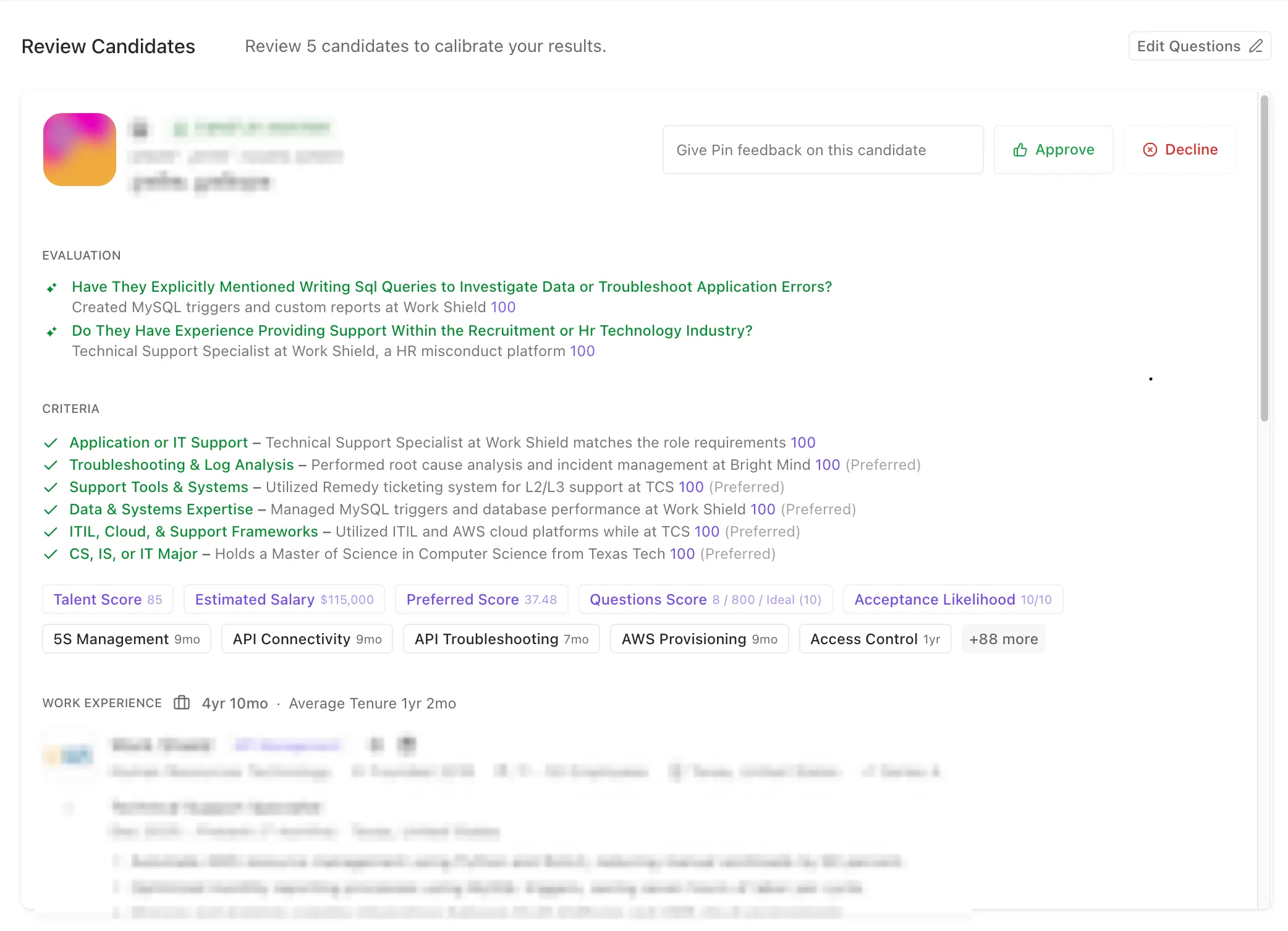
Use the feedback field when a candidate is close but not quite right. Telling Pin why you're declining improves accuracy more than the decline alone. You can also click Edit Questions here if your review reveals your qualifying questions need adjusting.
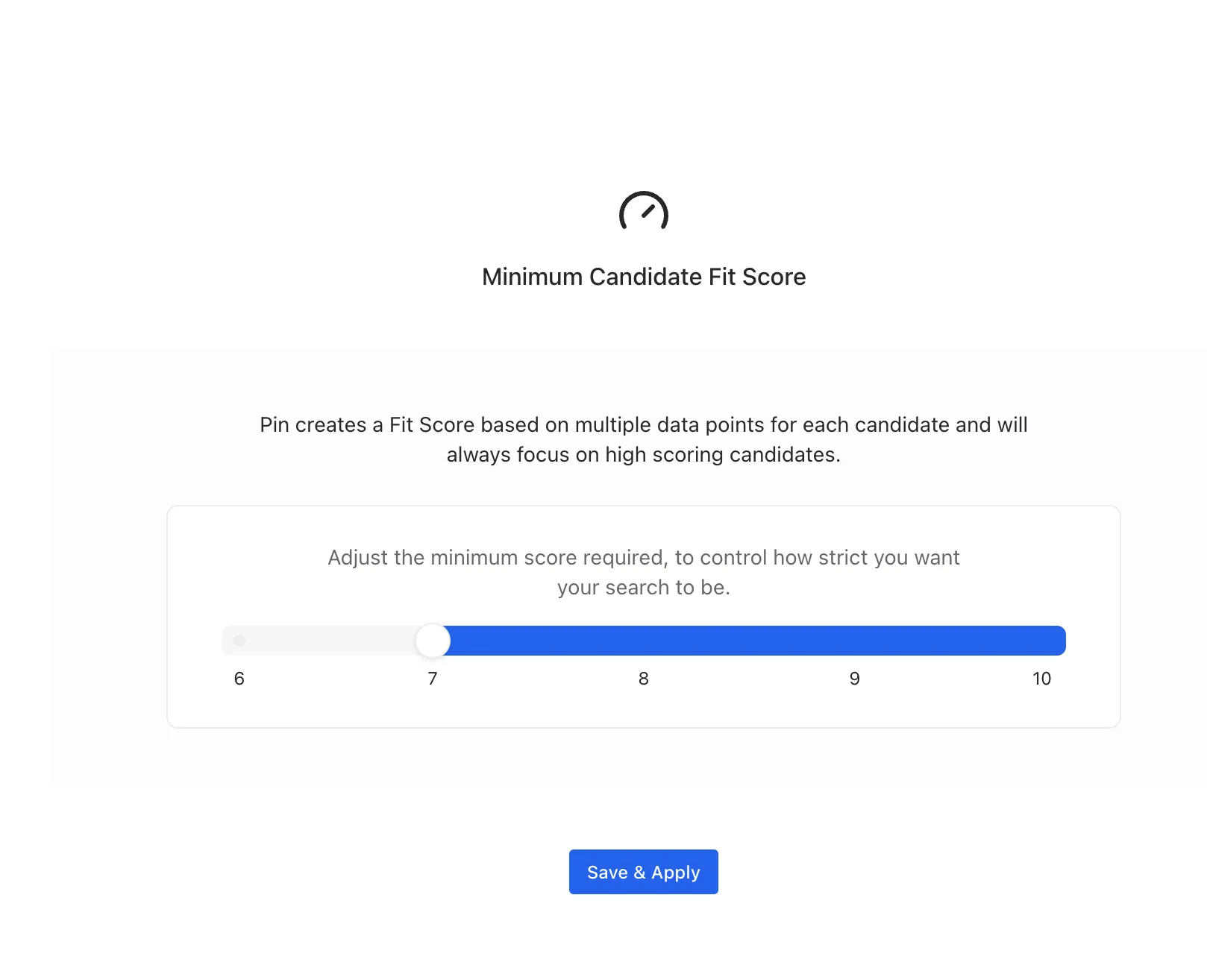
Step 3: Choose the Fit score range
Pin creates a Fit Score based on multiple data points for reach candidate and will always focus on candidates with higher scoring Fit scores first (from the highest to the lowest). Here, you set the range for the AI Agent to decide what to do with each candidate
Step 4: Choose what Pin does with qualified candidates
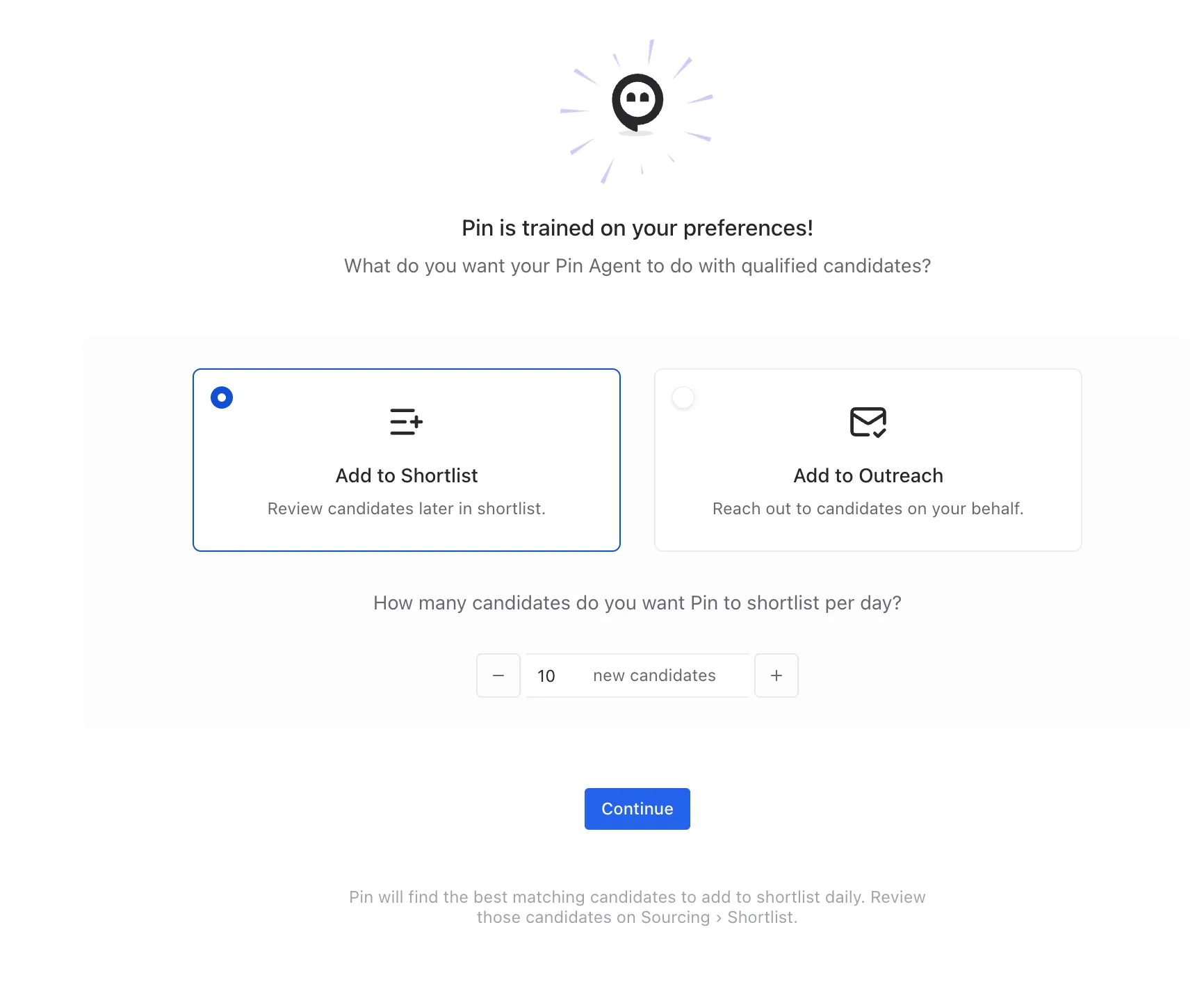
Once Pin is trained, you'll decide how qualified candidates are routed. You'll see two options:
Add to Shortlist — Pin sets candidates aside for you to review later. You can find them under Sourcing → Shortlist.
Add to Outreach — Pin reaches out to candidates on your behalf. Candidates who reply are added to your Pipeline.
- Select either Add to Shortlist or Add to Outreach.
- Set the daily volume using the new candidates stepper (the default is 10 per day and the maximum limit is 100 per day).
- If you chose Outreach, click Preview outreach sequence to review the messages Pin will send before enabling.
- Click Continue (Shortlist) or Enable Outreach Sequence (Outreach).
Outreach sends real messages to candidates on your behalf. Always use Preview outreach sequence to review the messaging before enabling, and start with a low daily cap until you're confident.
Managing a running Agent
Once your Agent is live, you can monitor and control it from the job's left sidebar:
- Sourcing → Shortlist — review candidates Pin has shortlisted.
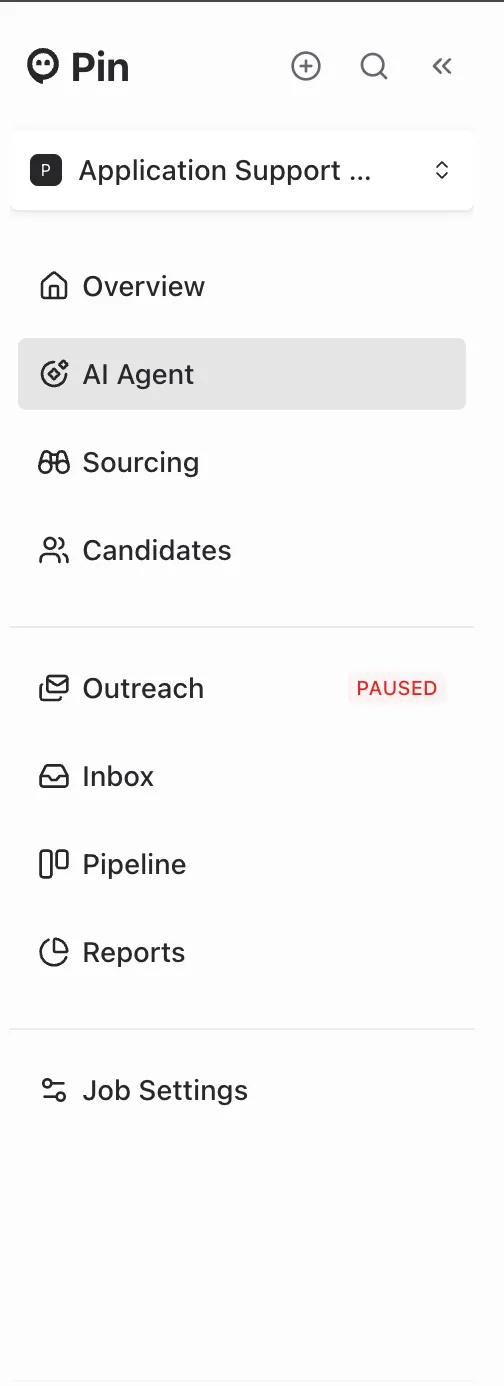
- Outreach — view and manage the outreach sequence. The sidebar shows a PAUSED label when outreach is stopped.
- Pipeline — candidates who replied to outreach land here.
- Inbox — candidate replies.
- Reports — performance of your Agent over time.
Edge cases and troubleshooting
Why isn't the AI Agent sourcing candidates? The AI Agent works based on your search criteria; it will not trigger if the criteria search returns no candidates or only low Fit candidates. This applies if the only search results you see come from "Next Best Candidates". As "Next Best Candidates" are a modified search to return candidates, the AI Agent needs
How is the AI Agent qualifying candidates? The AI Agent uses the Fit score, which is an estimate based on how well a candidate matches your questions and criteria. The Fit score acceptance range can be customized initially during initial set up and by clicking Edit AI Agent->Modify Minimum Fit Score.
Outreach shows "PAUSED" in the sidebar. Your outreach sequence is currently stopped, so no new messages are going out. Open Outreach to review and resume it. Agents may pause automatically if a sending issue is detected or if you paused it manually.
The Agent qualified fewer candidates than my daily number. The daily figure is a cap, not a quota. Pin only routes candidates that genuinely match your criteria, so on days with fewer strong matches you'll see fewer candidates.
Candidates are being qualified that don't fit. Return to your calibration reviews and use the feedback field when declining, or click Edit Questions to tighten your qualifying questions. The more specific your questions and feedback, the more accurate the matching.
I want to review before any outreach goes out. Choose Add to Shortlist instead of Add to Outreach. Candidates wait under Sourcing → Shortlist for your manual review, and nothing is sent automatically.
My existing candidates weren't sorted. The Agent works on candidates it sources and qualifies going forward. Use the calibration and ongoing sourcing flow rather than expecting a retroactive sort of your full candidate list.
I want to change questions after setup. Use Edit Questions (available on the Review Candidates screen) to revise your qualifying questions and recalibrate.
I want to change the number of candidates to shortlist/outreach. Use Edit AI Agent on the top right, then select Change AI Agent Action and you can change the number of candidates you originally set to shortlist/outreach.
Best practices
- Write specific, yes/no qualifying questions — they drive everything downstream.
- Use the feedback field during calibration, especially on declines, to train Pin faster.
- Start with Add to Shortlist to confirm match quality before letting Pin do outreach.
- Always Preview outreach sequence before enabling outreach.
- Keep the daily cap modest at first, then raise it once you trust the results.
- Check Reports periodically to see how your Agent is performing.
Frequently Asked Questions
Q: How many agents can I run at the same time? A: There is no limit to the agents you can run at the same time. Q: How come the AI Agent isn't updating the candidates after I move them to outreach or decline them? A: The AI Agent shows what it did to candidates as a historical record. What you decide to do with the candidate after the AI Agent has reviewed it, will not change its status in the AI Agent's view.