Candidates are stuck "In Queue"
2 min
Candidates that are in a "In Queue" state are waiting for your to approve a manual email or a manual task (text or call). There are two ways to resolve this:
- By switching the step from a manual step to an automatic one
- By fulfilling or reviewing the manual step
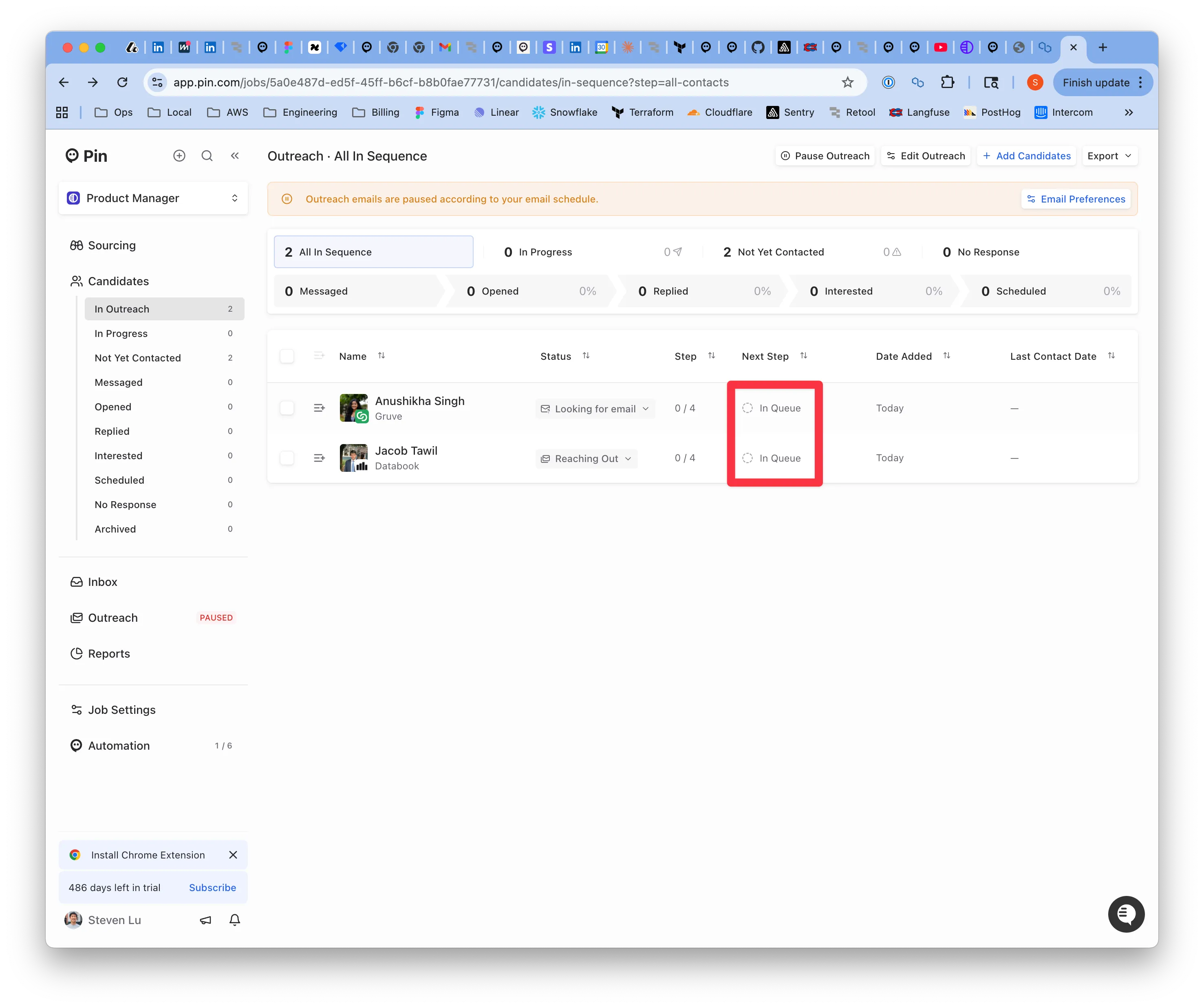
An example of the In Queue state
Switching the step to automatic
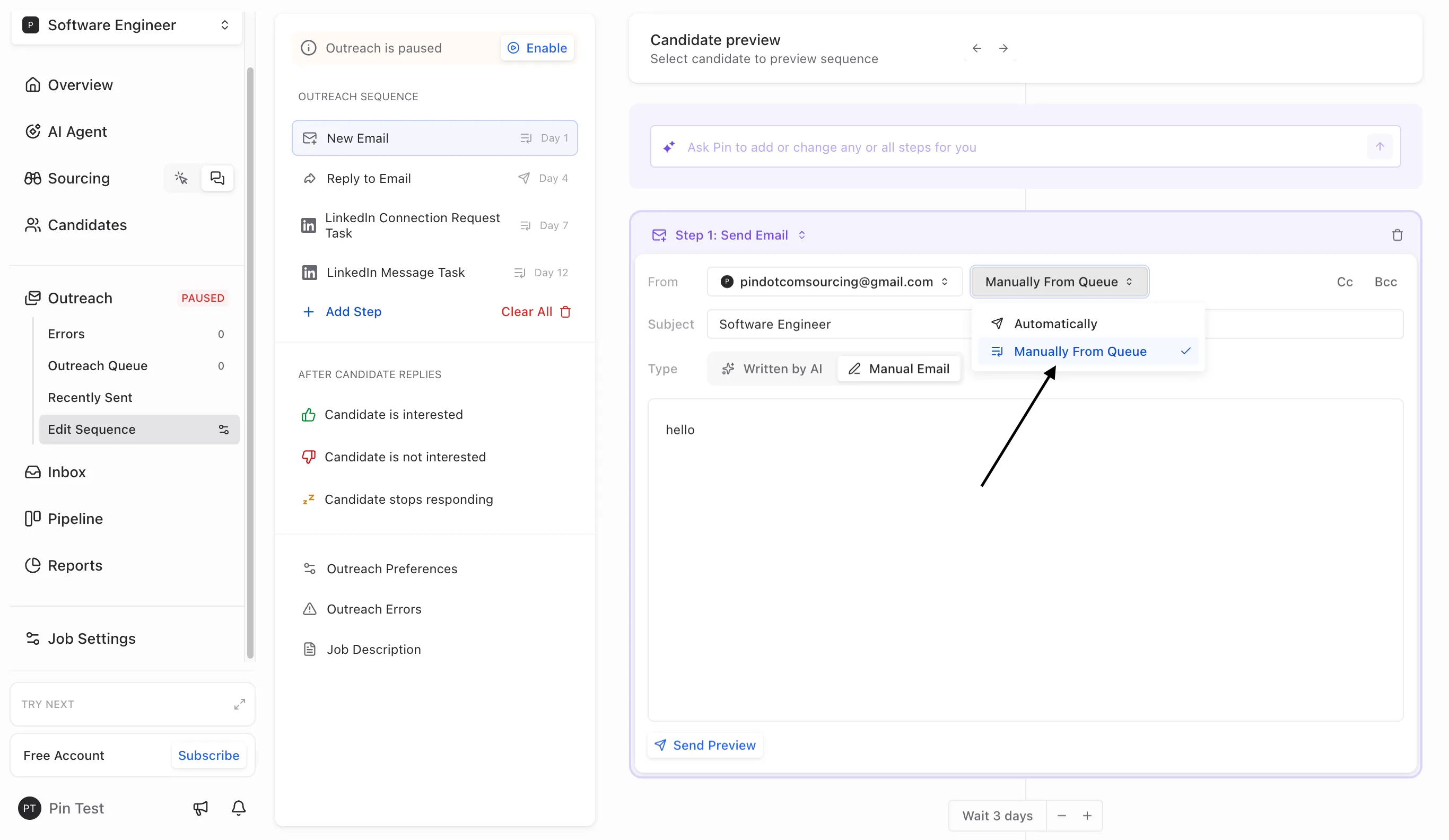
To switch your step from manual to automatic, head over Outreach -> Edit Sequence. In the From section, click the drop-down to change it from "Manually from queue" to "Automatically".
Fulfilling the manual step
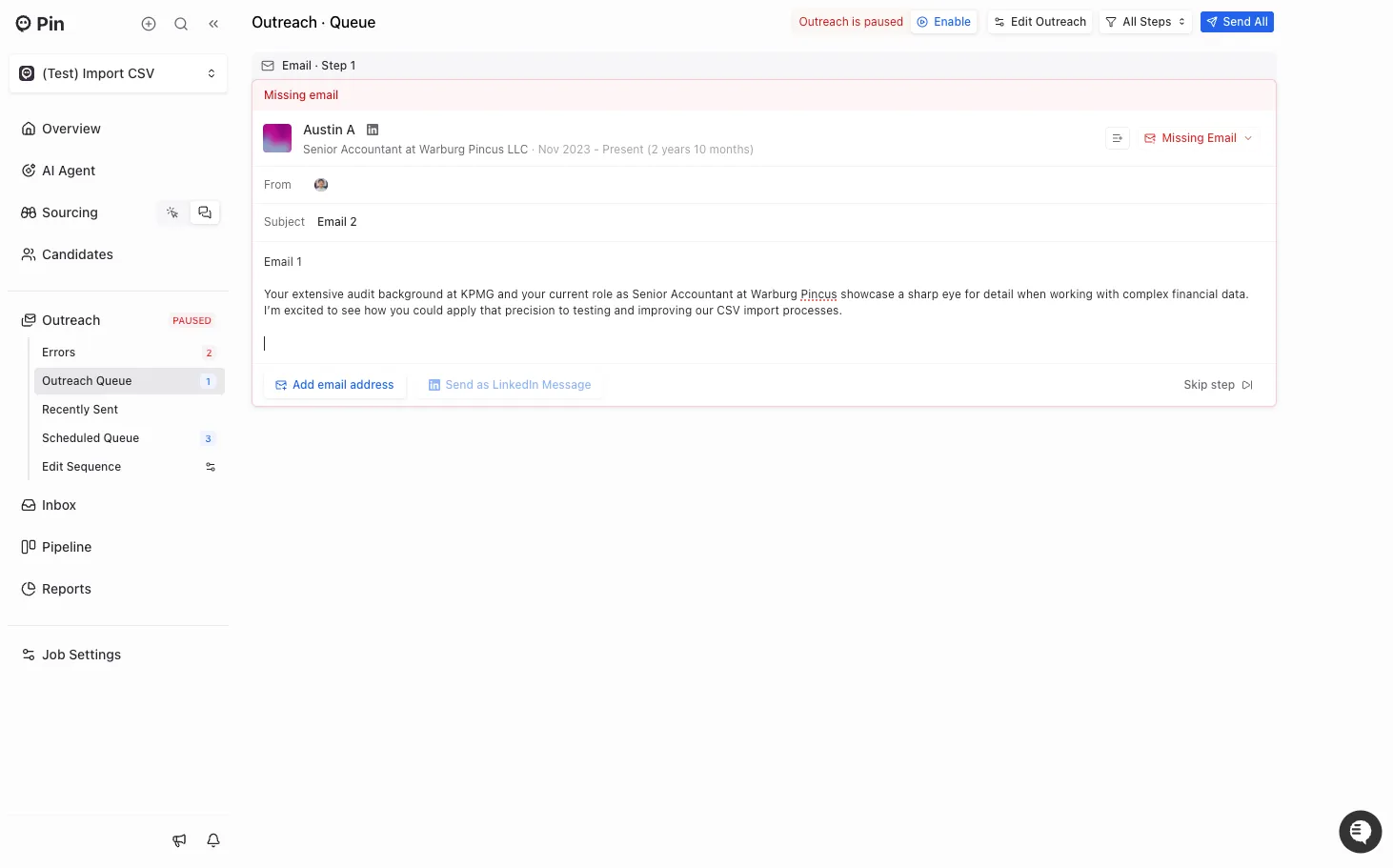
To complete a step, head to Outreach -> Outreach Queue. There you will see a few manual steps to complete. Review the message and click "Send All" to send the message out to candidates