
Email lookup preferences
1 min
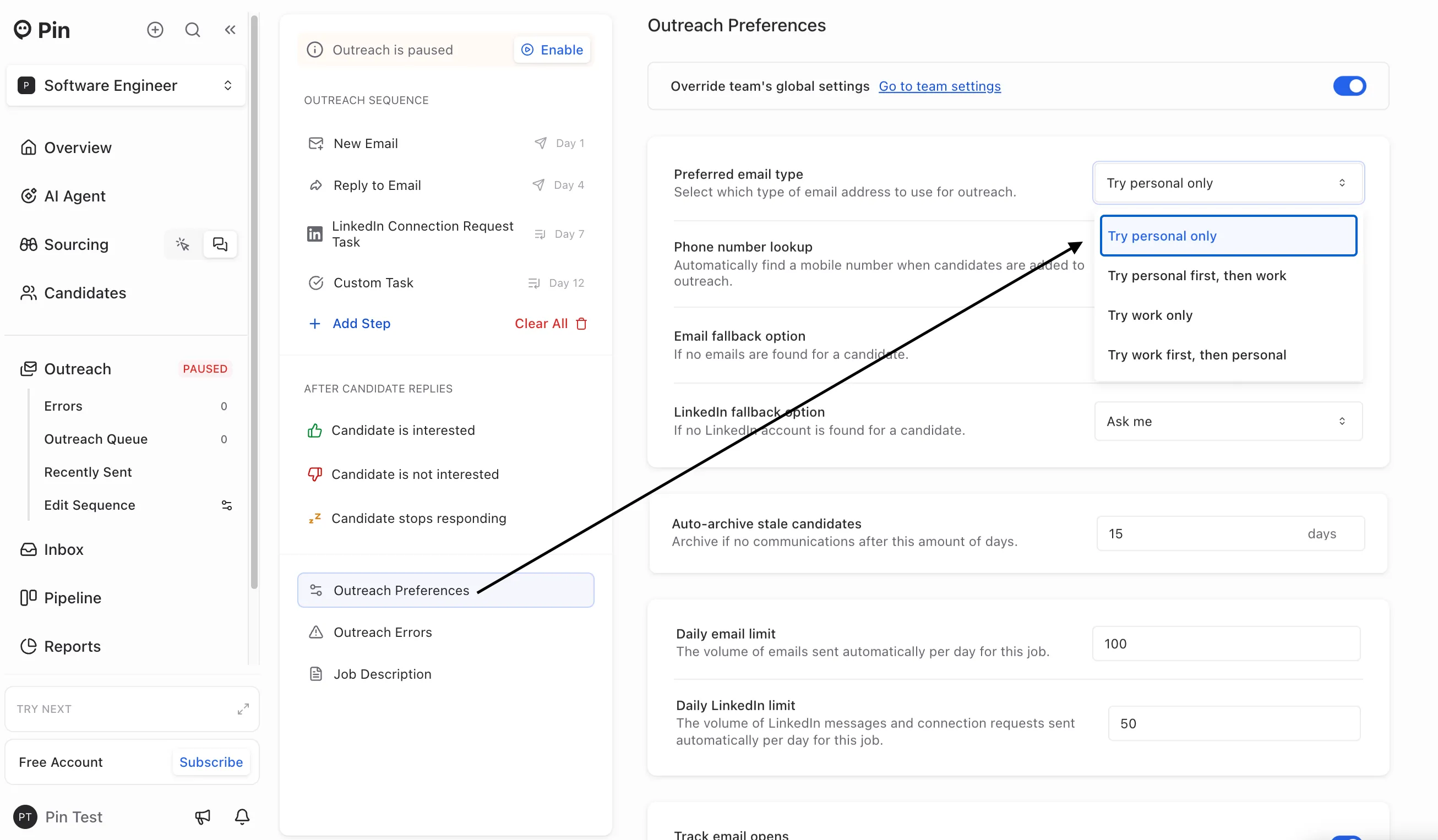
You can choose which emails Pin searches for within each job by setting your preferred email type in Outreach Sequence -> Outreach Preferences. You can from the following:
- Try personal only – Pin will only search for personal emails
- Try personal first, then work – Pin will look for a candidate’s work email first. If none is found, it will then search for a personal email.
- Try work only – Pin will only search for work emails
- Try work first, then personal – Pin will look for a candidate’s work email first. If none is found, it will then search for a personal email.
Important: Be sure to set your email lookup preferences correctly before adding candidates to Outreach. After a candidate is added to Outreach, Pin will automatically search for their email using your selected email type. If the incorrect email lookup is selected, you'll need to manually re-run the lookups.