
Integrating with Atlas
3 min
Obtaining your API Key from Atlas
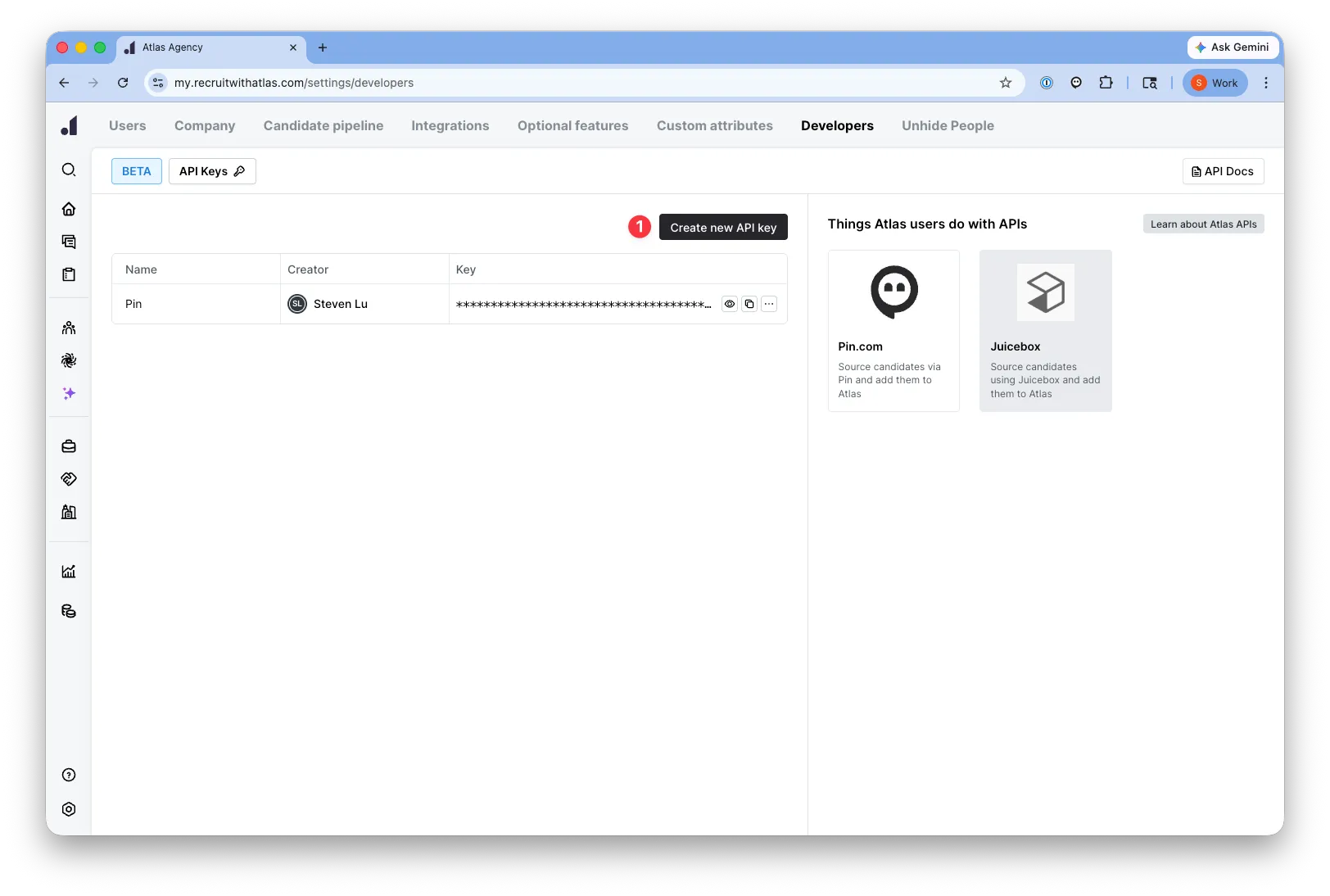
To obtain your API key from Atlas, head over to: Settings->Company Settings -> Developers https://my.recruitwithatlas.com/settings/developers
Step 1: Create a new API Key
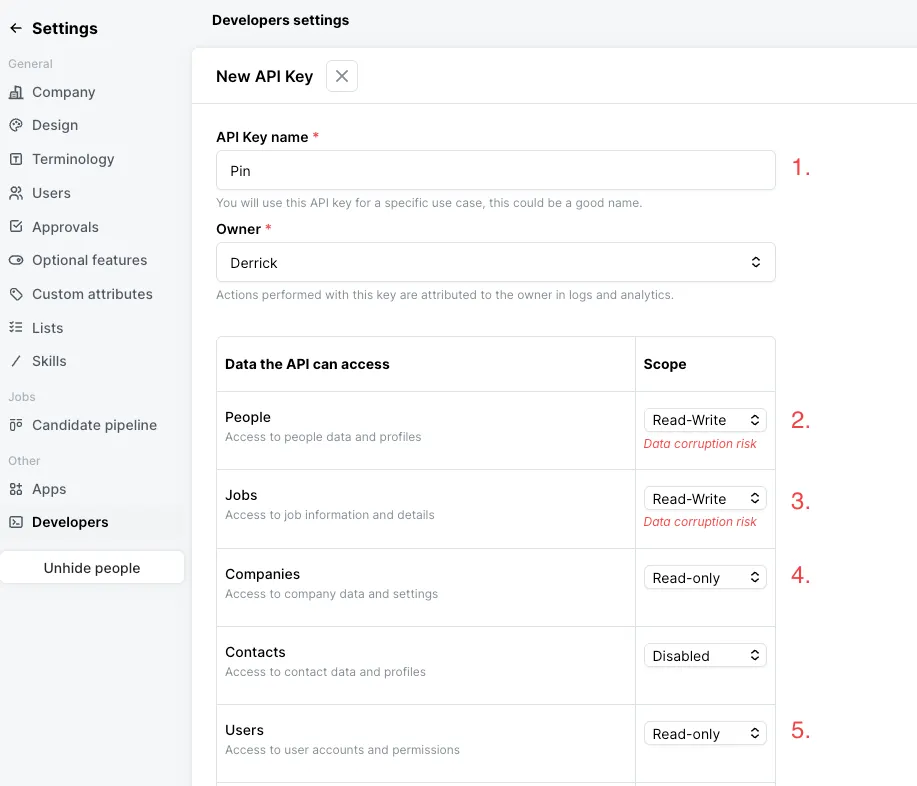
Step 2: Set the scopes to the following: People: Read-Write Jobs: Read-Write Companies: Read-only Users: Read-only
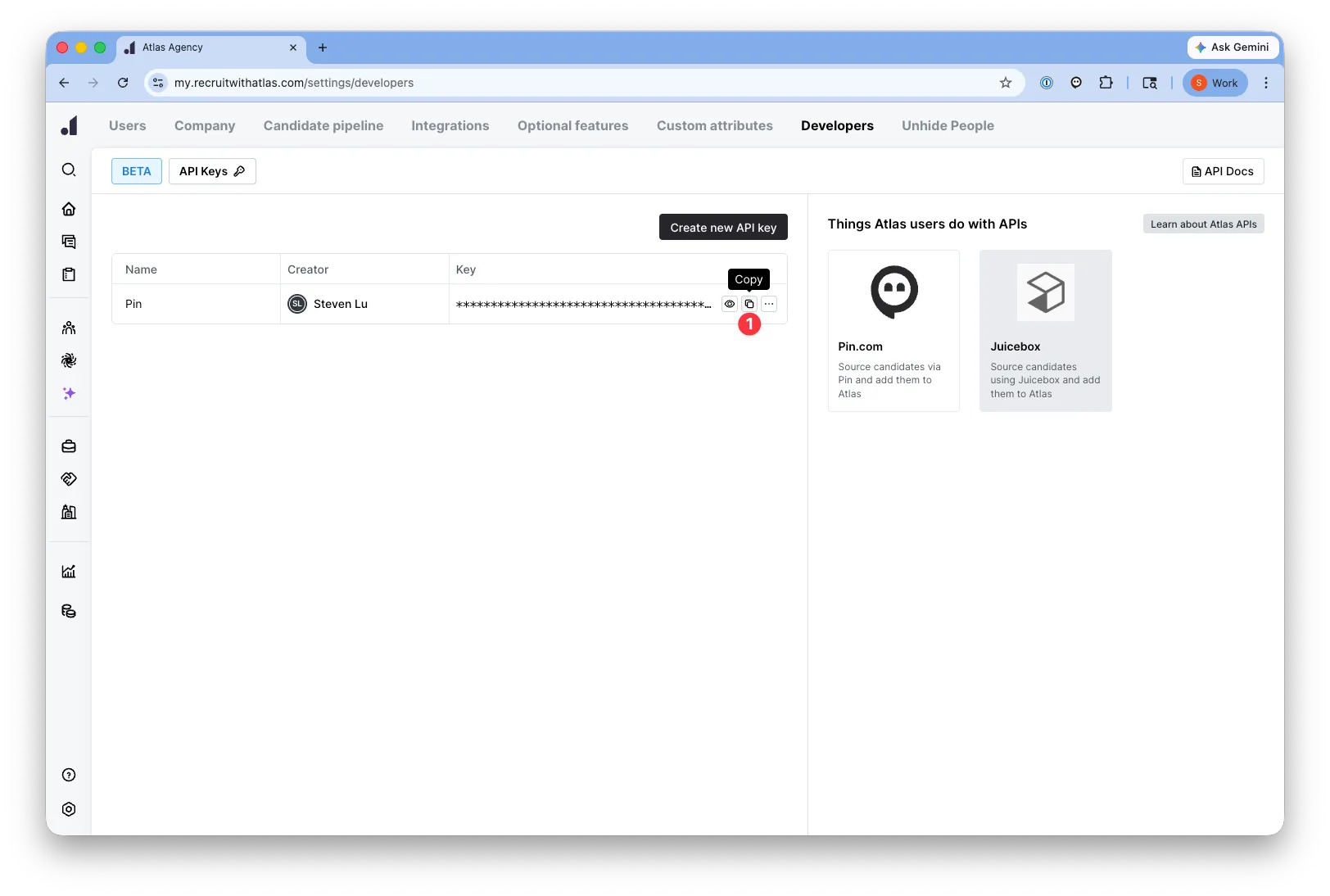
Step 3: Copy and paste your API key
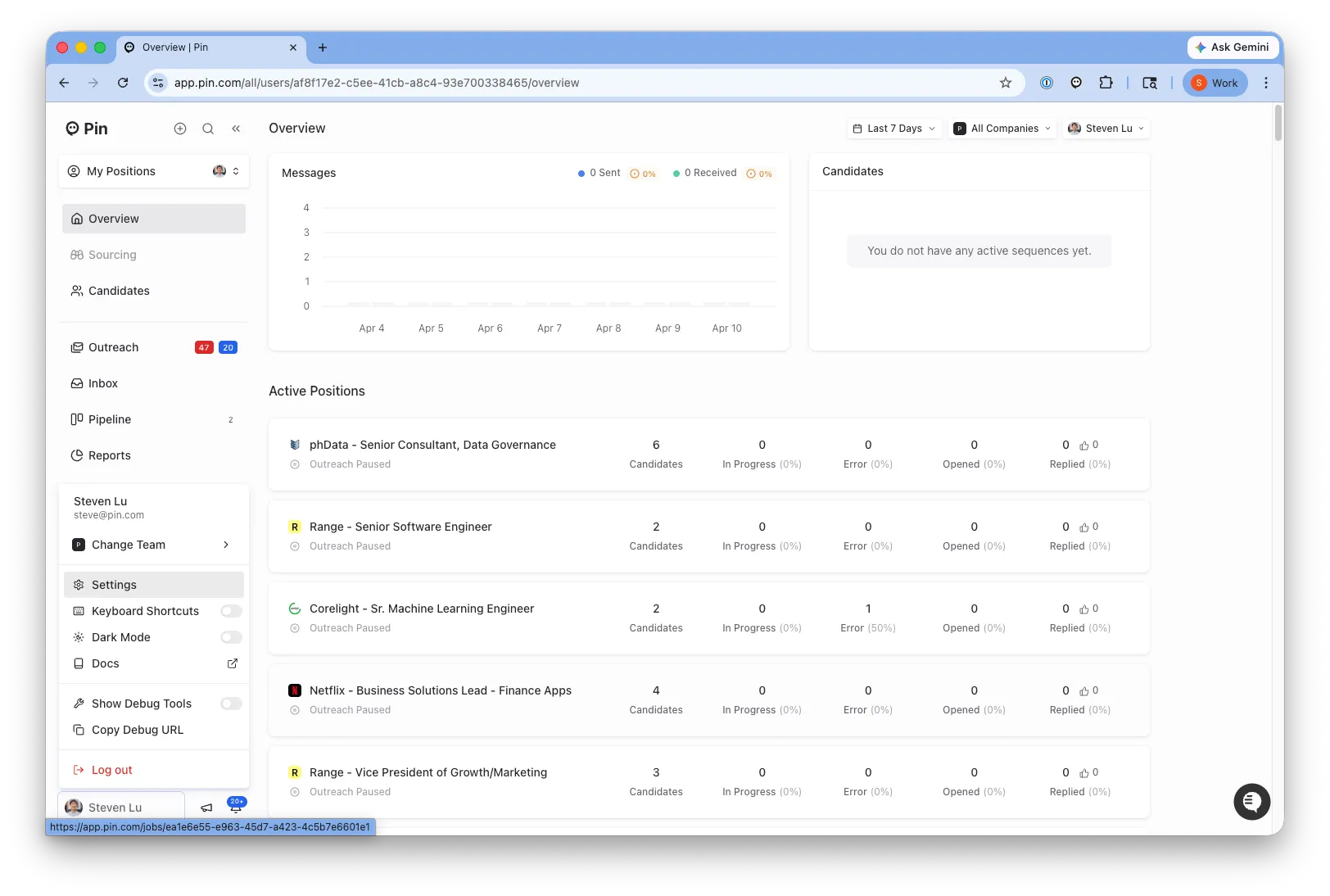
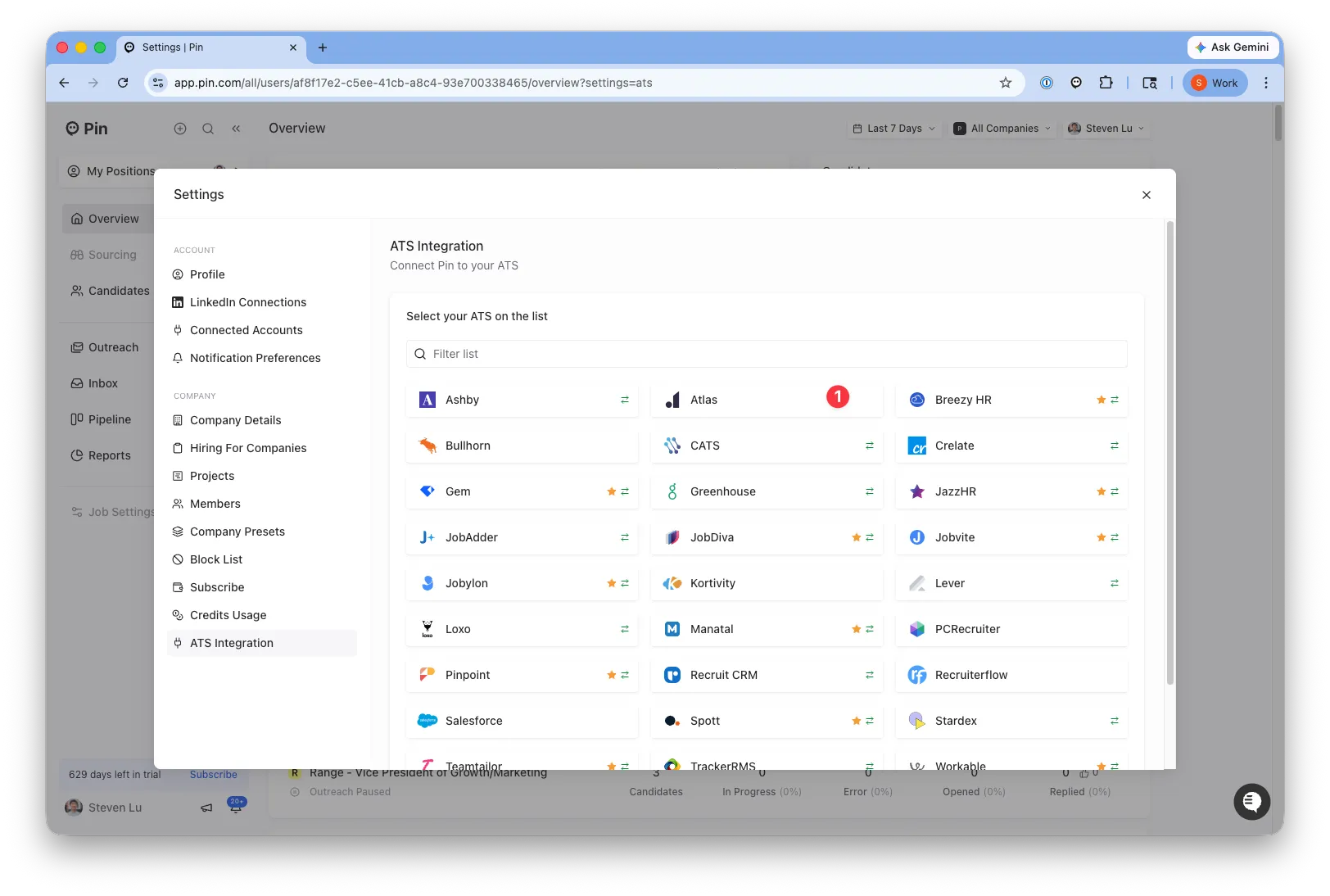
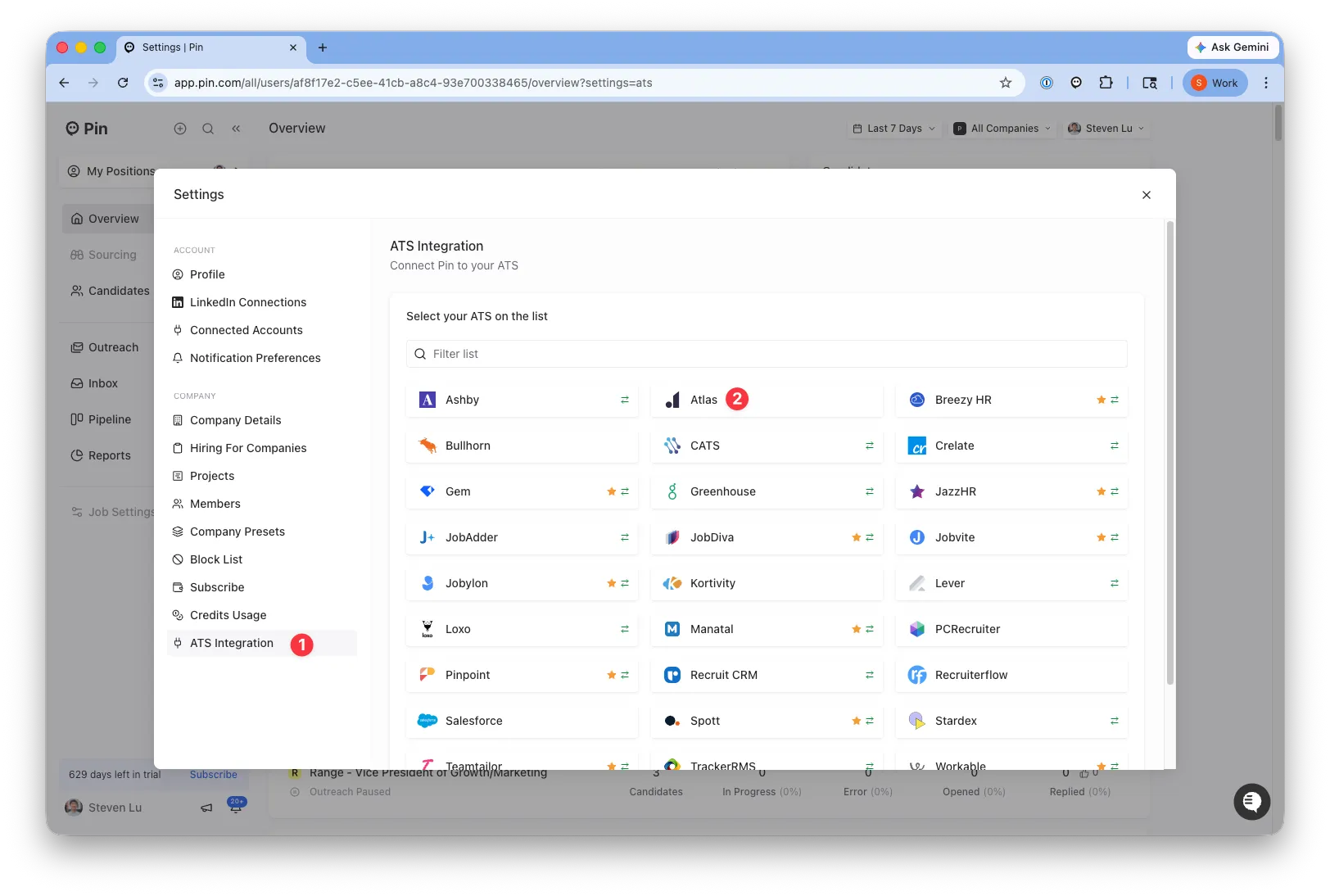
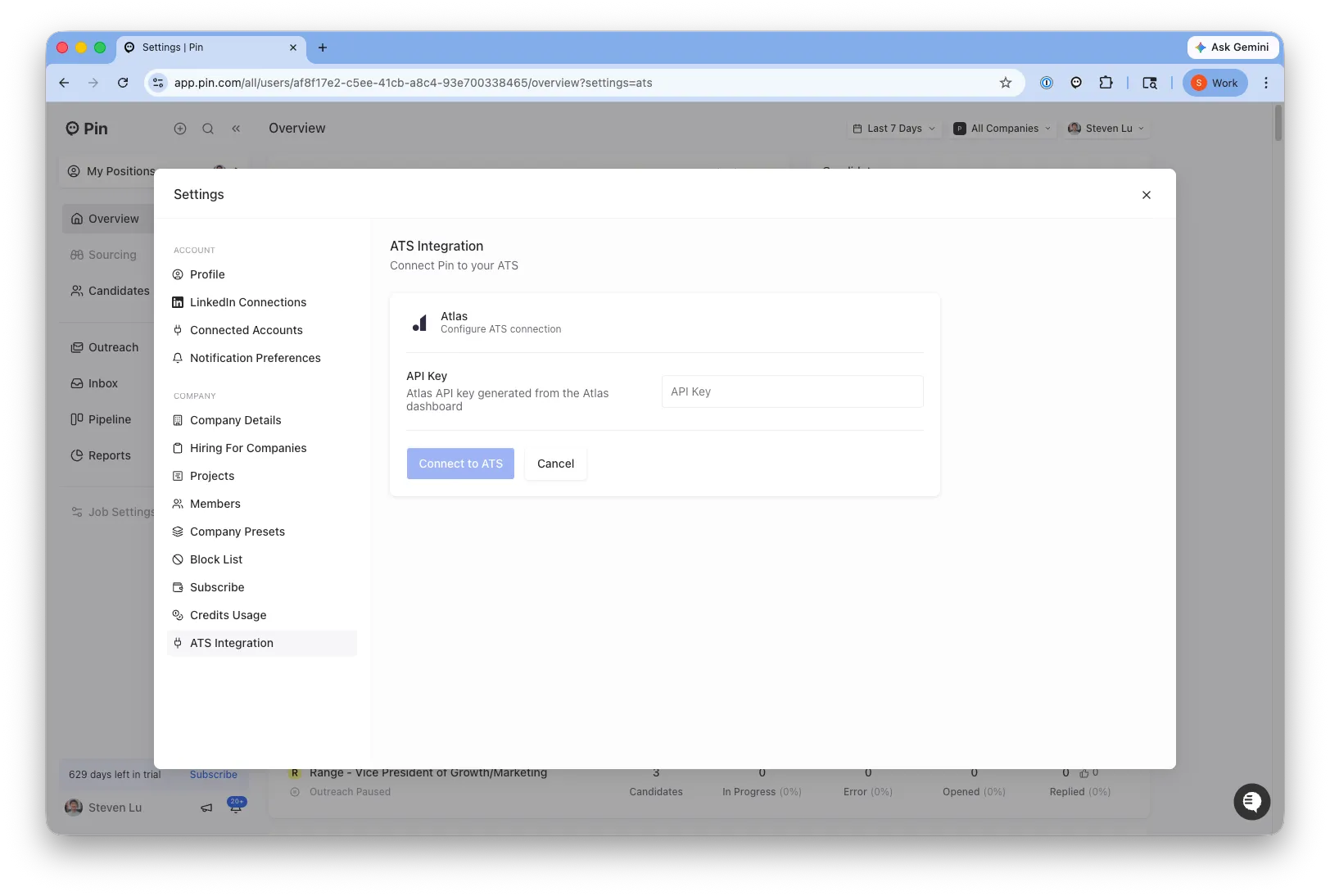
Step 4: Head back to Pin to copy and paste the API key
Atlas Troubleshooting and Questions:
Q: Atlas keeps disconnecting A: Ensure that your scopes are set to the following in Atlas
- People: Read-Write Projects: Read-Write Companies: Read-only Users: Read-only