
Messaging the same candidate in multiple sequences
9 min
This guide covers:
You can message the same candidate from multiple sequences at once. Below is a quick guide to how Pin handles outreach steps in that scenario—when each contact error appears, what it means, and how to proceed.
How messaging the same candidate works
- The same candidate can be added to more than one active sequence at a time.
- If a candidate replies to any sequence, Pin will mark them as "Responded" in all active sequences and stop sending any further outreach steps.
- Select "Ignore" to clear contact errors so candidates can be sent outreach steps in the new sequence.
- You can’t resume sending further outreach steps once a candidate is marked "Responded".
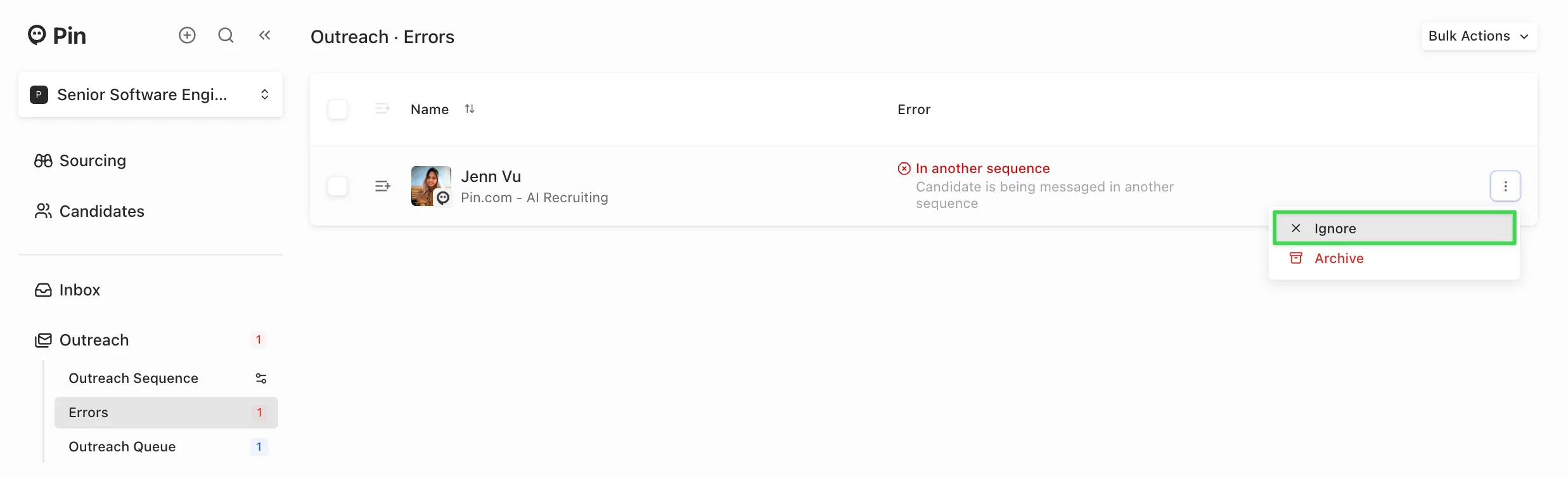
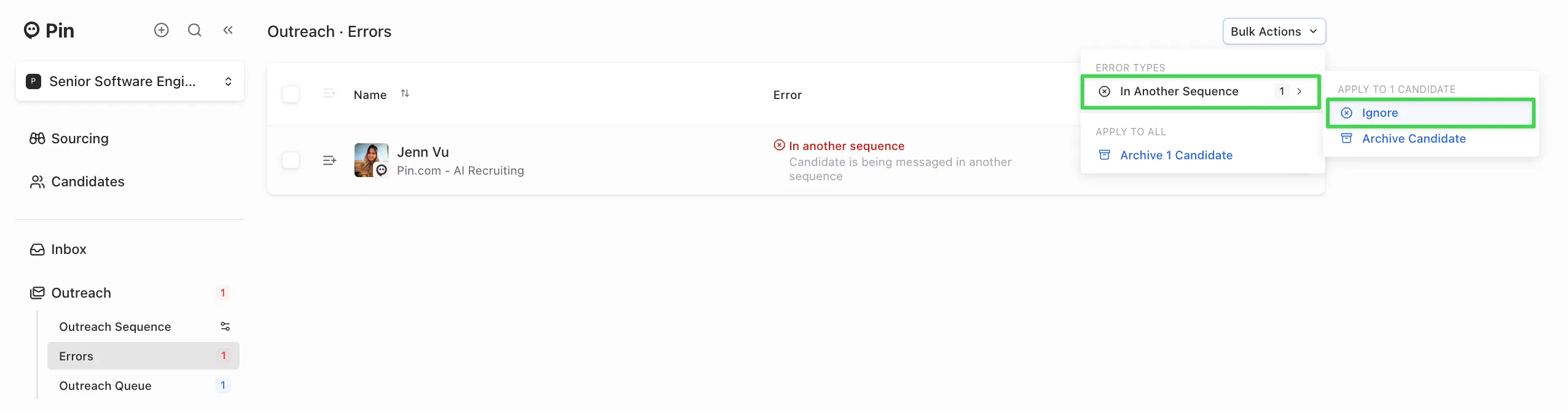
What each contact error means
“In another sequence”
- When you’ll see it: The candidate is currently active in a different sequence and they've been added to a new one.
- What to do: Click "Ignore" (single candidate or bulk action) to clear the error and allow the new sequence to send outreach steps.
- Good to know: You no longer need to archive candidates to contact them in a new sequence.
“Previously messaged”
- When you’ll see it: The candidate already completed another sequence (either they replied or received all outreach steps) and you add them to a new sequence.
- What to do: Click "Ignore" to clear the warning. This lets you start a brand new outreach sequence and doesn't affect the sequence the candidate was previously messaged in.
“Responded”
- When it triggers: The candidate replies to any active outreach sequence they're in.
- What happens: Pin marks the candidate as "Responded" across all active sequences (team-wide) and stops sending any remaining outreach steps.
- Important: There’s no way to resume automated steps once the candidate is marked "Responded".
Team-level behavior
If you and a teammate message the same candidate in different sequences simultaneously, a reply to any sequence marks the candidate as "Responded" across your team. Pin will then stop sending all remaining outreach steps in every active sequence.
Viewing conversation history
Open the candidate’s profile in Pin to see:
- All sent messages from all sequences in one place
- Which sequence they replied to. If a candidate replied to your teammate, you will not see this in your email inbox, but you can see it in the candidate's profile in Pin.
Common scenarios
- I want to start a new sequence while the candidate is active elsewhere. Add candidate to new sequence → you’ll see "In another sequence" → click "Ignore" → the new sequence will send.
- The candidate finished a previous sequence and I want to send them new outreach steps. Add candidate to new sequence → you’ll see "Previously messaged" → click "Ignore" → the new sequence will send.
- They replied to my teammate, but I still have steps scheduled. Pin marks the candidate "Responded" across all active sequences and stops sending all remaining automated steps (including yours). You can’t resume sending outreach steps for that candidate. What you can do instead is start a new sequence and add the candidate, or send a one-off manual message from the candidate’s profile within the current sequence.