
Pin MCP
Note: Pin's MCP is server is currently a beta. Our development team is actively working on this feature and may change without notice.
TLDR; Here's the URL if you know what you're doing
What it provides
The Pin MCP Server brings AI-powered candidate sourcing directly into your AI assistant. Instead of switching between tools, you can source candidates, review profiles, and trigger outreach without ever leaving your workflow.
Please note that the MCP server requires a paid subscription, Trial and Free account users will have to subscribe to have access.
Additionally, as the MCP server is in beta, please expect rapid changes to it. As well, despite being in beta, there are fair usage limits imposed on the MCP server. Use at your own risk.
Setting up searches
create_job starts a new candidate search from a job title, description, and your company's name and website. If you already have a posting on a job board (Greenhouse, Lever, Ashby, etc.), scrape_job_description will pull the title, location, and full description directly from the URL so you don't have to copy-paste anything. This call is throttled to 1 call per 5 minutes to combat abuse.
Reviewing candidates
get_candidates returns up to 10 top-ranked, unreviewed candidates for a given search. Each profile includes enough context to make a call. From there, accept_candidate moves a candidate into your outreach sequence and kicks off email contact automatically. reject_candidate passes on a candidate and immediately sources a replacement, keeping the queue full. You can supply a structured rejection reason or free-text note to help the system learn your preferences over time.
Refining searches
modify_search lets you adjust any criteria using plain language — things like "only candidates in New York" or "require 5+ years of Python experience" — without rebuilding the search from scratch. If you've rejected several candidates in a row, recalibrate_search applies all of your accept/reject feedback to source a fresh, better-matched batch.
Listing searches
list_jobs returns all active searches on your account, filterable by job title, so you can quickly navigate between open roles.
Usage Cost
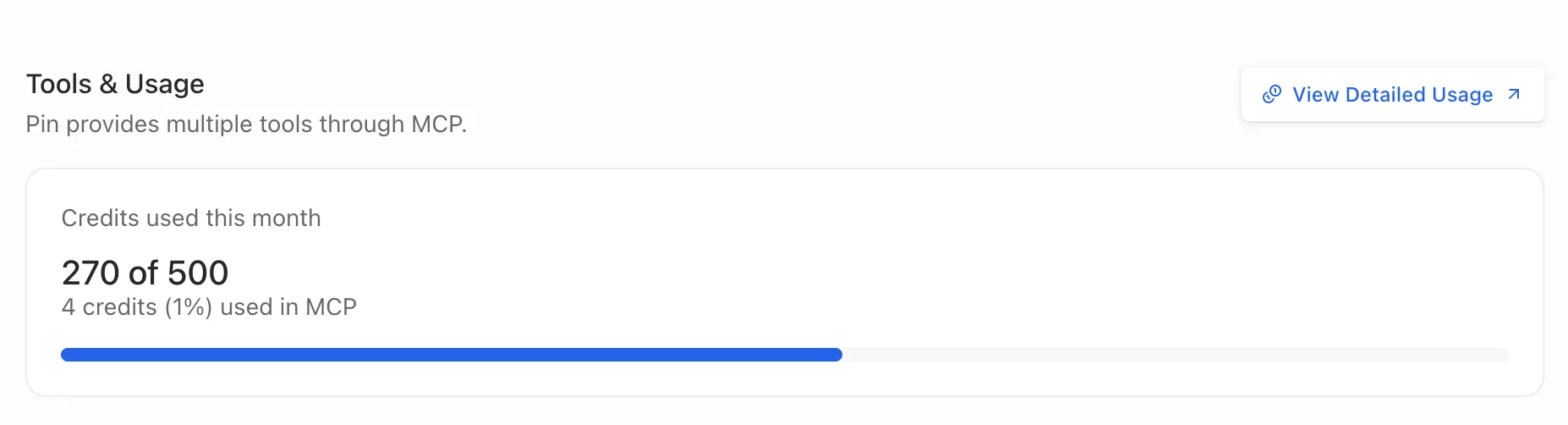
create_job and modify_search will each cost one MCP look up credit when used. You can review your limit and how many credits you've used via MCP and how many you have remaining by going to settings->MCP Server. In the below example, the client has 500 look up credits, 270 total used, and 4 credits have been consumed from MCP usage.
Getting started with Claude
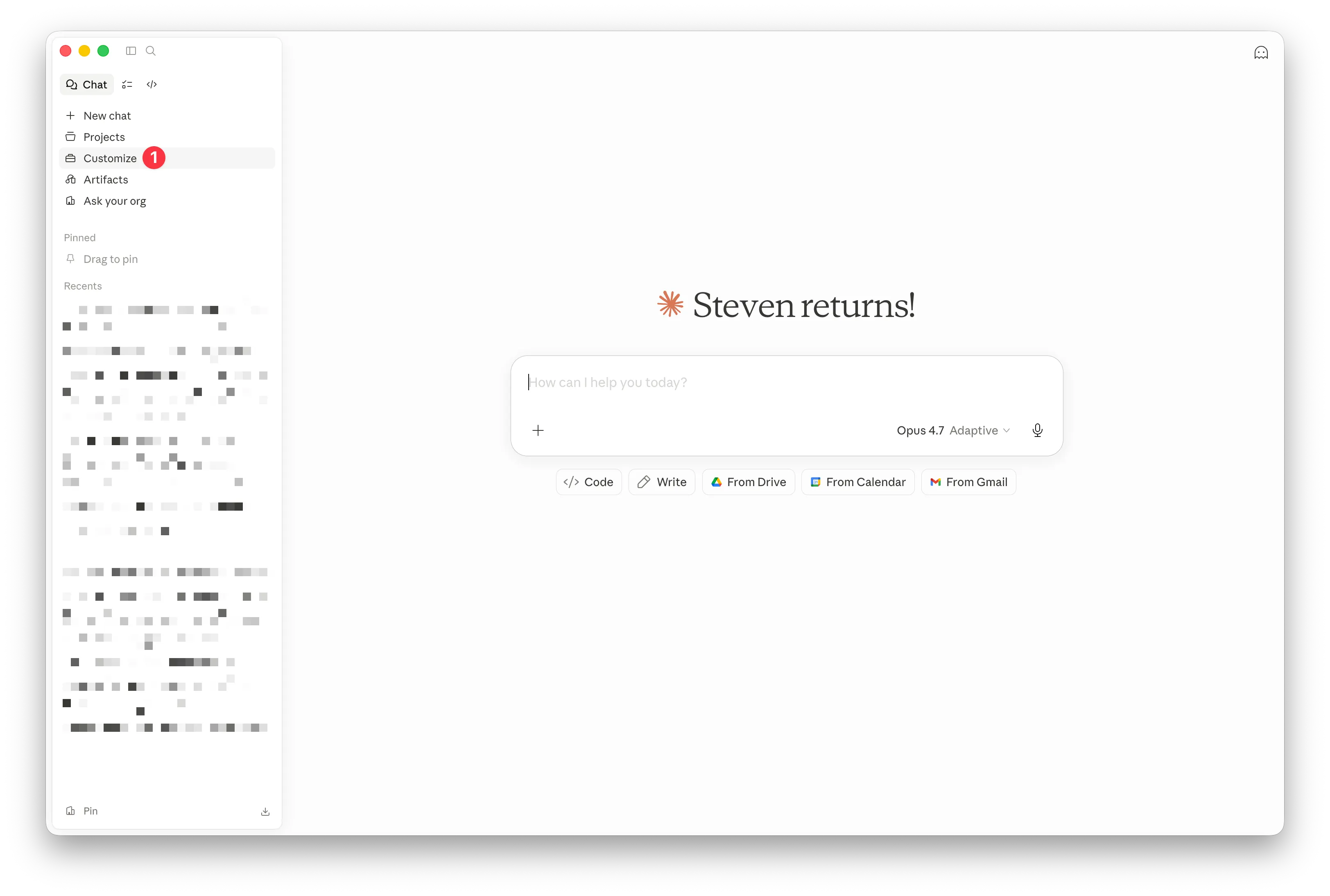
In Claude, head over to Customize.
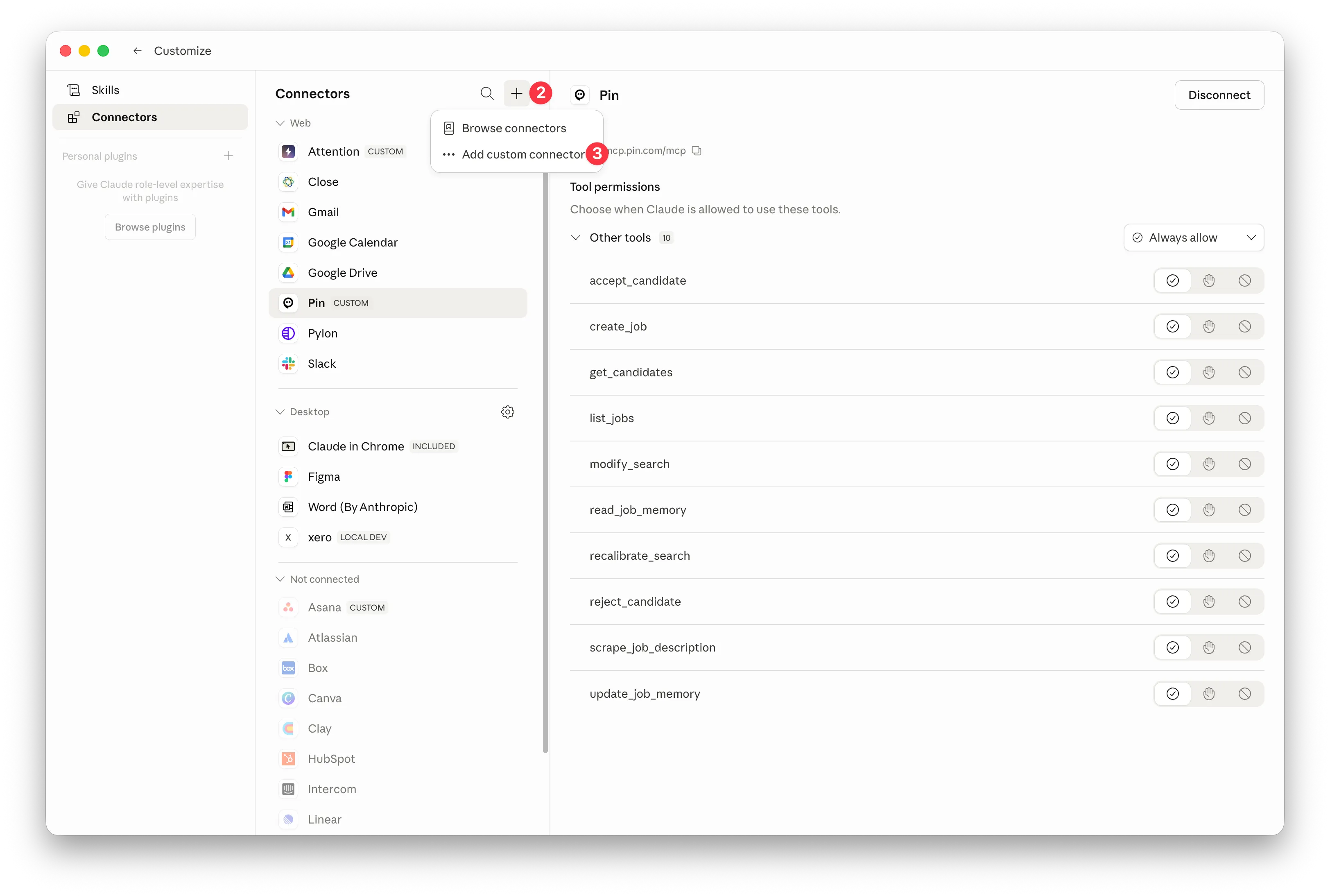
In Customze, click on the "+" icon, then choose "Add Custom connector"
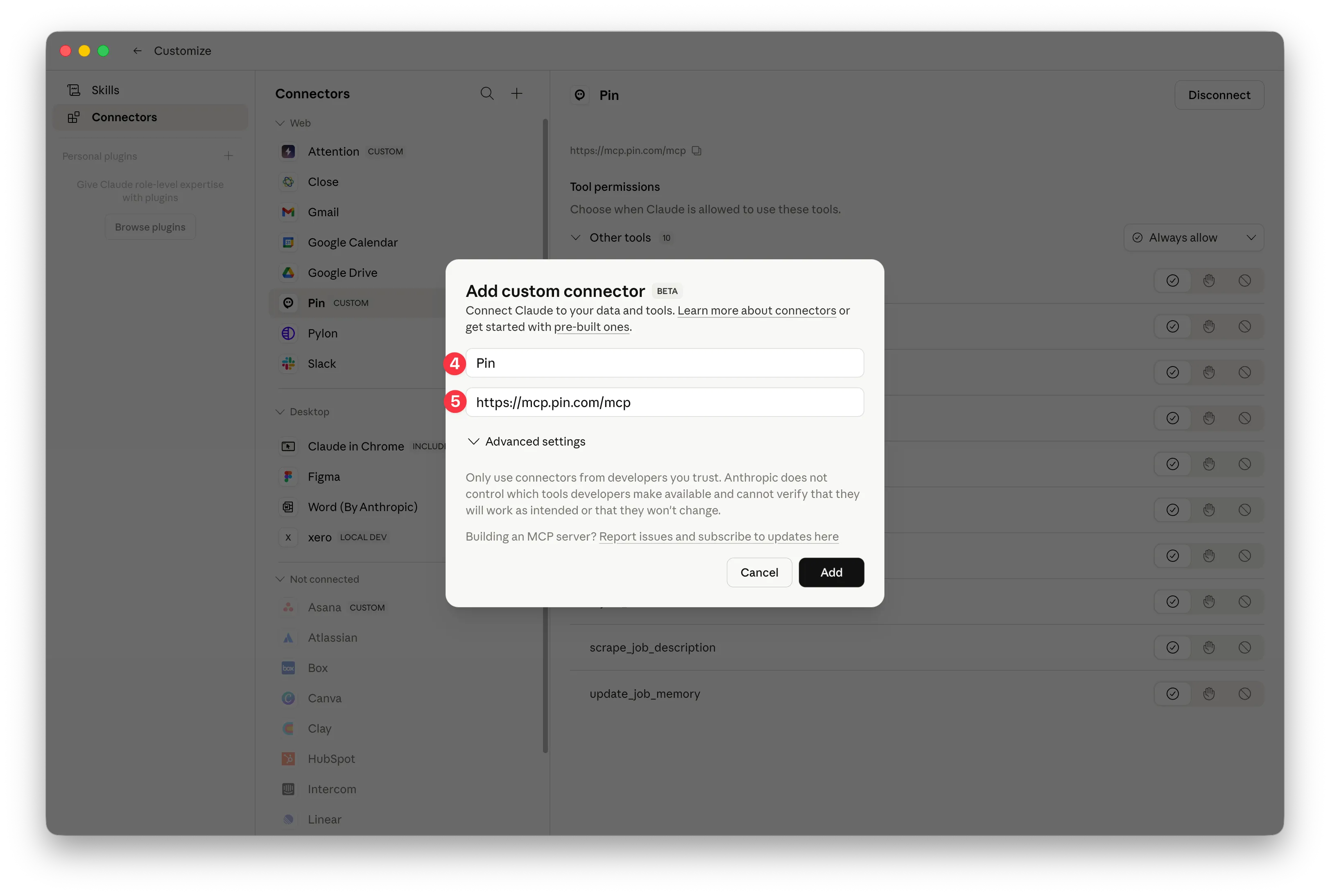
In "Add Custom connector" put Pin as the name and https://mcp.pin.com/mcp as the URL.
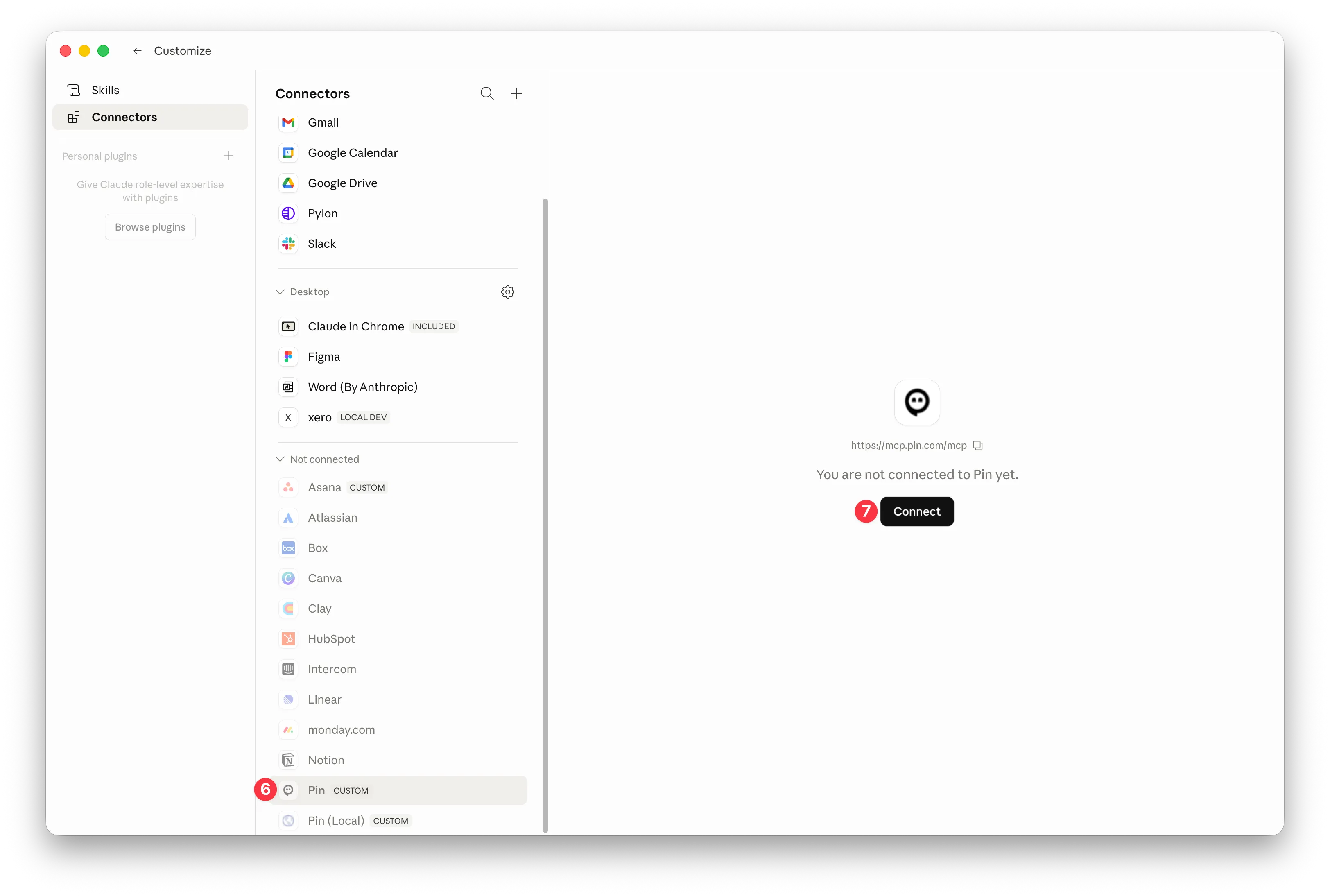
After adding the custom connector, hit the connect button and walk through the process of authenticating Pin with Claude.
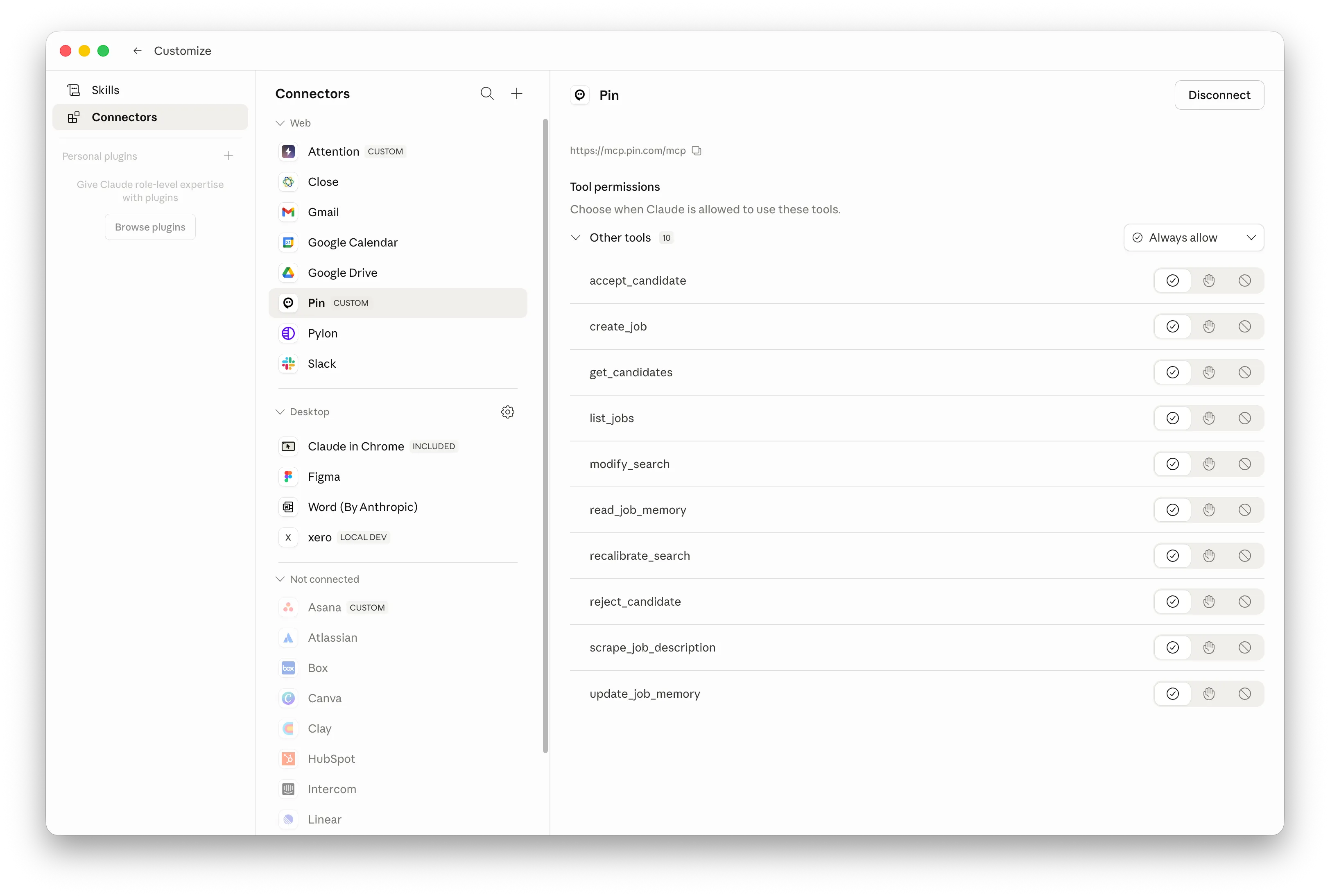
When you're finished authenticating, you should see something like this. Pin's MCP tools are generally all safe so we recommend setting to "always allow" to avoid needing to give Claude permissions at each step.
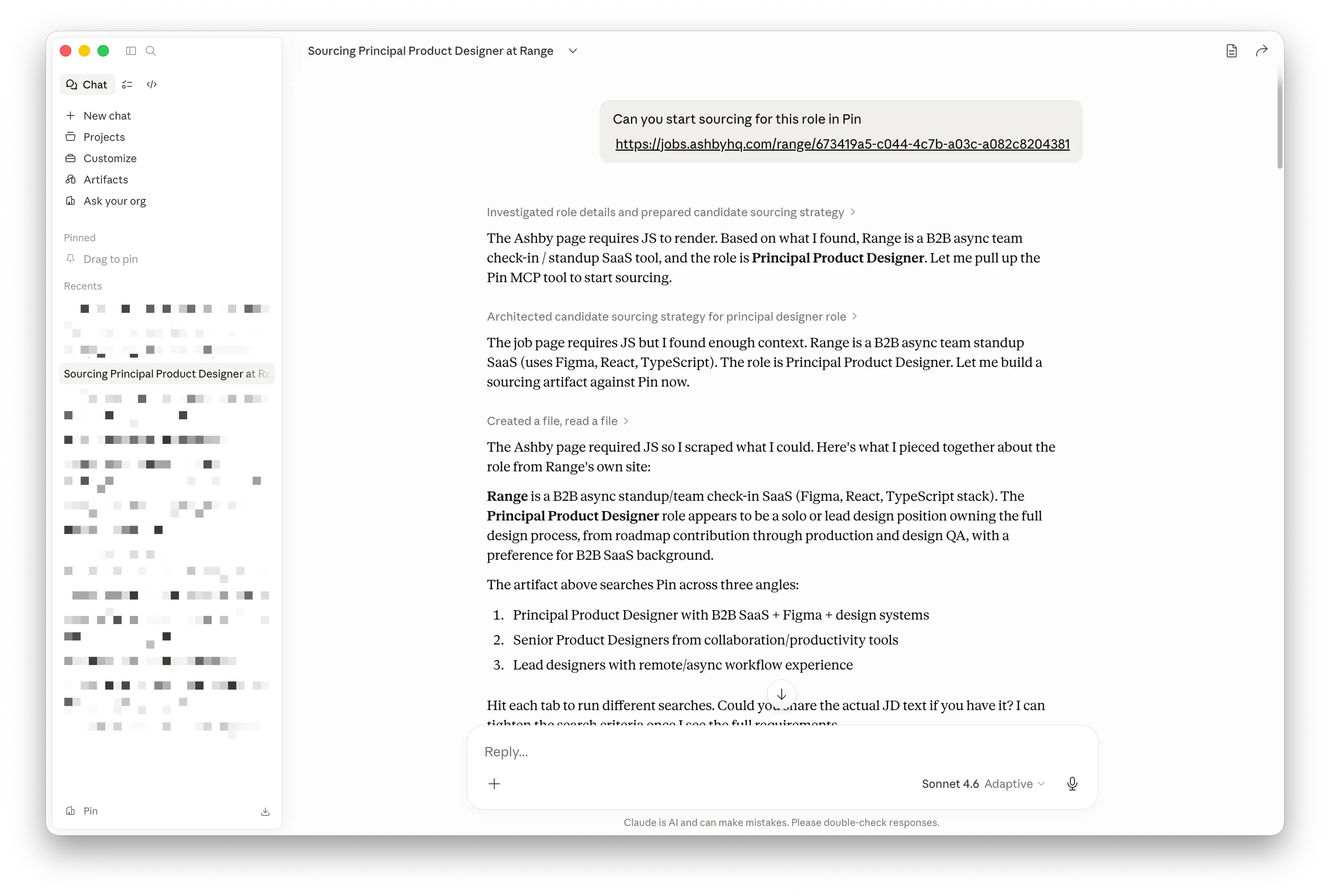
Now you're all set. Just start a new chat with Pin to start sourcing for a role.
If you need a more in-depth tutorial, you can check out our "How to use Pin MCP" webinar recording:
Understanding MCP Rate Limits
To keep things running smoothly for everyone, our MCP integration uses a few layers of rate limiting:
Overall usage limit Every user can make up to 60 requests per minute and 800 requests per hour, across all actions combined.
Creating jobs Creating a new job search is limited to 2 per minute, to prevent accidental duplicate submissions.
Viewing candidates Pulling candidate lists has its own limits to keep things fast:
- Up to 10 requests per minute / 100 per hour for detailed candidate pulls
- Up to 15 requests per minute / 150 per hour for candidate list views
- Each organization can view up to 3,000 candidates per day
If you hit the daily candidate limit, you'll still see candidate IDs — you just won't see full profile and contact details until the limit resets.
Everything else All other actions (viewing jobs, updating searches, accepting/rejecting candidates, pipeline summaries, etc.) are only subject to the overall usage limit above — no special restrictions.