View all candidates and conversations
6 min
This guide covers how to:
View all candidates across all jobs
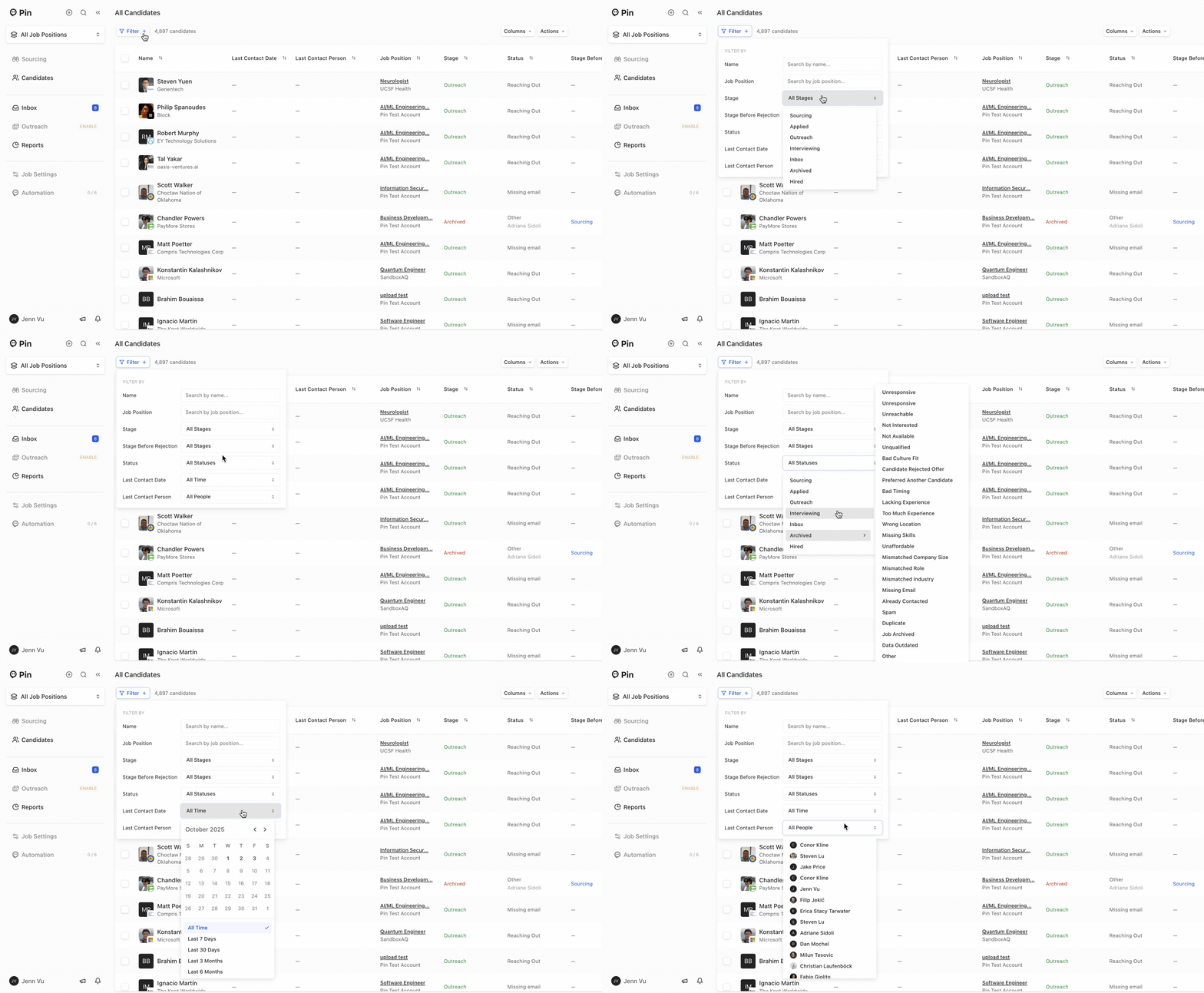
You can view all candidates across all jobs by selecting All Job Positions -> Candidates.

Filter which candidates to display
In the All Candidates dashboard, you can filter candidates by the following:
- Name
- Job Position
- Stage – Filter candidates by their current stage in your pipeline Options: All Stages, Sourcing, Applied, Outreach, Interviewing, Inbox, Archived, Hired
- Stage Before Rejection – Filter candidates based on the stage they were in before being rejected Options: All Stages, Sourcing, Applied, Outreach, Interviewing, Inbox, Archived, Hired
- Status – Filter by overall candidate status Options: All, Sourcing, Applied, Outreach, Interviewing, Inbox, Archived (choose a reason), Hired
- Last Contact Date – Filter by when the most recent message or touchpoint occurred Options: Specific Date, All Time, Last 7 Days, Last 30 Days, Last 3 Months, Last 6 Months
- Last Contact Person – Filter by who last contacted the candidate Options: All People, or select a specific team member
Column display
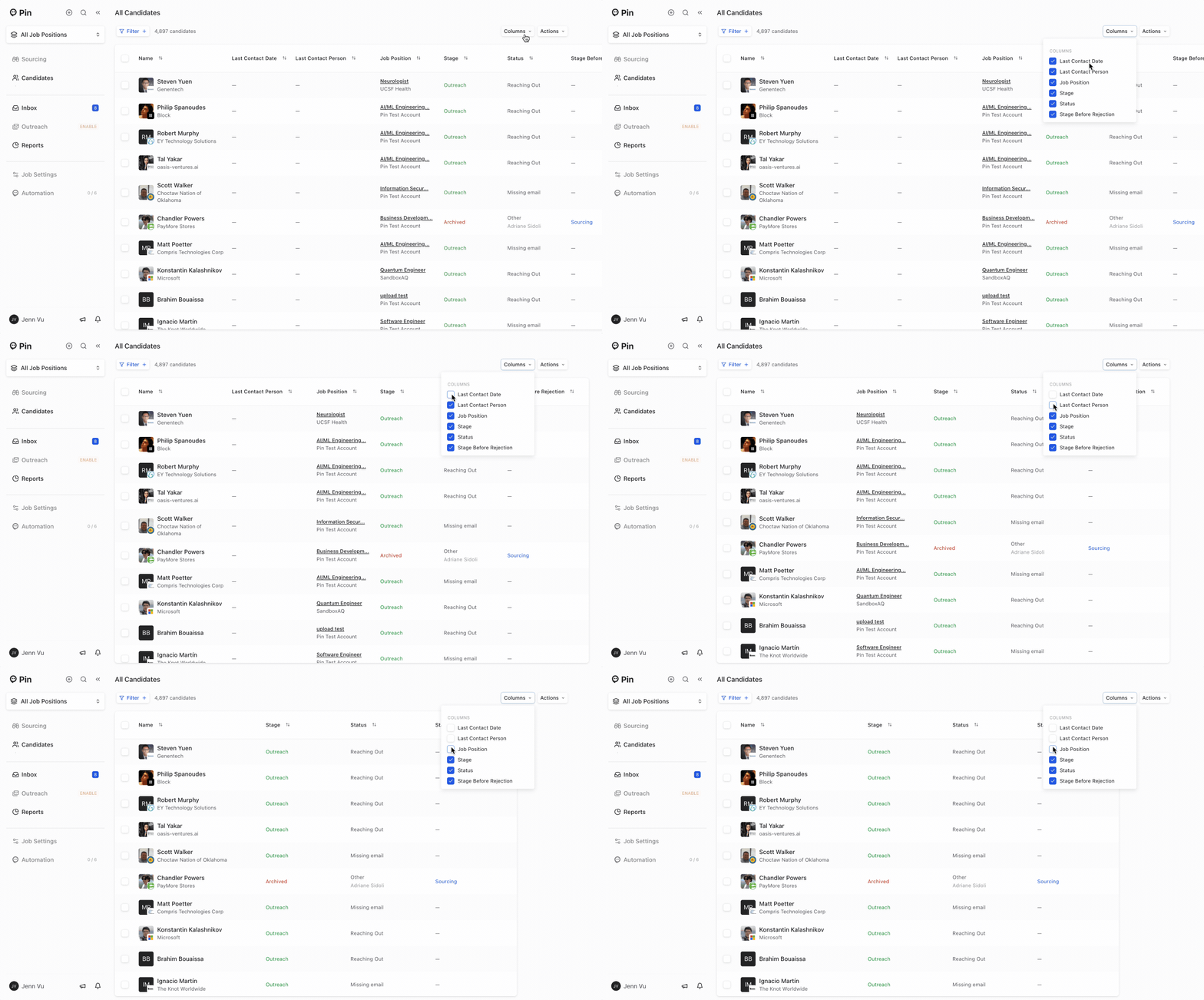
You can choose the following columns to display or hide:
- Last Contact Date
- Last Contact Person
- Job Position
- Stage
- Status
- Status Before Rejection
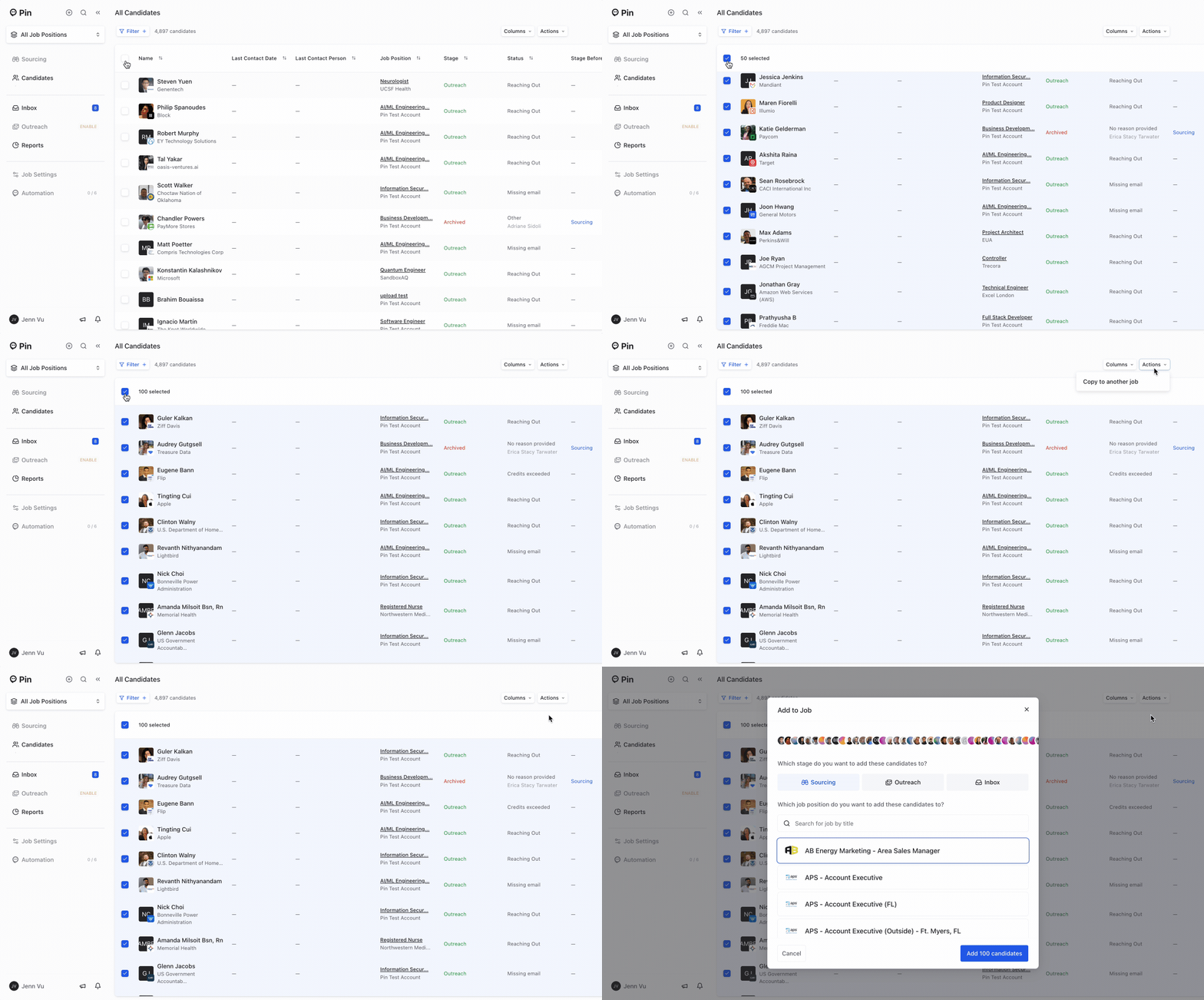
Bulk select candidates to copy to another job
You can bulk select candidates to copy to another job and which stage to add the candidates to.
View all candidate conversations
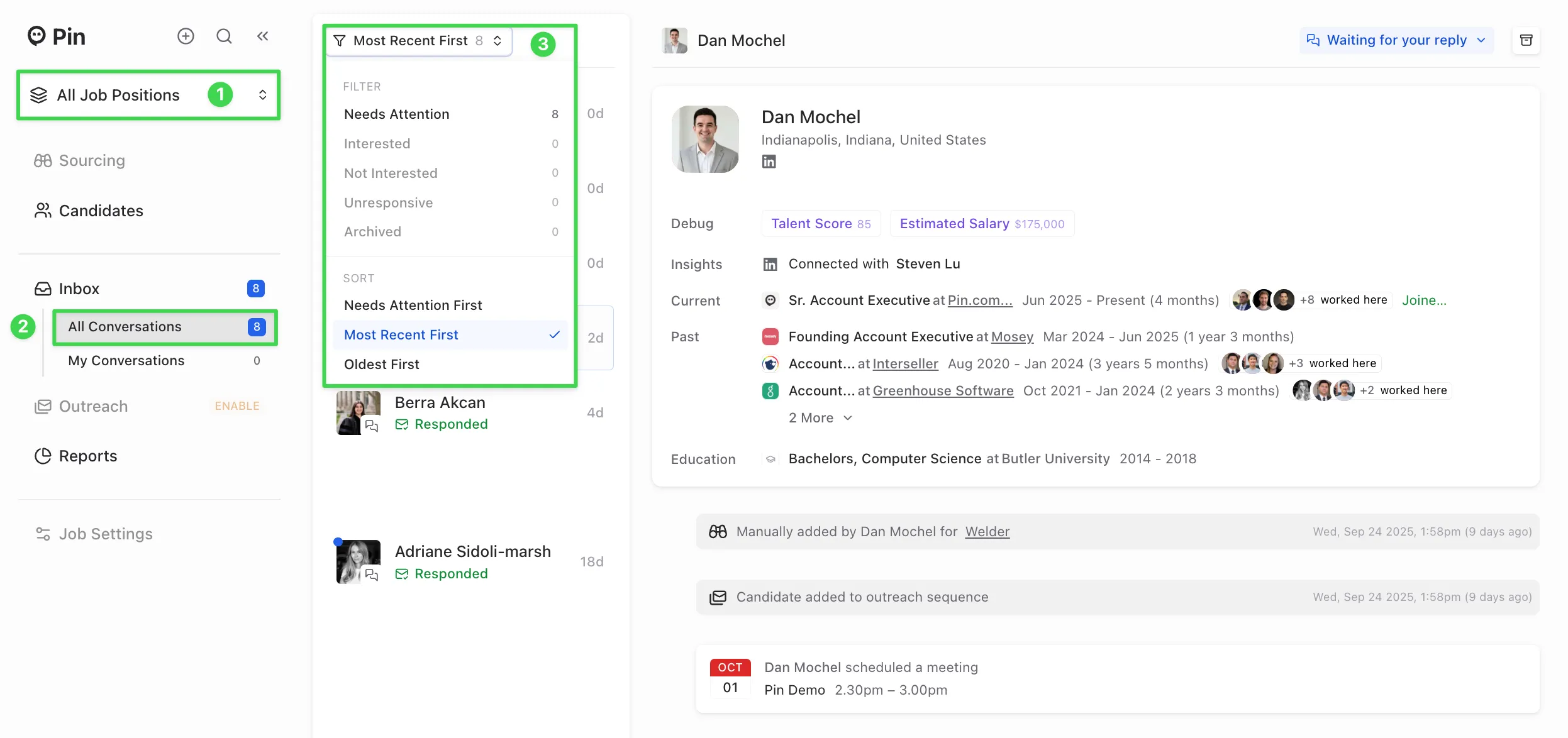
You can view all your conversations with candidates across all jobs in All Job Positions -> All Conversations.
You can filter by the following:
- Needs Attention
- Interested
- Not Interested
- Unresponsive
- Archived
You can also sort by:
- Needs Attention First
- Most Recent First
- Oldest First