Export candidates to CSV or PDF
This guide covers:
Export candidates to CSV
To export candidates to a CSV file, navigate to the Candidates tab -> select "Export to CSV" from the Export drop-down menu. You can export candidates from any of the statuses (In Outreach, In Progress, Not Yet Contacted, etc.) within Candidates.
The exported CSV will include:
- Full Name
- Phone Number
- LinkedIn profile URL
- Location (city, state, country)
- Current job title, company, and start and end date
- Past job title, company, and start and end date
- Education
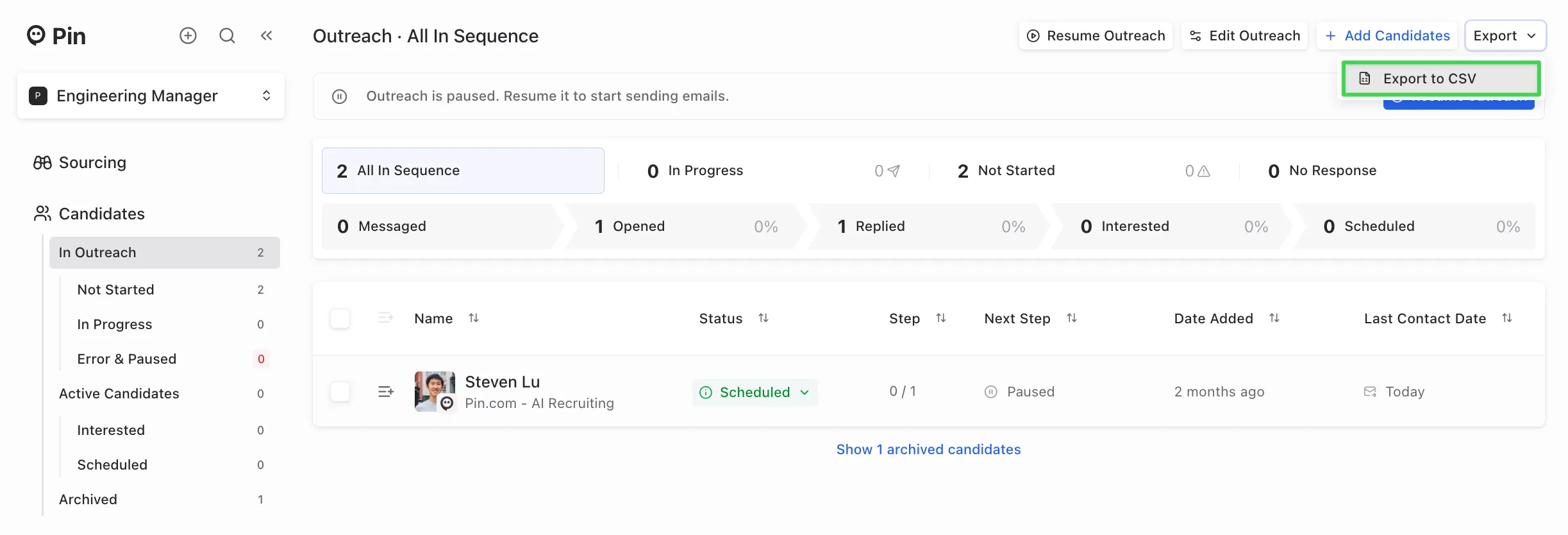
Note: Currently, you can only export all candidates from one job at a time, as exporting specific candidates or candidates across multiple jobs isn’t supported yet. To export candidates from multiple jobs, you’ll need to repeat the export for each job individually.
Note: As a soft rate limit, each user in an organization is allotted CSV exports of 1500 for candidates where no email or phone number was found per month. After 1500, the exports for candidates with no email or phone will now cost 0.25 credits.
Export sourced candidates to PDF
To export candidates sourced by Pin, go to the search you want to export under the Sourcing tab -> click the Export dropdown and select “Export to PDF”.
The exported PDF will include:
- Search criteria filters and whether the candidate meets the criteria
- Tenure in current and past roles
- Education
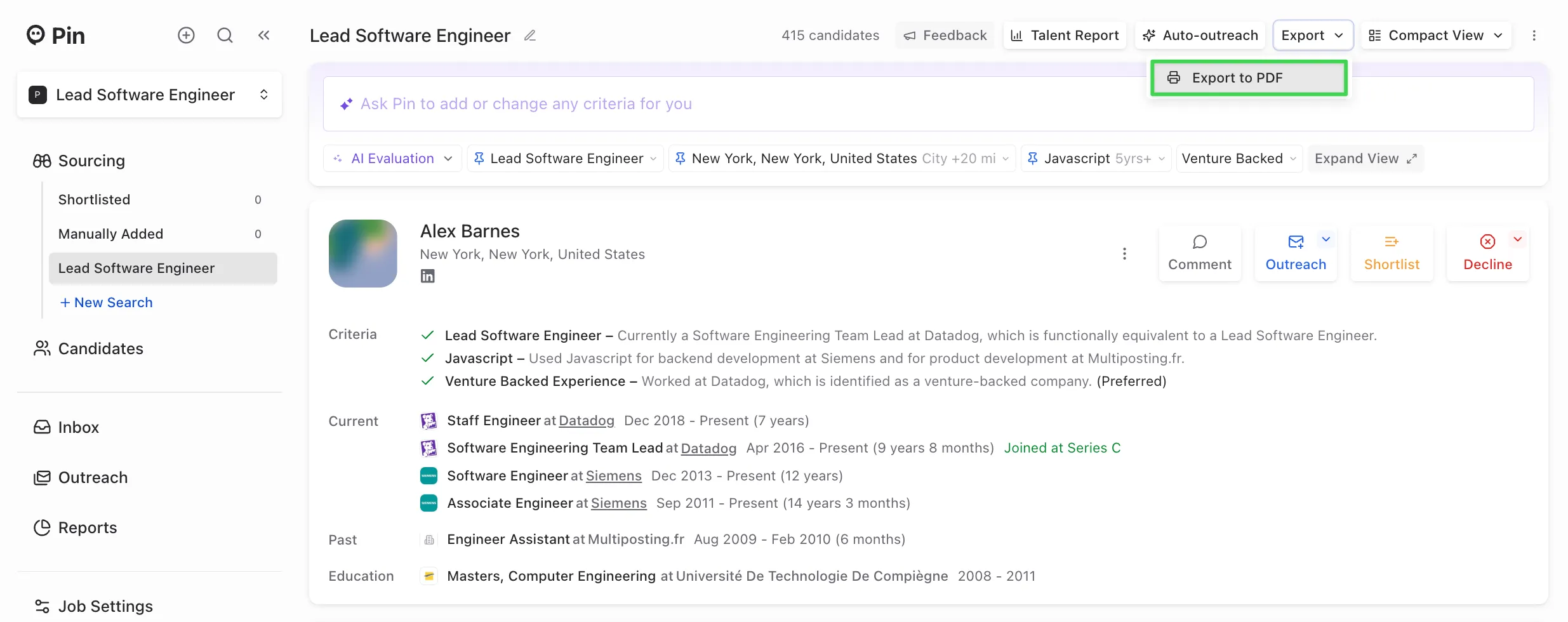
Note: Sourced candidates cannot be exported to a CSV until they've been added to Outreach. They can only be exported to a PDF while they're in the Sourcing stage.
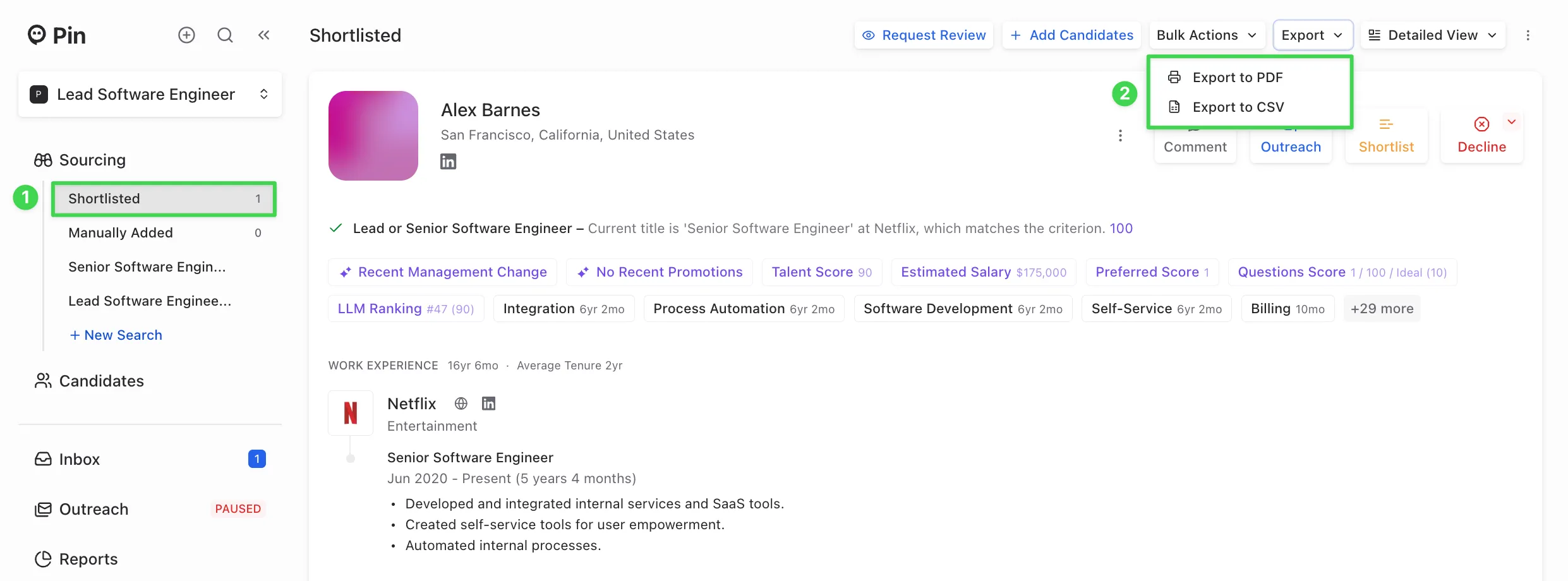
Export shortlisted candidates to PDF or CSV
To export shortlisted candidates, go to the Shortlisted tab -> click the Export dropdown and you can select “Export to PDF” or "Export to CSV".
The exported PDF will include:
- Whether the candidate meets the search criteria
- Tenure in current and past roles
- Education
The exported CSV will include:
- Full Name
- LinkedIn profile URL
- Location (city, state, country)
- Current job title, company, and start and end date
- Past job title, company, and start and end date
- Education
Note: Candidates' emails will not be included in the shortlisted CSV file since Pin doesn't search for emails while candidates are in Sourcing. Pin only searches for emails when candidates are added to Outreach. To export candidates' emails, add candidates to Outreach, then export them from the Candidates section.