
ATS and CRM Integrations
Pin integrates with applicant tracking systems (ATS) and customer relationship management (CRM) systems to sync candidate information, allowing you to track and manage candidates across both platforms.
Reminder: Premium integrations are paid add-ons. If you'd like to connect your Pin account to a premium integration, please reach out to our team to enable this.
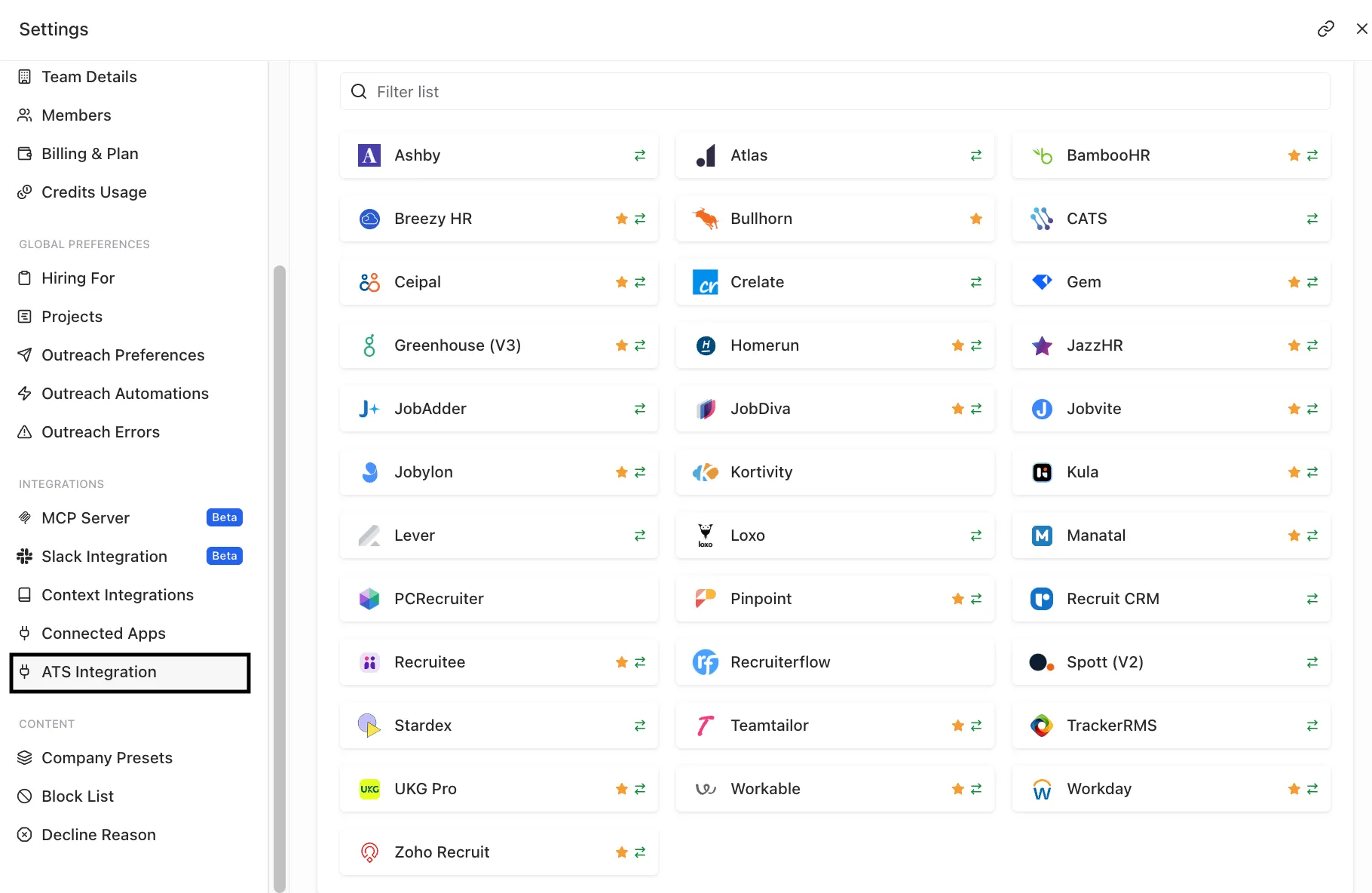
Pin integrates with the following ATS and CRM:
- AshbyAshby
- Atlas
- BambooHR (premium integration)
- Breezy HR (premium integration)
- BullhornBullhorn
- CATS
- Ceipal (premium integration)
- CrelateCrelate
- Gem (premium integration)
- Greenhouse V3 (premium integration)
- Homerun (premium integration)
- JazzHR (premium integration)
- JobAdderJobAdder
- JobDiva (premium integration)
- Jobvite (premium integration)
- Jobylon (premium integration)
- KortivityKortivity
- Kula (premium integration)
- LeverLever
- LoxoLoxo
- Manatal (premium integration)
- PCRecruiter
- Pinpoint (premium integration)
- Recruit CRMRecruit CRM
- Recruitee (premium integration)
- RecruiterflowRecruiterflow
- Spott V2
- StardexStardex
- Teamtailor (premium integration)
- TrackerRMSTrackerRMS
- UKG Pro (premium integration)
- Workable (premium integration)
- Workday (premium integration)
- Zoho Recruit (premium integration)
How to connect your ATS or CRM to Pin
To connect your ATS or CRM to Pin, go to Settings -> ATS Integration -> select your ATS.
After choosing your ATS/CRM, you'll be shown step-by-step instructions on how to complete the connection.
Note: You'll need admin permissions to connect your ATS/CRM to Pin. If not, an admin in your organization will need to set it up.
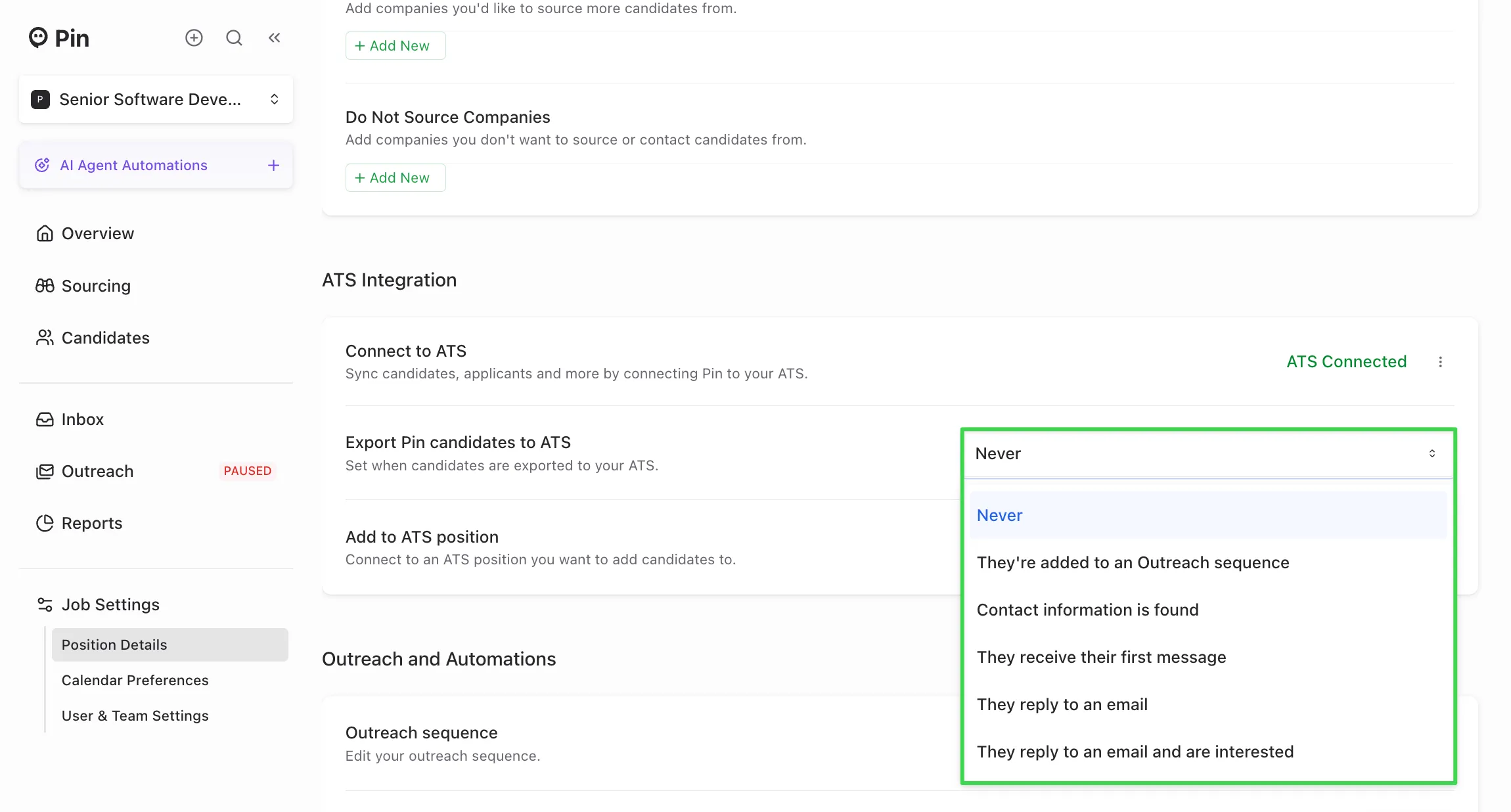
Once your ATS/CRM is connected, you can customize how candidates sync to your ATS/CRM for each job. You can update this in Settings -> Position Details -> Outreach and Automations.
You can choose from the following options:
- Never
- They're added to an Outreach sequence
- Contact information is found
- They receive their first message
- They reply to an email
- They reply to an email and are interested
Frequently Asked Questions
Q: I don't see the candidate's email/LinkedIn message in my ATS. A: Pin only syncs candidate information over to your ATS; it does not sync over any emails or Linkedin messages. Most ATS already have something that will sync over emails, so if you see a discrepancy in messages appearing,