Integrating with Gem
This guide covers:
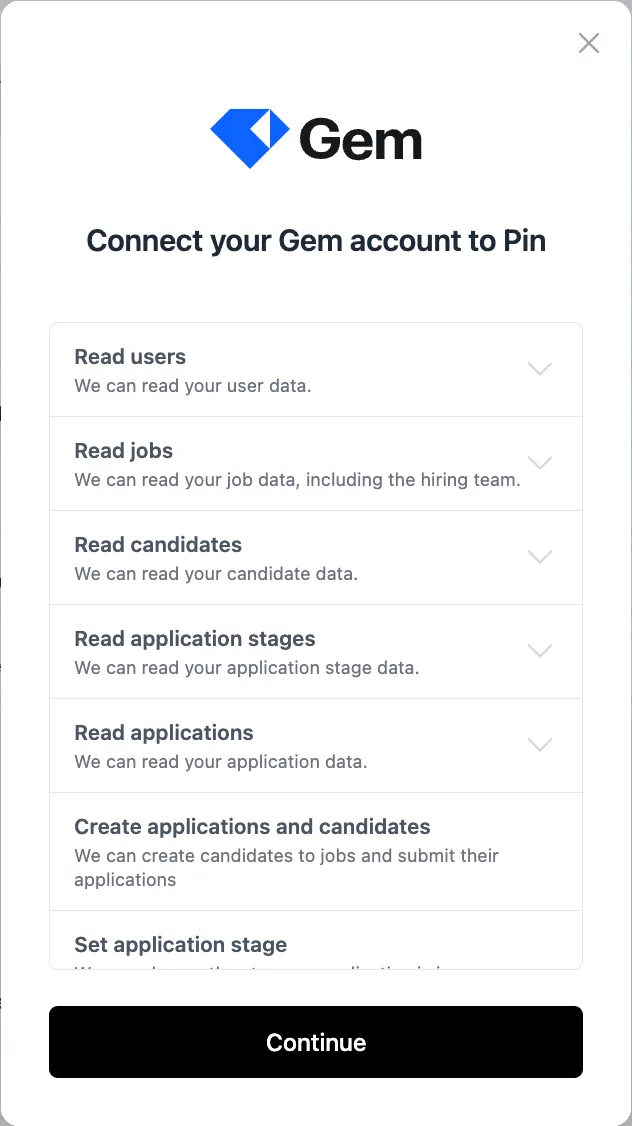
Connecting Gem to Pin
- Navigate to Settings -> ATS Integration and select Gem from the list.
- Click "Continue"
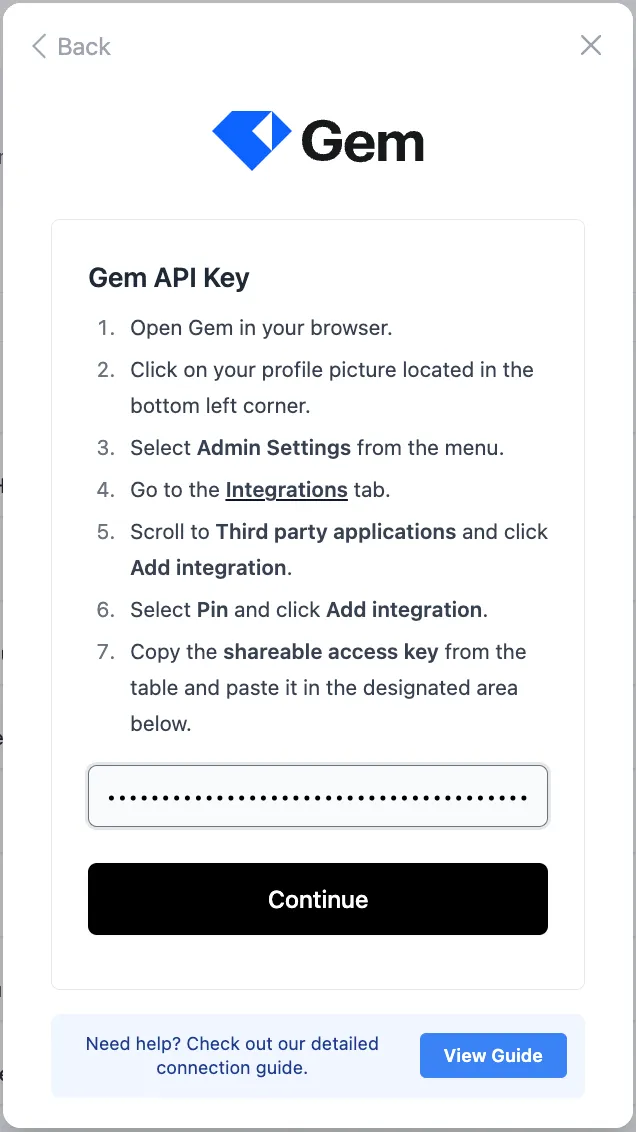
- Enter your Gem API Key and click "Continue"
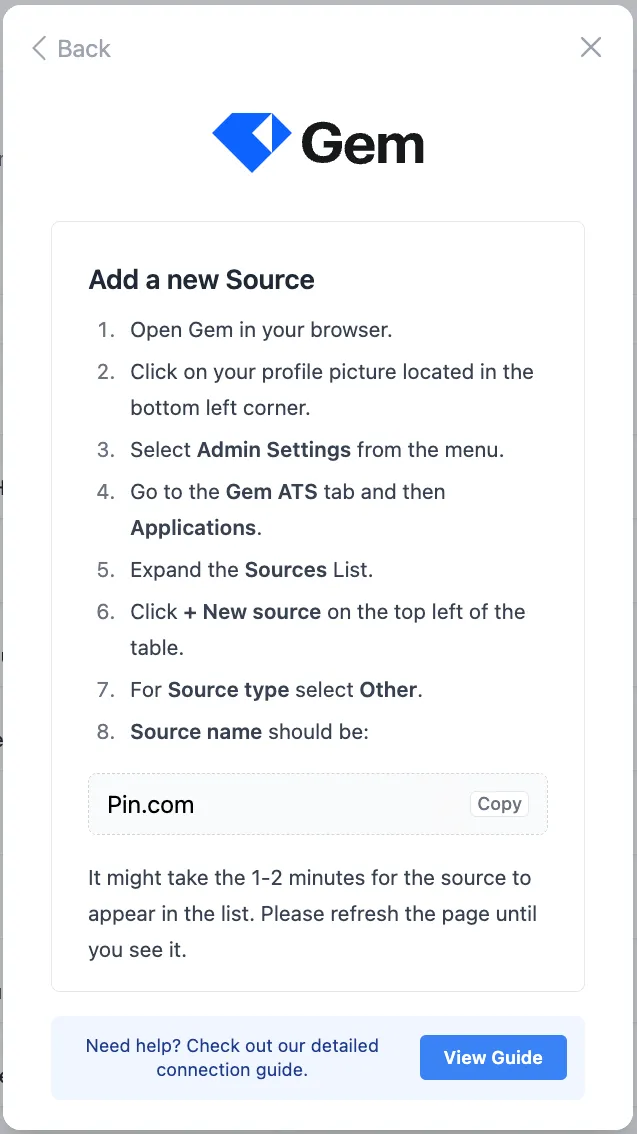
- Add "Pin.com" as the source name
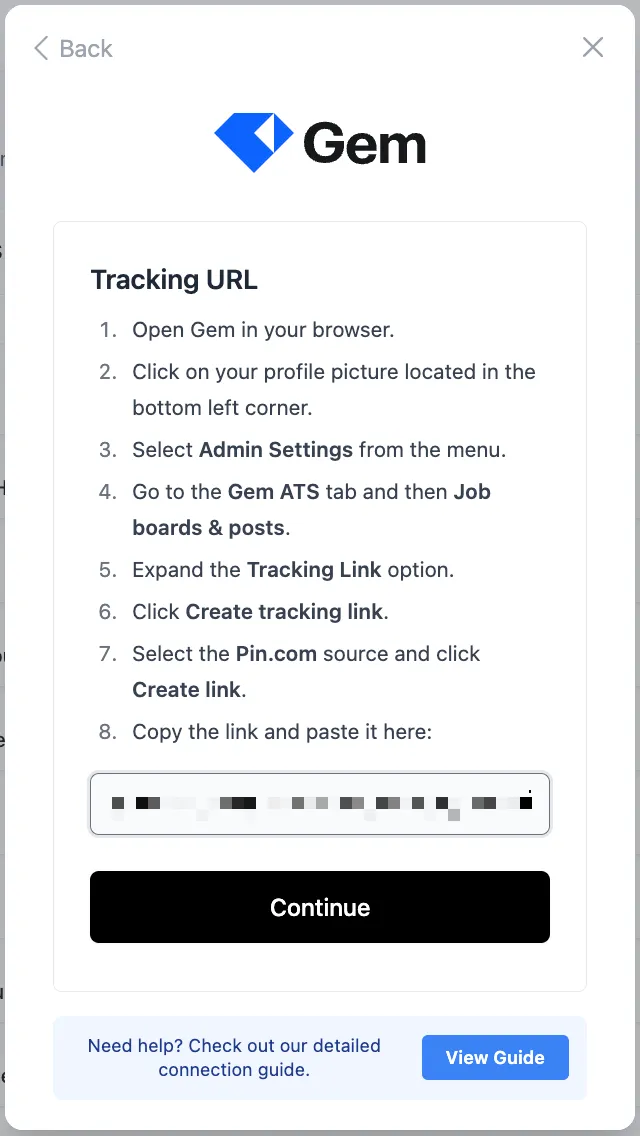
- Follow the steps to locate the tracking URL and paste it in the field
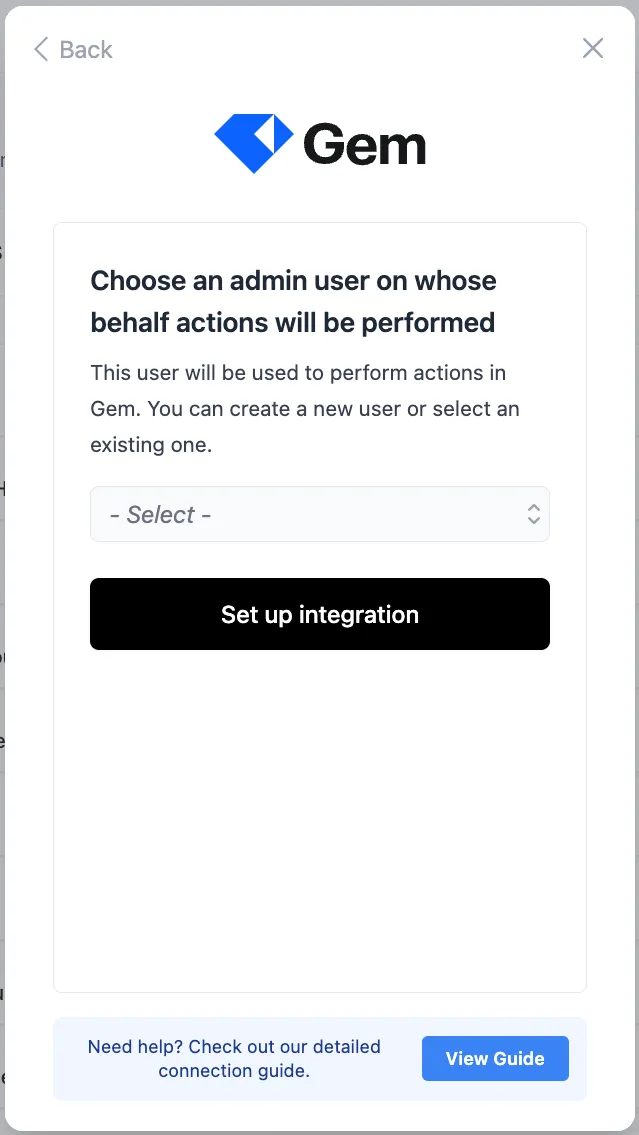
- Choose an admin user who will be used to perform actions in Gem and then click "Set up integration"
Syncing candidates to Gem
To sync candidates from each job in Pin to a specific job in Gem:
- Go to Job Settings -> Position Details.
- Scroll to the ATS Integration section.
- Choose when to sync candidates by selecting one of the following triggers:
- Never
- Contact information is found
- They receive their first message
- They reply to an email
- They reply to an email and are interested
- Select the Gem job you want to sync candidates to. Candidates will sync from Pin to the matching job in Gem. Pin does not sync candidates to a specific stage in Gem.
Once you've selected your preferred trigger, Pin will automatically update the settings and sync candidates to the selected job in Gem based on the chosen trigger.
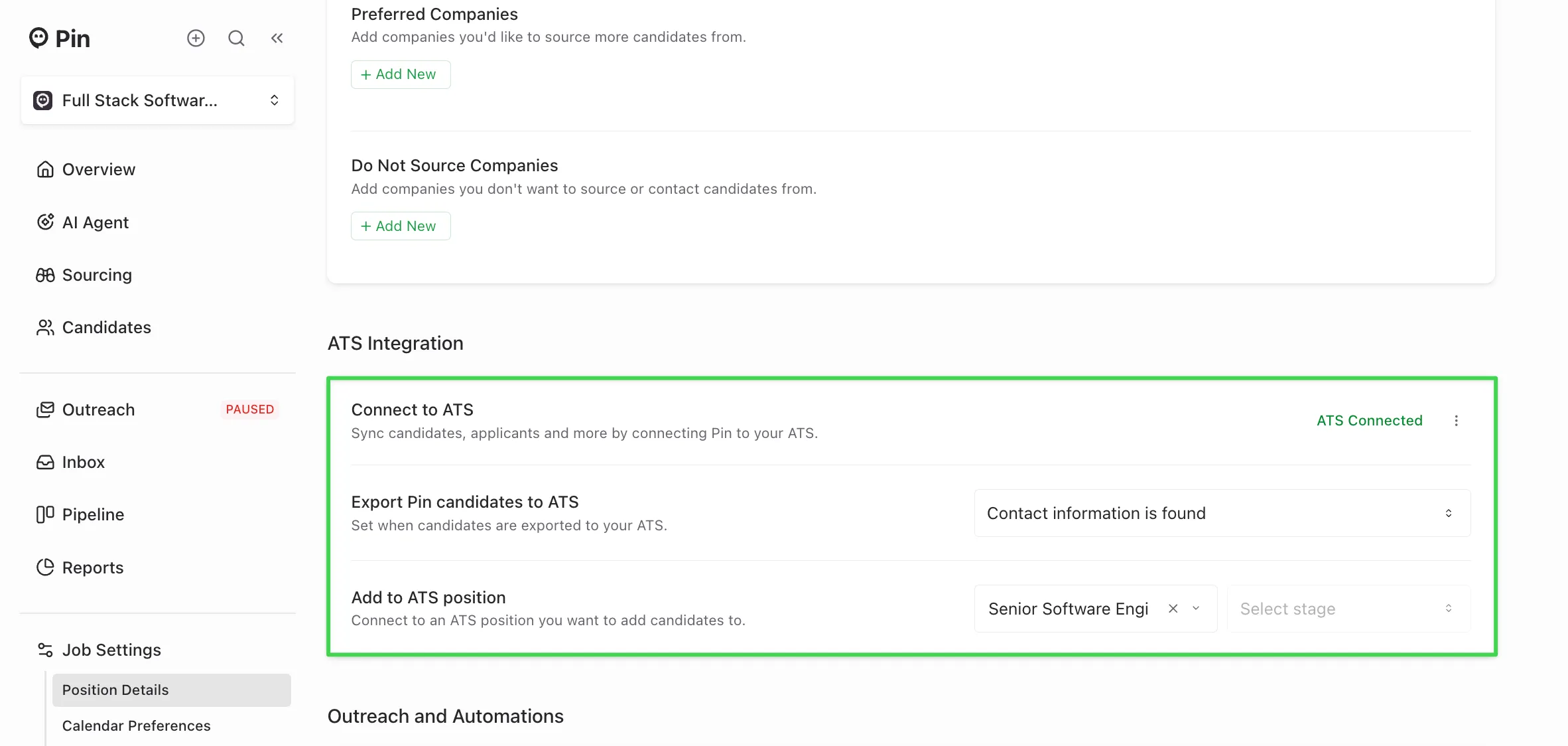
Reminder: You’ll need to set up the syncing for each job you want to send from Pin to Gem in the Position Details tab within the Job Settings. We recommend setting up the job sync before adding candidates to Outreach. This ensures candidates sync correctly to the job without issues.
If you prefer not to sync candidates to a job, you can still set up a trigger and leave the job field empty.
When candidates sync to Gem
Once the selected trigger occurs, candidates will sync to Gem within a few minutes.
For example: if you choose the trigger “Export candidates when contact information is found”, the candidate will automatically sync to Gem a few minutes after being added to Outreach.
Checking if a candidate synced to Gem
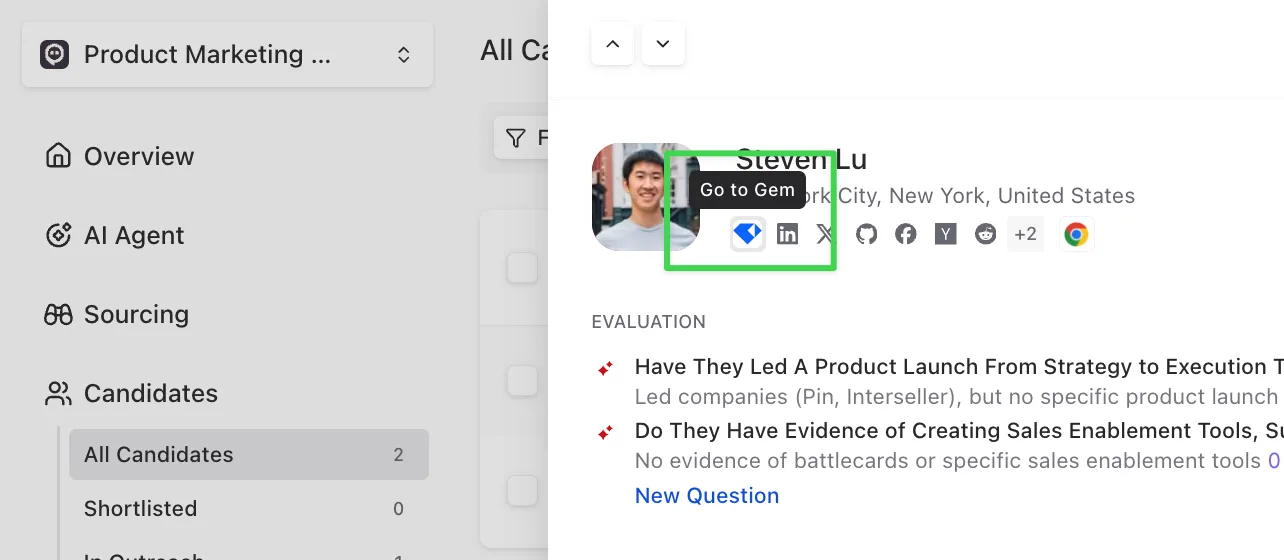
To confirm if a candidate has synced to Gem, you can open their profile in Pin. If you see the Gem logo, this means that they’ve been successfully synced. Clicking the logo will take you directly to their profile in Gem.
Manually syncing a candidate to Gem
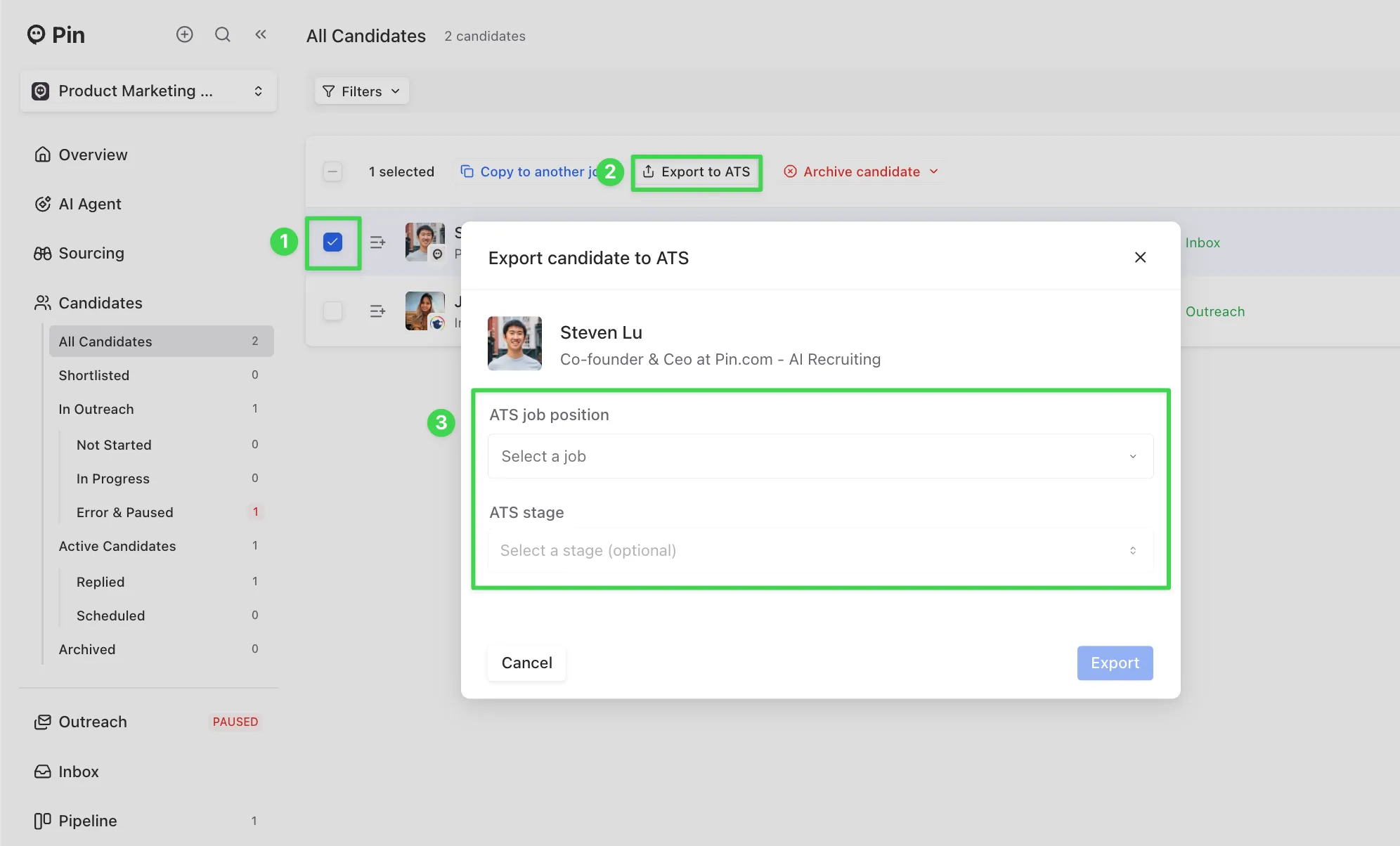
If the candidate hasn’t synced yet:
- Select the candidate in Pin.
- Click “Export to ATS”.
- Choose the Gem job you want to sync the candidate to, then click “Export” to complete the sync.
- After exporting, refresh the page, and you should now see the Gem logo appear on their profile.
Important:
- Once a candidate has synced to Gem, their contact information cannot be re-synced. If some information did not sync, you’ll need to manually update that candidate’s profile in Gem.
- The "Export to ATS" button only works for candidates who haven’t already synced to Gem. If an integration was connected after the selected trigger, Pin won’t retroactively sync those candidates. In that case, use the "Export to ATS" button to sync them over.
Candidate data synced to Gem
The following candidate data will sync to Gem from Pin:
- Full name
- Phone number (this will not sync over if the candidate's phone number is found after they synced over to Gem)
- LinkedIn profile URL
- Current role
- A Pin generated resume PDF
- If the candidate was sourced from Pin
- Which team member sourced the candidate
Note: Candidates can only sync from Pin to the matching job in Gem. Pin does not sync candidates to a specific stage in Gem. Moving them further in Gem's pipeline will need to be manually updated on Gem's side.
How Pin checks for duplicates in Gem
Pin runs a check before syncing whenever a candidate is added to Outreach to prevent duplicate profiles. For Gem, duplicates are checked against:
- Email address
- LinkedIn URL
If a match is found on either field, Pin will not create a new candidate profile in Gem.
Source candidates from Gem
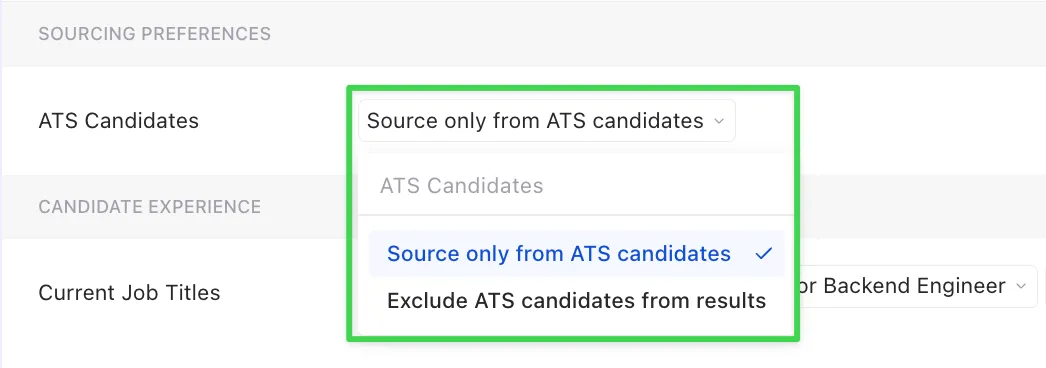
After connecting Gem to Pin, you can use the “ATS Candidates” filter to include or exclude candidates from your ATS when searching for candidates.