Email sending limits
Email providers like Google and Outlook may temporarily restrict how many emails you can send, regardless of the limits you set in Pin.
Keep your provider’s sending limits in mind when configuring sequences to stay within guidelines and maintain strong email deliverability.
You can review Google and Microsoft's official sending limits:
- Google (Workspace/Gmail) – Review sending limits in Google’s guide
- Microsoft (Outlook/Outlook.com) – Review sending limits in Microsoft’s guide
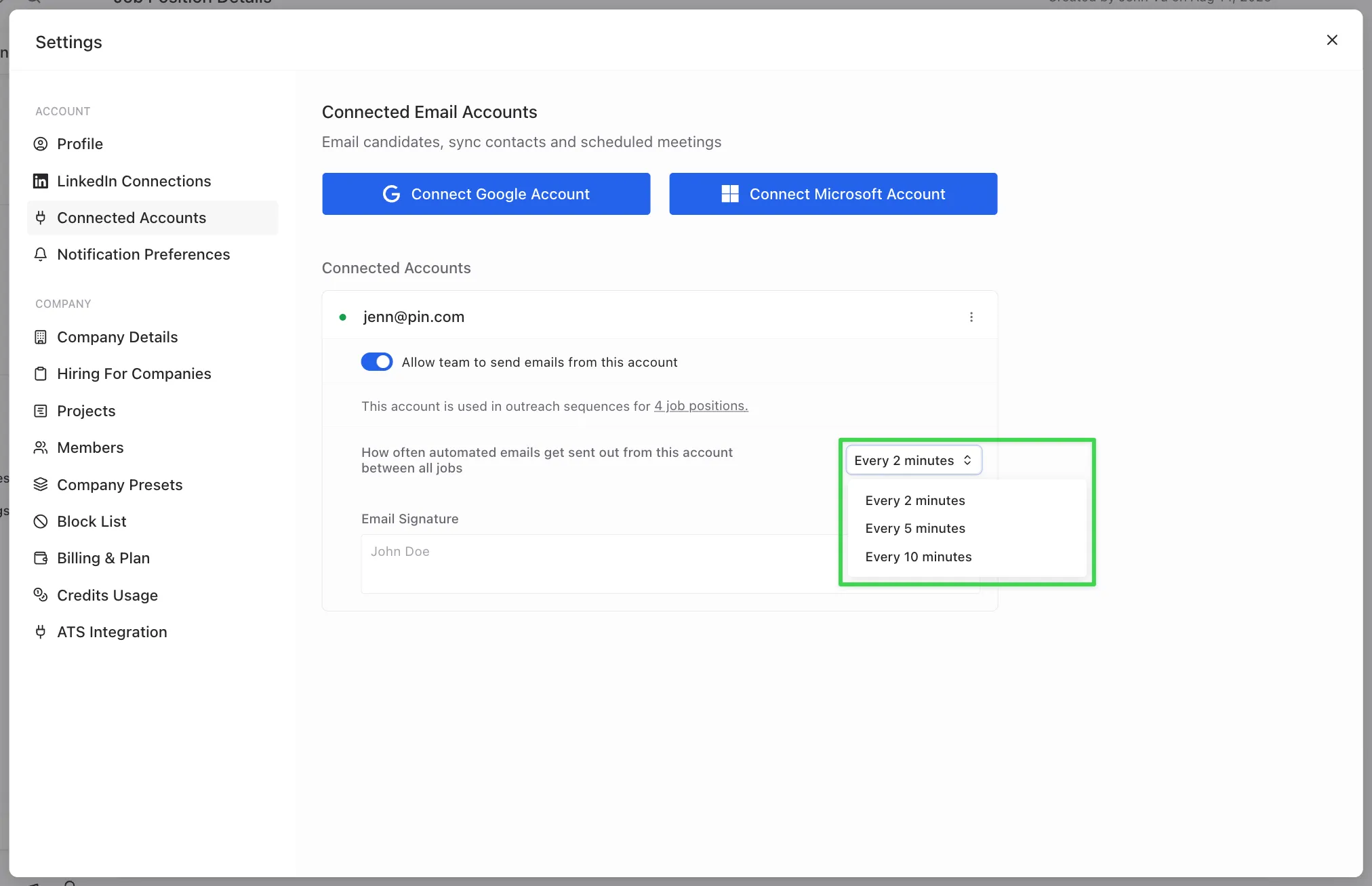
Set daily outreach email limit
You can set your daily outreach email limit for each sequence in Outreach Sequence -> Outreach Preferences -> Daily outreach emails limit.
- Recommended cap: No more than 300 emails/day per connected email address. If you have multiple active sequences from the same email add, it's best to lower each sequence’s cap so the combined total stays ≤ 300/day for that email.
Keeping Pin’s cap at or below 300/day helps protect email deliverability and keeps you comfortably under provider thresholds, reducing the risk of throttling or temporary blocks (especially with new or warming inboxes).
Example: If you're running 3 sequences from one email address, set each to 100/day(or split into different amounts) so the total stays within ≤300/day.
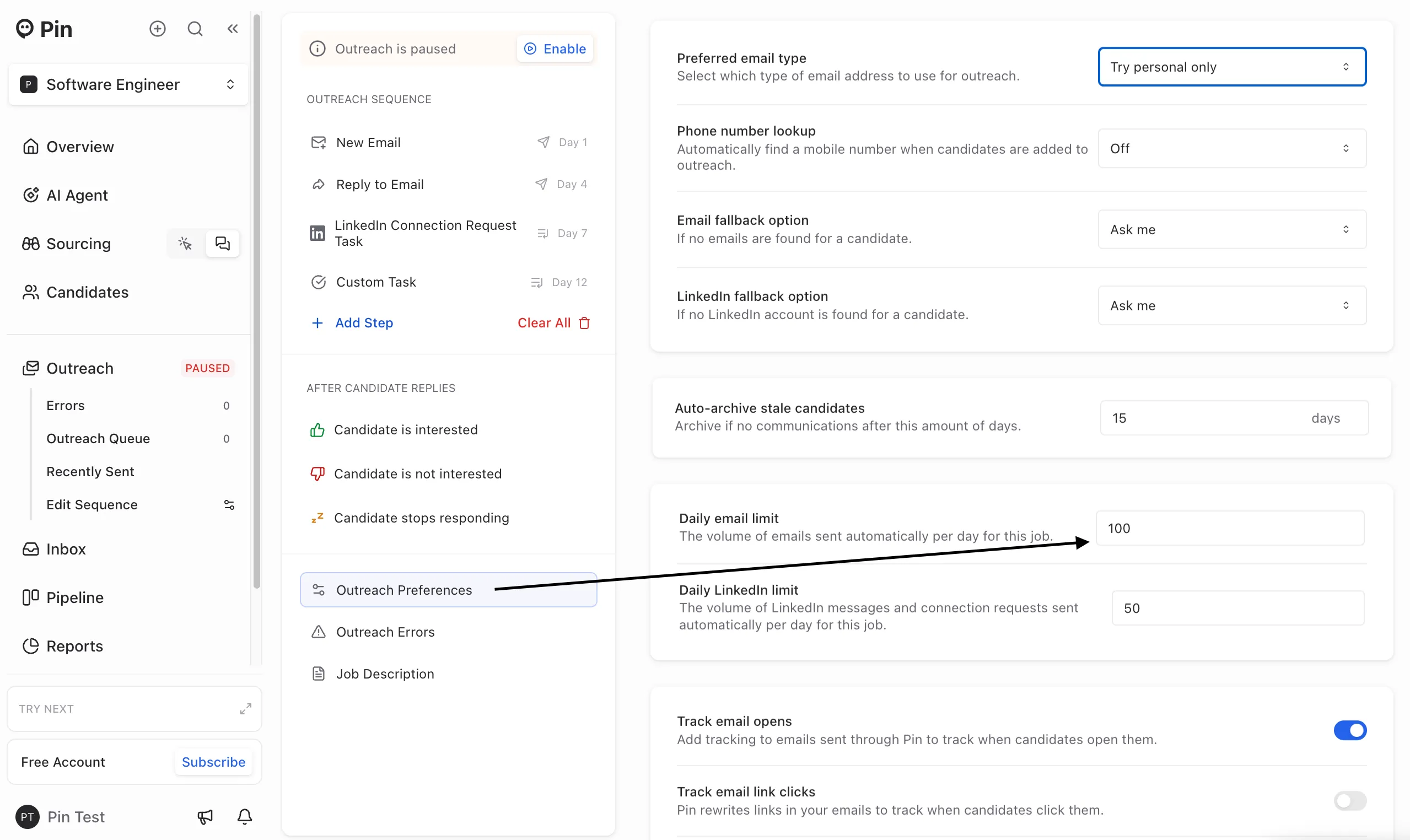
Set how often emails are sent from email address
To adjust how often emails are sent from your email account across all outreach sequences, go to Settings -> Connected Accounts. You can choose how often emails go out: every 2, 5, or 10 minutes. Pin sends emails from each connected account every 2 minutes by default.