
AI Chat
What is AI Chat?
AI Chat is a conversational way to build and refine your candidate searches on Pin. Instead of manually setting criteria such as locations, skills, seniority, and so on, you describe what you need in plain English, and Chat translates that into a working search.
Think of it as a recruiting assistant that's always ready to adjust course. Don't like the results? Tell it what's off, and it'll rerun the search with your feedback!
Did You Know? If your search comes back with fewer than 10 candidates, Chat will proactively suggest ways to widen your criteria so you don't have to ask.
How to enable AI Chat
AI Chat can be enabled for existing and new jobs.
AI Chat for existing jobs
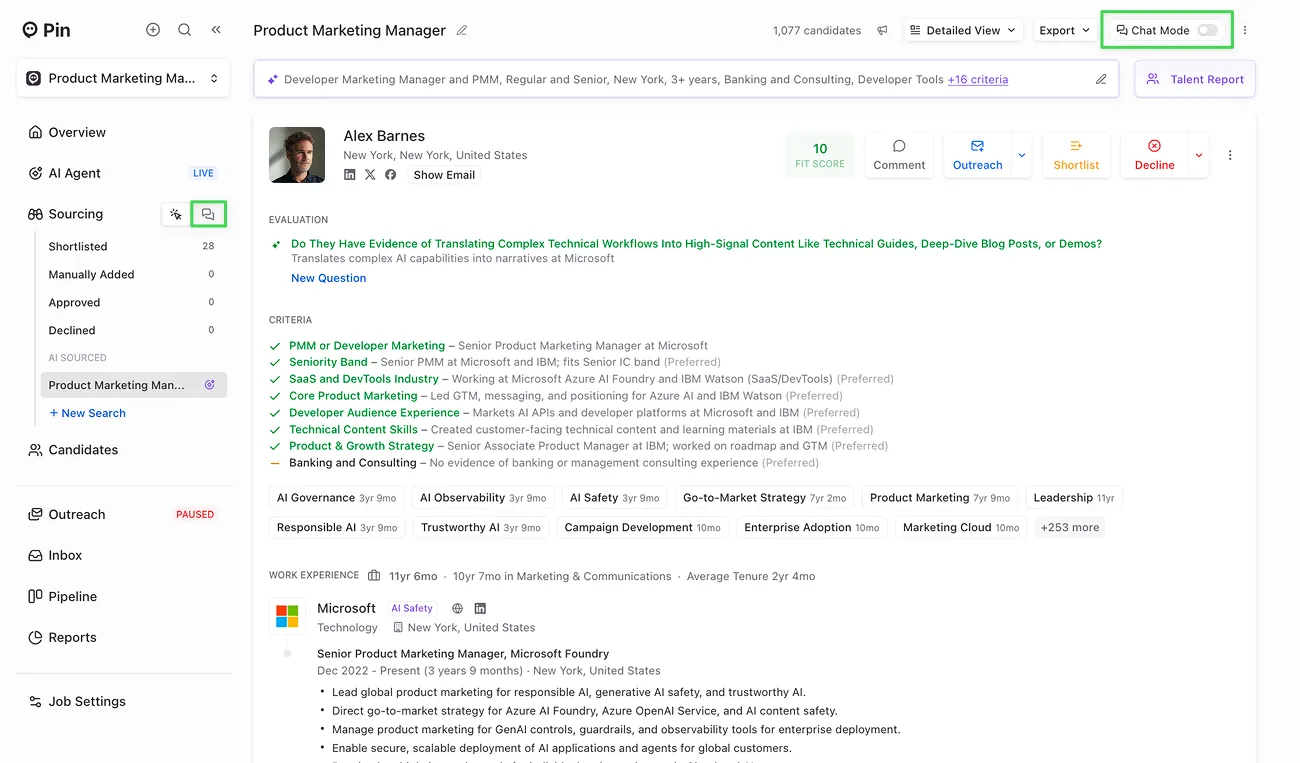
For existing jobs, AI Chat can be enabled by clicking on the chat bubble icon next to Sourcing in the side panel or by clicking "Chat Mode" in the top right corner.
AI Chat for new jobs
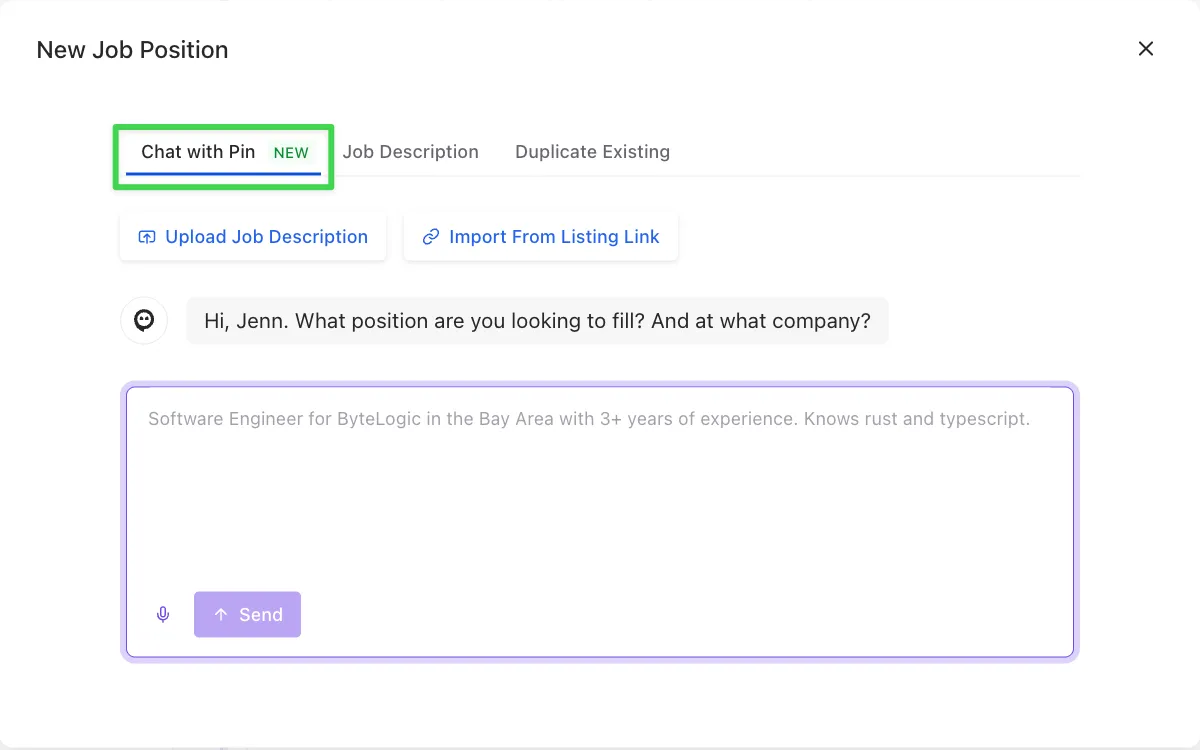
For new jobs, AI Chat can be enabled by creating a new job and selecting the "Chat with Pin" option.
Getting started: 3 ways to kick off a search
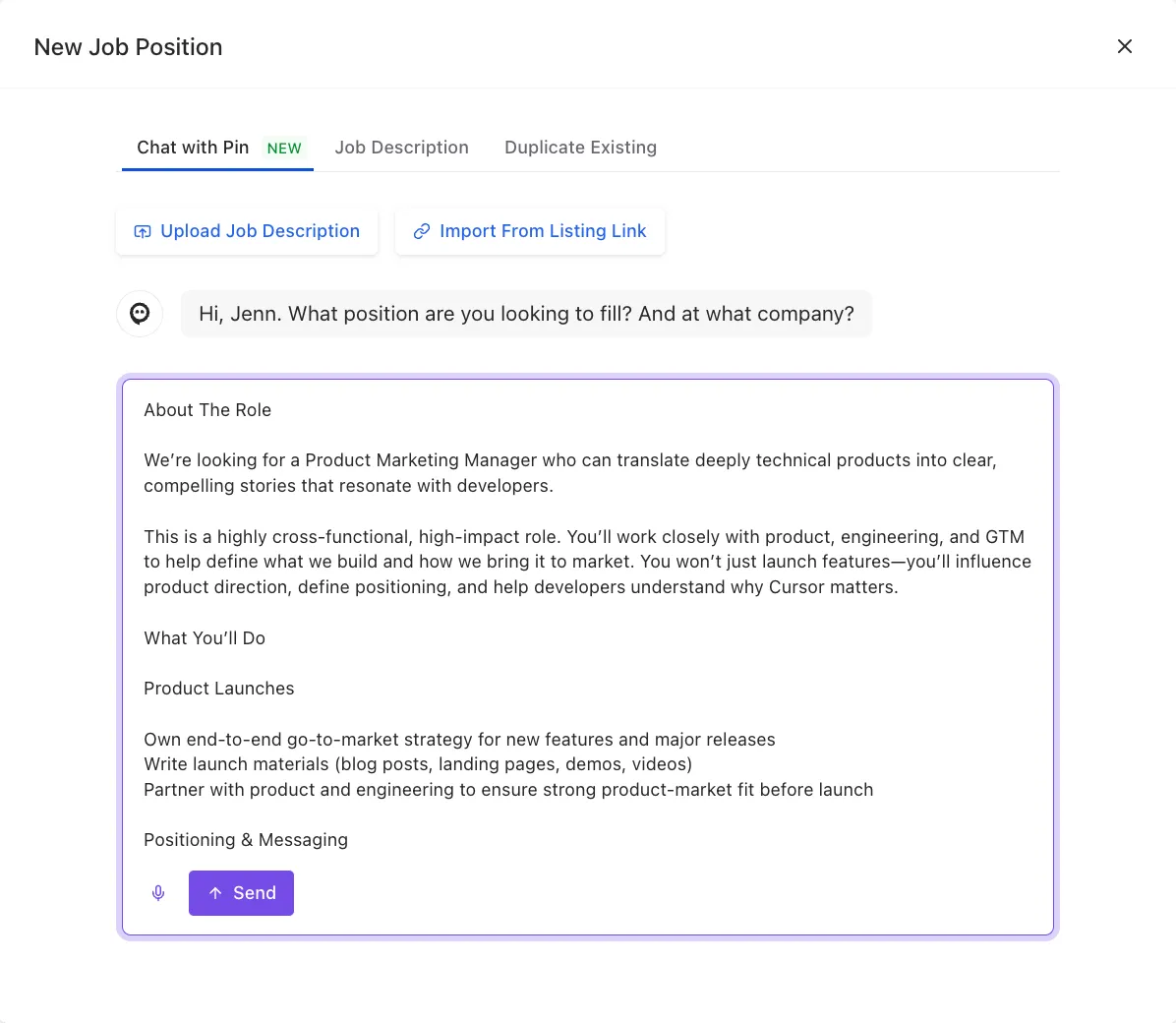
- Paste a job description. Drop in the full JD, and Chat will walk you through confirming the search criteria.
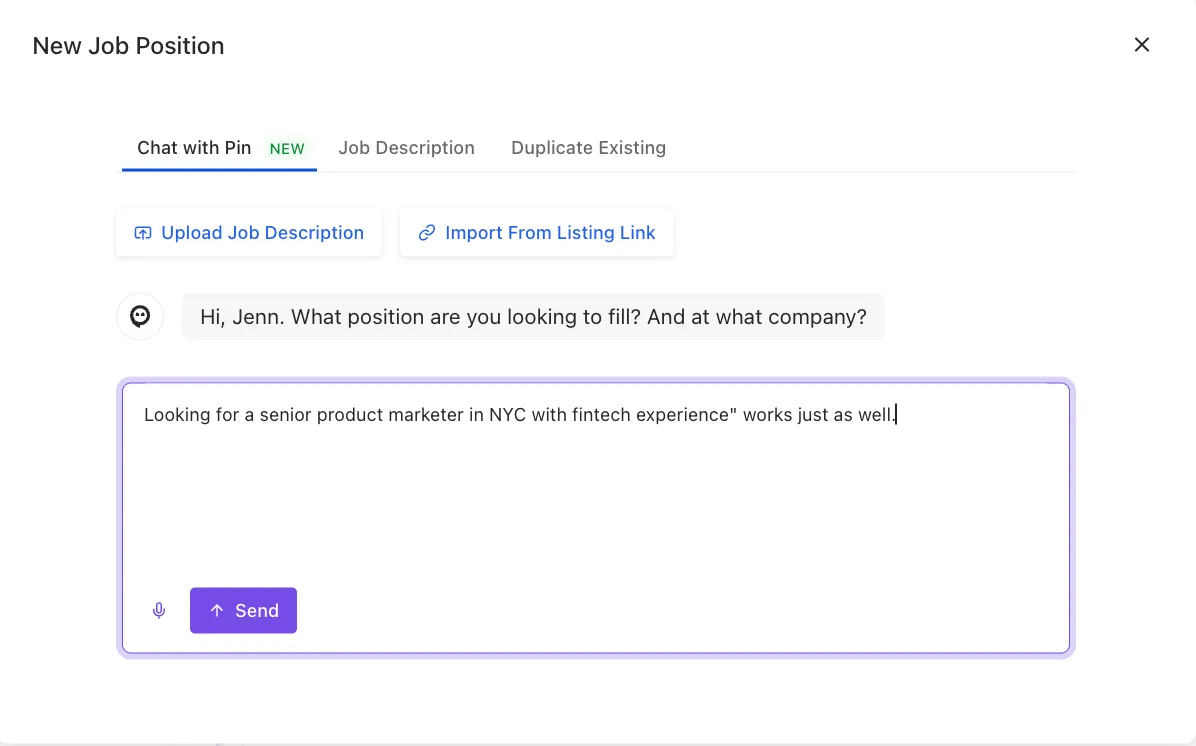
- Write a quick prompt. Something like "Looking for a senior product marketer in NYC with fintech experience" works just as well.
- Use your intake notes. Already have notes from a hiring manager call? Paste them in and Chat will pull out what it needs.
What you can do with it
Start a search, your way. Paste in a full job description, drop in some quick intake notes, or just type a short sentence like "mid-level backend engineer, remote, 5+ years." Chat will ask clarifying questions if it needs more to go on.
Talk instead of type. Use voice to describe your search or give Chat instructions instead of typing it all out.
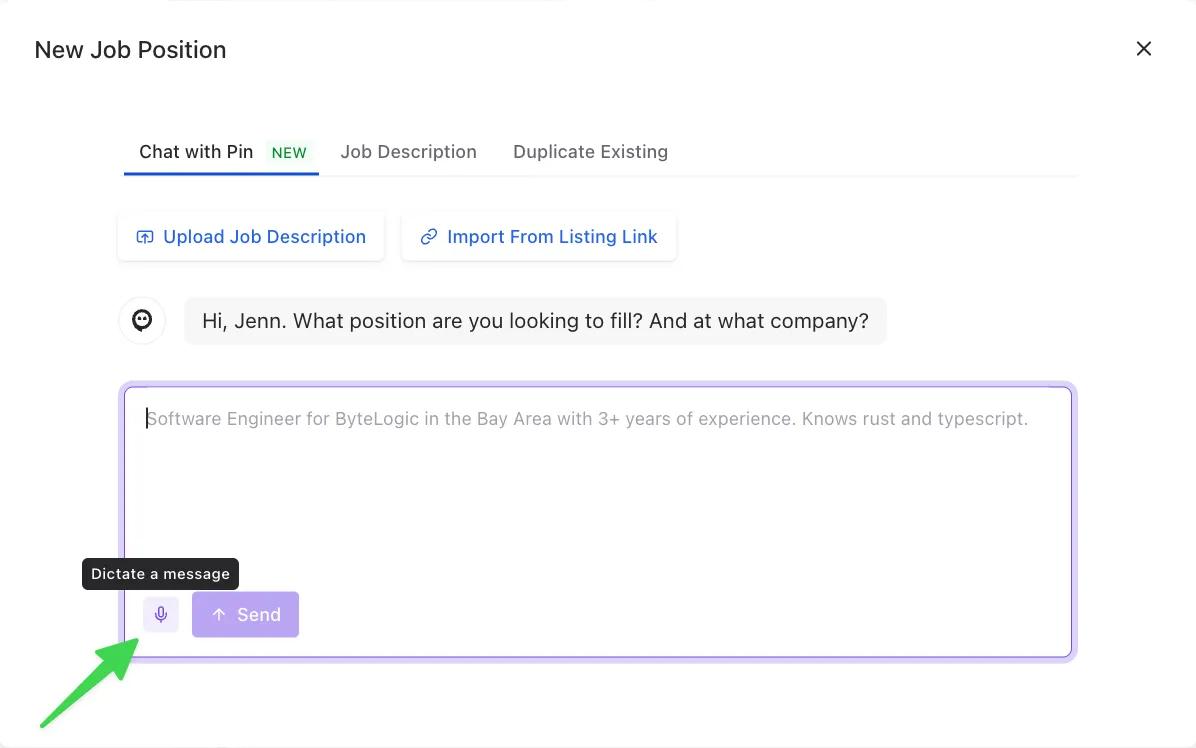
Refine in plain language. Want to add a location, make a skill optional instead of required, or narrow the experience range? Just say so. No need to hunt through filter menus.
Import from LinkedIn. Found someone promising outside of Pin? Paste their LinkedIn URL and Chat will check if Pin has their information and pull them into your search.
Set rules for accepting candidates. Tell Chat something like "accept anyone with a fit score above 8," and it'll handle the sorting for you.
Use presets or CSV imports. If your team uses saved company presets or CSV candidate imports, just type '@' in the chat, and your presets will appear.
Personalize and launch outreach. Once you've got your shortlist, Chat can help you personalize the first outreach message and turn on your outreach sequence, all without leaving the conversation.
Keep jobs private. If a search needs to stay under wraps, just ask Chat to make the job private, either when you're setting it up or any time after.
Pro Tip: Once you've accepted 5 candidates on a job, Chat will offer to turn on the AI Agent for you — handy if you want to keep momentum going without babysitting the search.
What it can't do (yet)
AI Chat is powerful, but it's not everything, everywhere, all at once. A few things to keep in mind:
- One search per job. You can refine an existing search, but you can't create a new multiple searches within the same job from Chat. However, you can create new searches within the same job manually and then turn on AI Chat for each new search you created.
- English only, for now. Chat officially supports English. Other languages aren't reliably supported yet.
- Compliance guardrails are on. Chat won't build searches that filter on protected categories (like age and race) — this keeps your sourcing compliant, no exceptions.
- Paste text, not links. Job posts and other job description URLs aren't reliably parsed — paste the text itself instead.
- Outreach sequence customization. The AI chat cannot directly edit any email templates or the sequences steps.
Features of AI Chat
Starting from scratch If you type: "Need a customer success manager, 3-5 years experience, based in Austin or remote" , Chat confirms the details and kicks off sourcing automatically.
Refining on the fly Your search returns candidates without the right certification. If you type: "Make PMP certification required, not optional", Chat updates the search and reruns it so there's no manual re-configuring needed.
Managing your shortlist You've got a pile of candidates to sort through. If you type: "Accept everyone with a fit score over 8, reject anyone below 5", Chat sorts them accordingly, and you can move straight to outreach.