
Request a review of shortlisted candidates
Use Request Review to share the candidates you've shortlisted for a job with someone outside of your workflow, such as a hiring manager or a client. They'll receive an email invite with a link to review the shortlist on Pin.com, and the link expires after the timeframe you choose.
Send a review request
- Open the job and go to Sourcing → Shortlisted.
- Click Request Review at the top of the page.
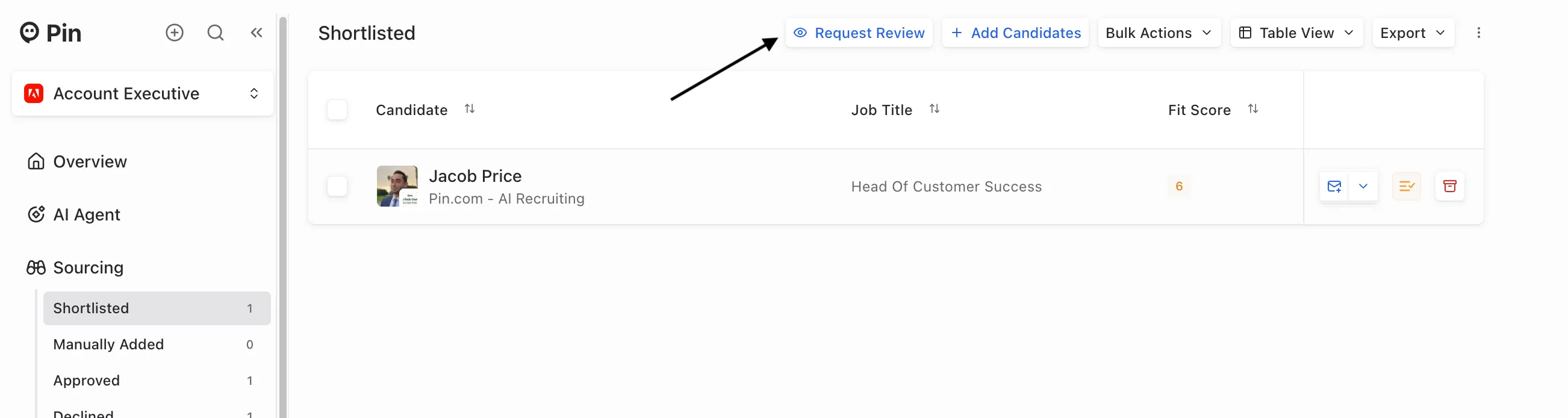
- In the Request Shortlisted Review window, fill in the following:
- Reviewer Email Address: the email of the person you want to review the candidates.
- Review Expires In: how long the review link stays active. Choose 1 Day, 3 Days, 1 Week (default), or 2 Weeks.
- Add Custom Note (optional): any context you'd like the reviewer to have.
- Click Send Request.
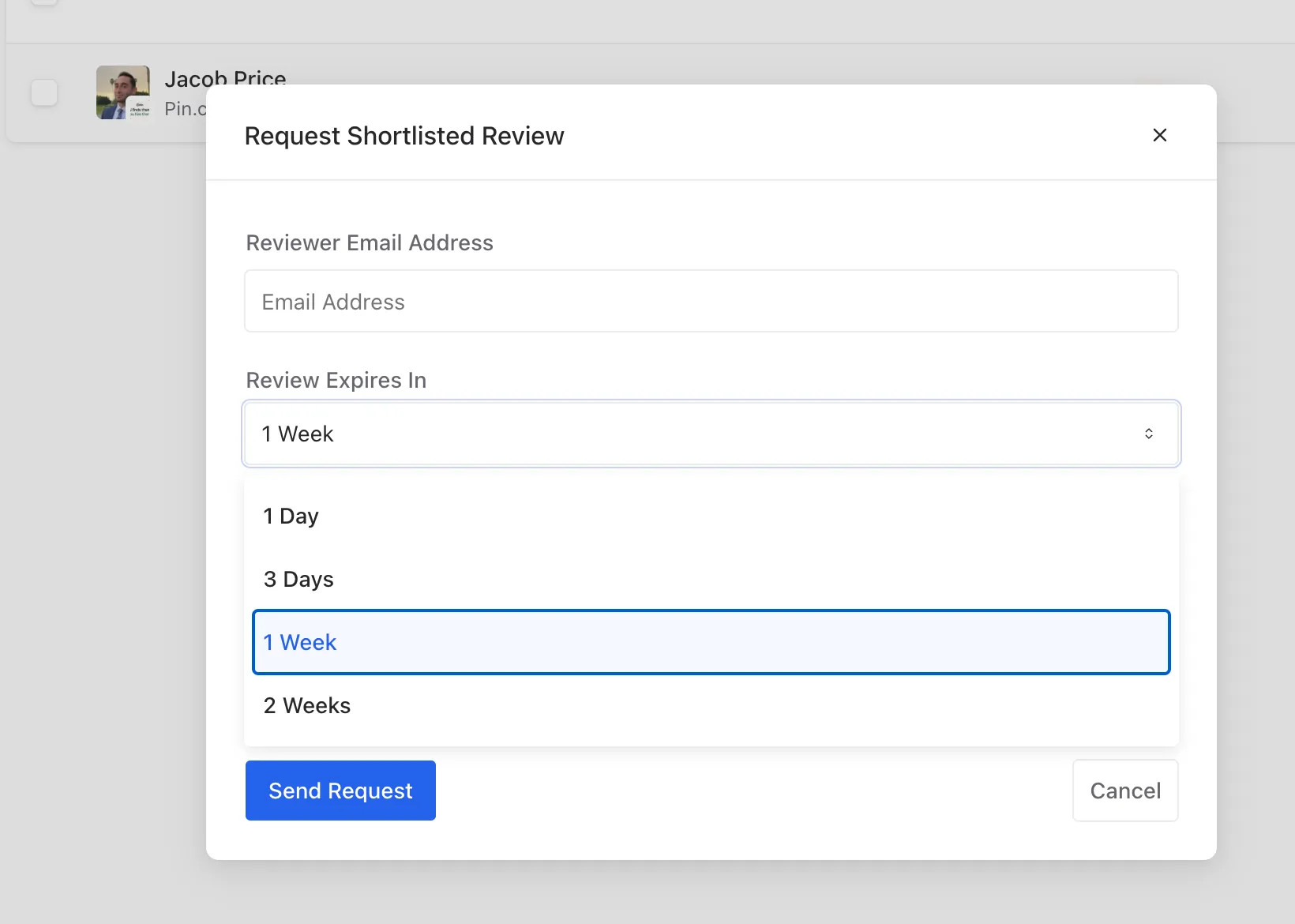
Tip: Pick an expiry that matches how quickly you need feedback. If the link expires before the reviewer gets to it, send a new request.
What the reviewer receives
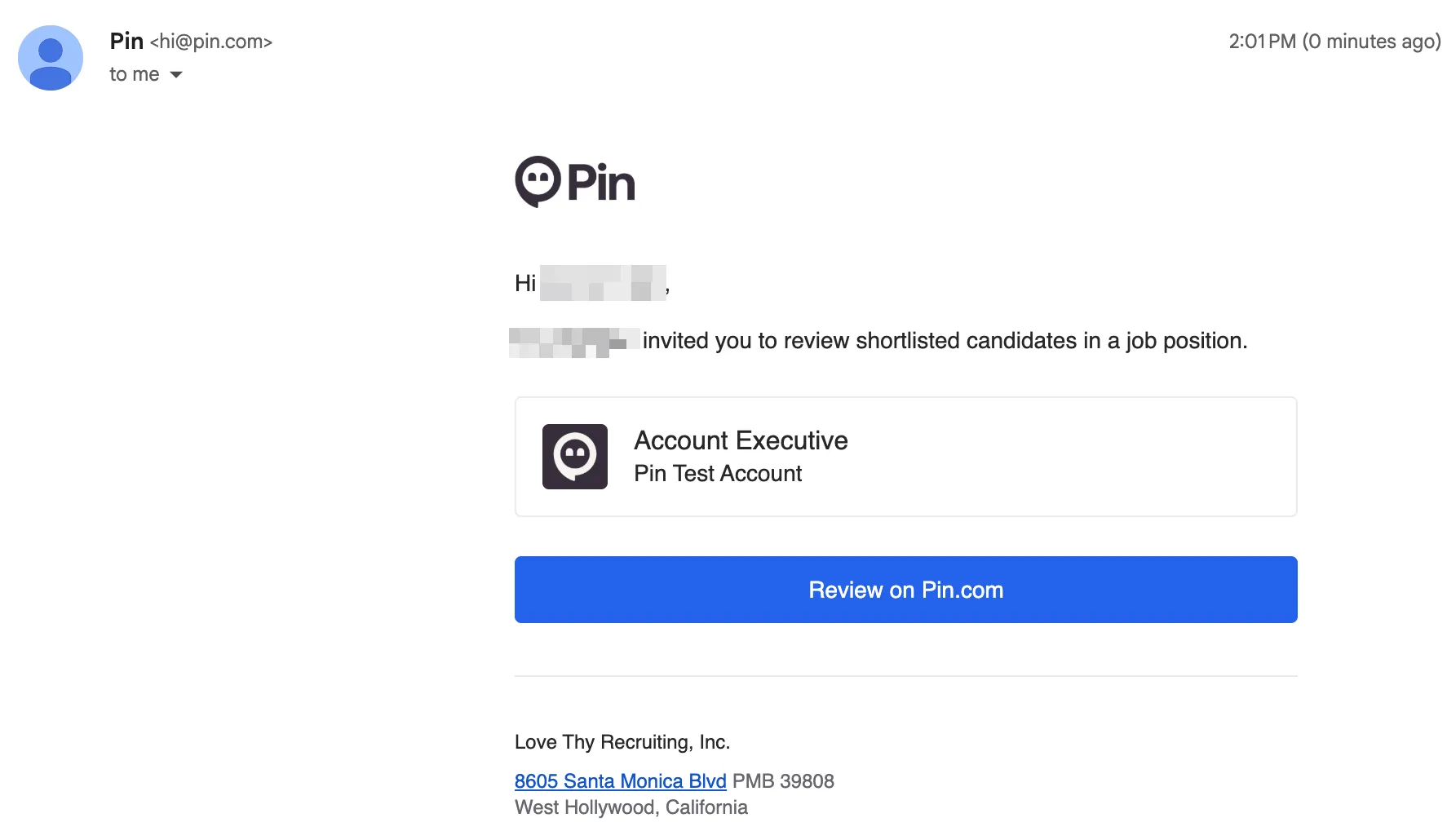
The reviewer gets an email from Pin ([email protected]) with the subject "Your invite to review shortlisted candidates on Pin." The email shows who invited them, the job title, and your company name, along with a Review on Pin.com button.

Can't find the email? Ask the reviewer to check their spam or promotions folder and search for emails from [email protected].
How the reviewer accesses the shortlist
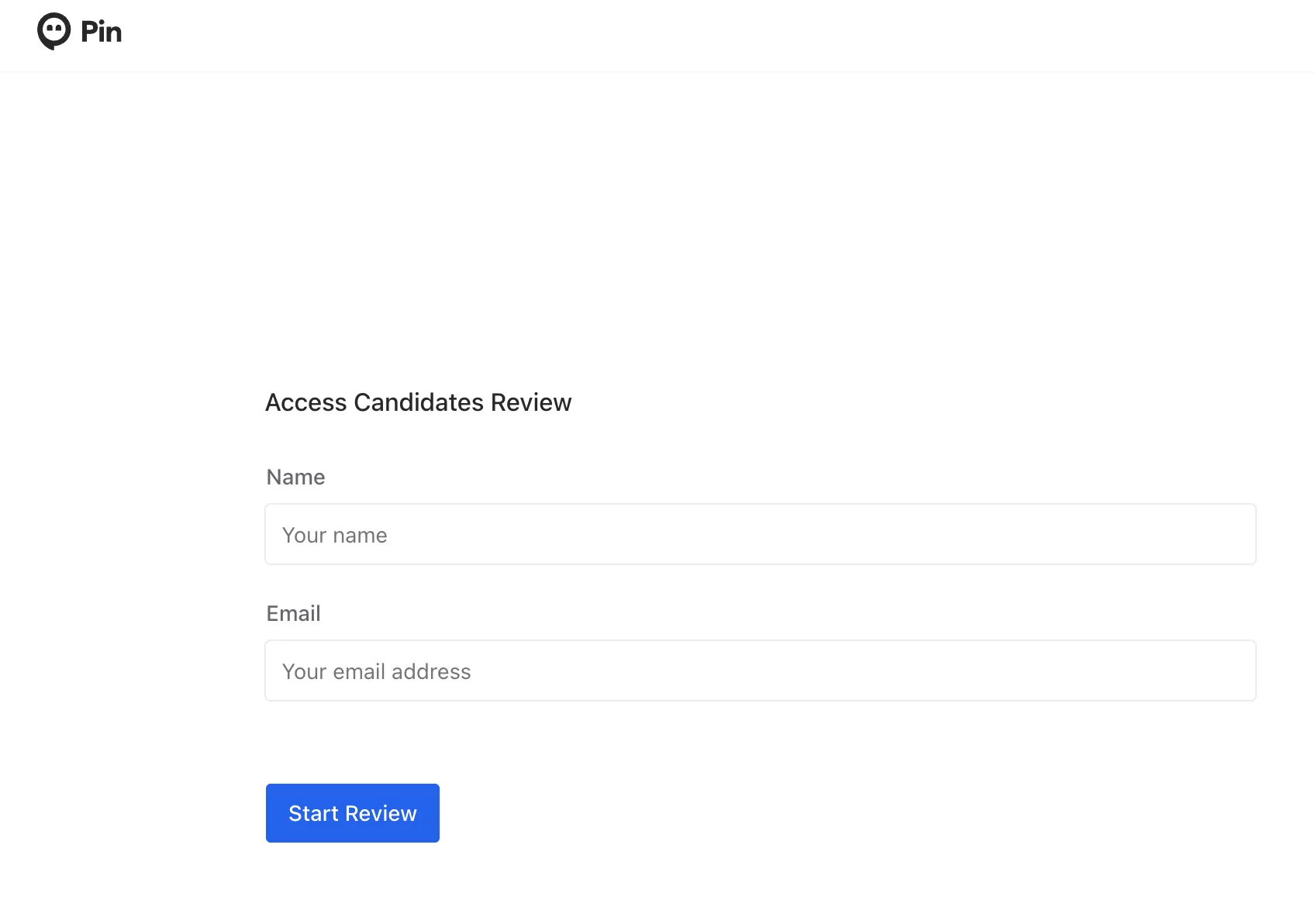
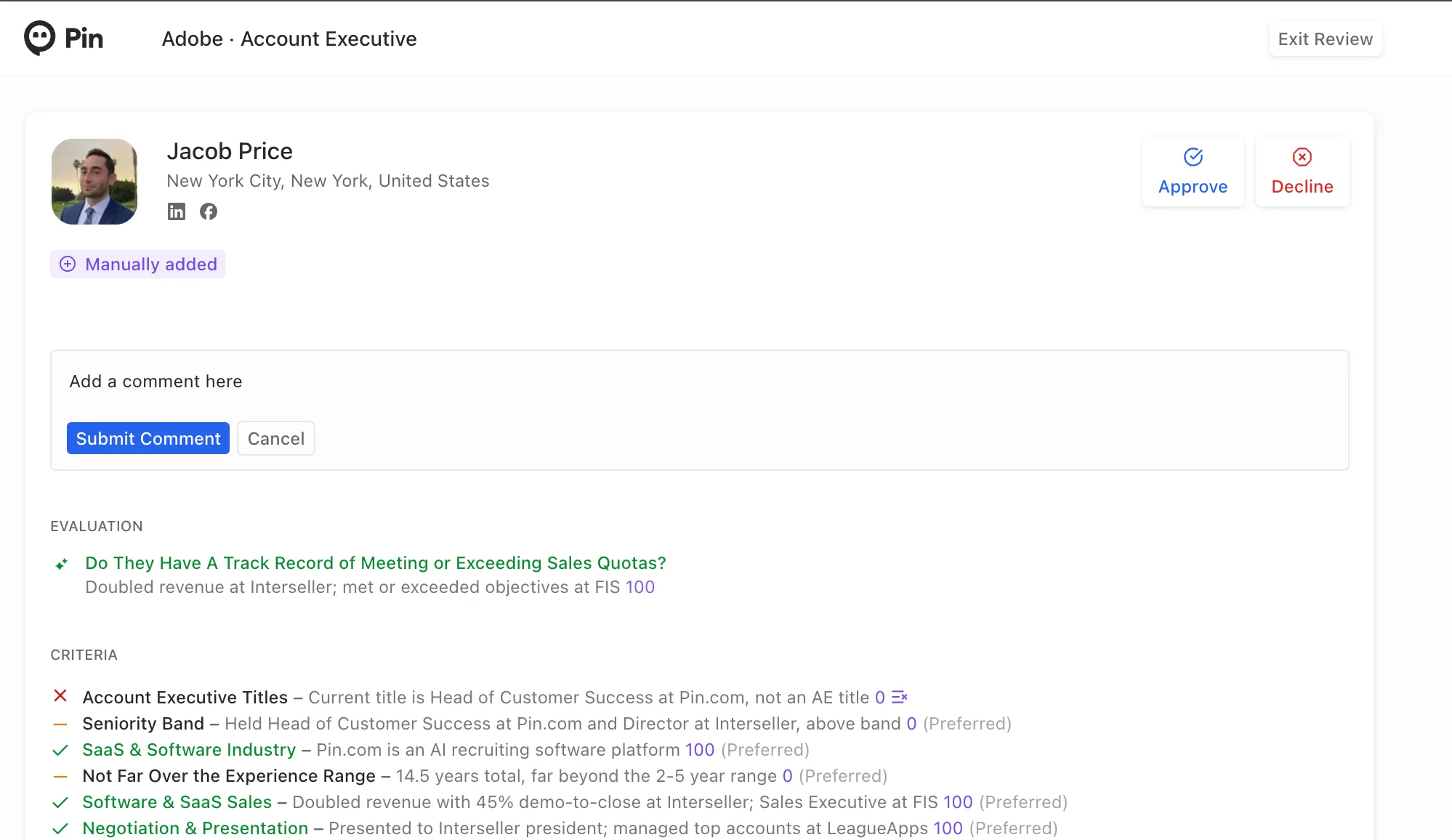
When the reviewer clicks Review on Pin.com, they land on the Access Candidates Review page.
They enter their name and email address, then click Start Review. They don't need a Pin account.
The reviewer can Approve, Decline, and/or Submit Comment for the recruiter to review. The review is done when the reviewer has either clicked Exit Review or when there are no more candidates to review in the shortlist.
Seeing the results
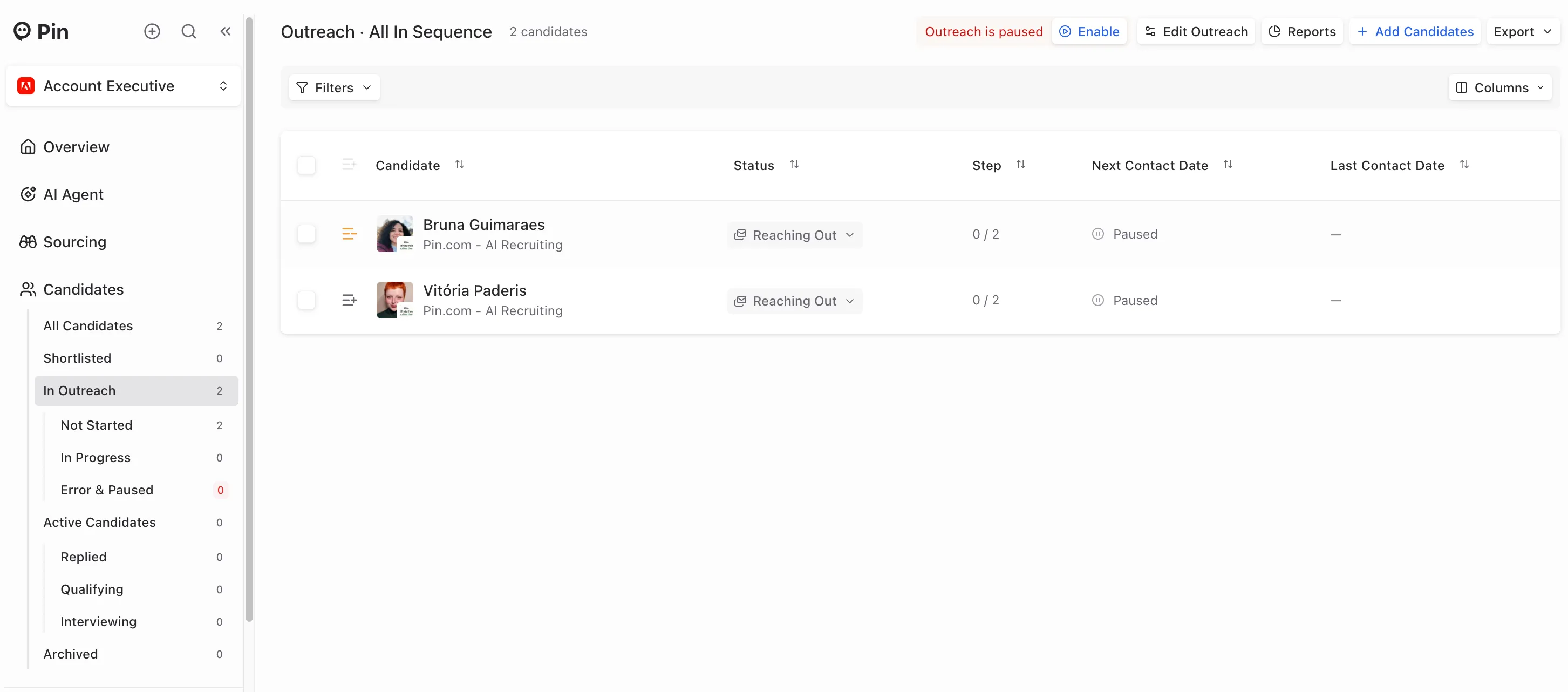
If a reviewer approves a candidate, they'll go into the Approved bucket and will go through the outreach sequence set up.
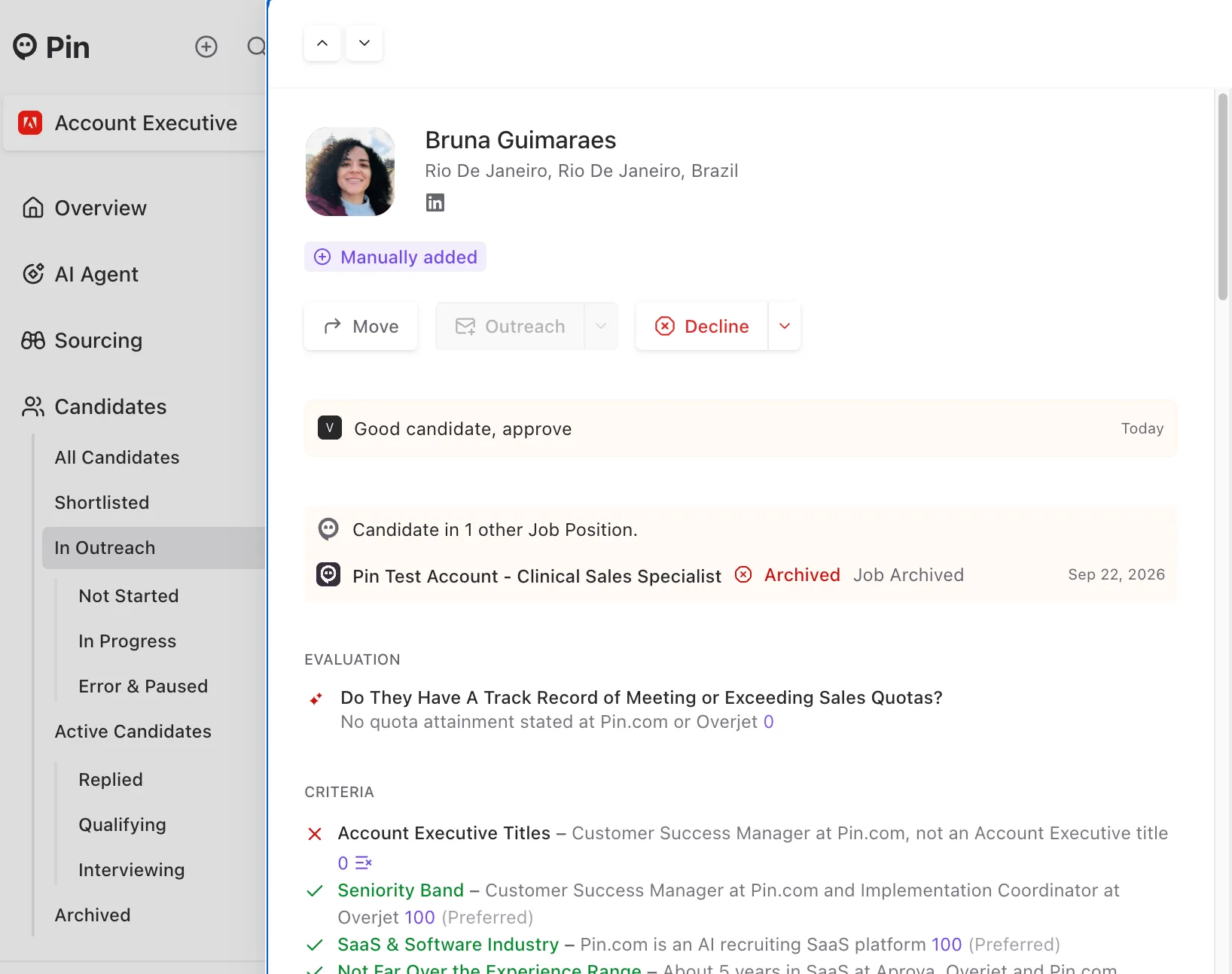
If you open the candidate profile, you'll also see the comment there from the reviewer.
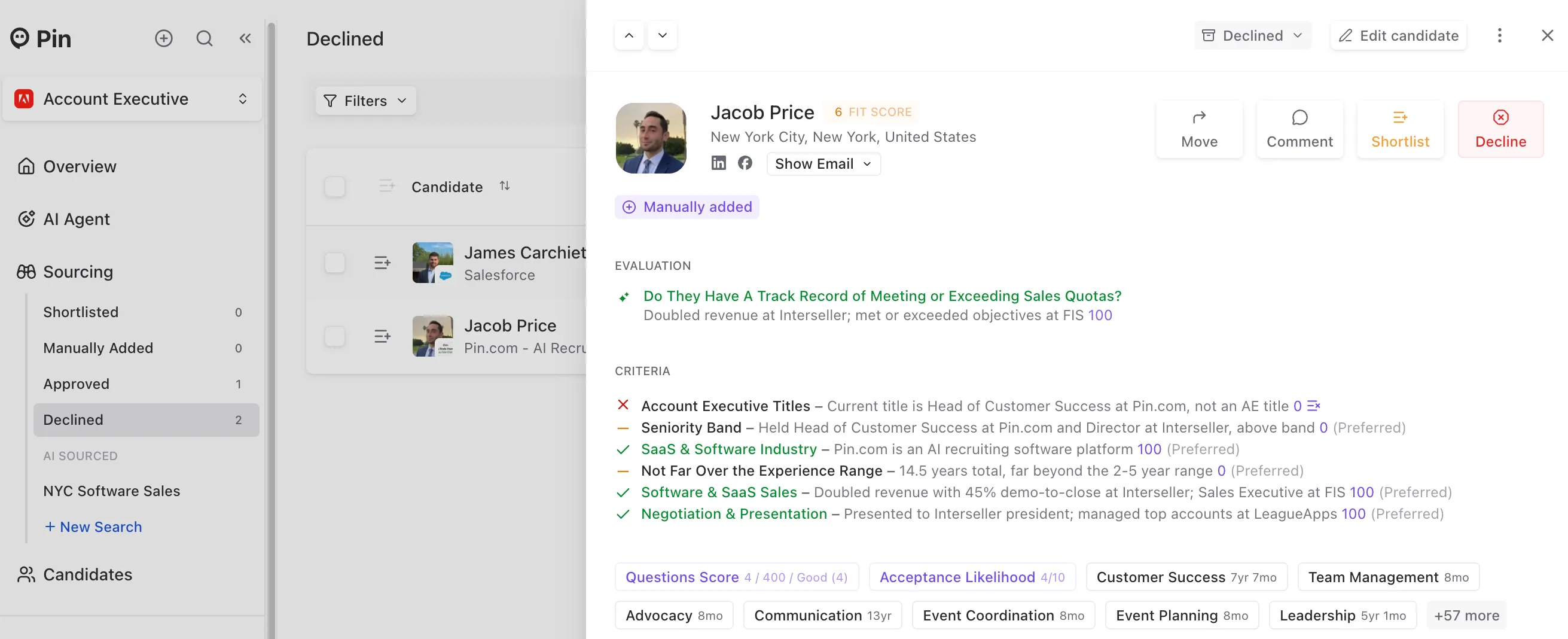
If a reviewer Declines a candidate, they'll appear in the declined bucket.
Frequently Asked Questions
Will I be notified when the reviewer comments, approves, or declines a candidate? Unfortunately, not at this time. You'll see the updates when you log into Pin