How to add candidates manually
If you have candidates you’d like to message through Pin, you can add them in four ways:
Importing candidates via CSV upload
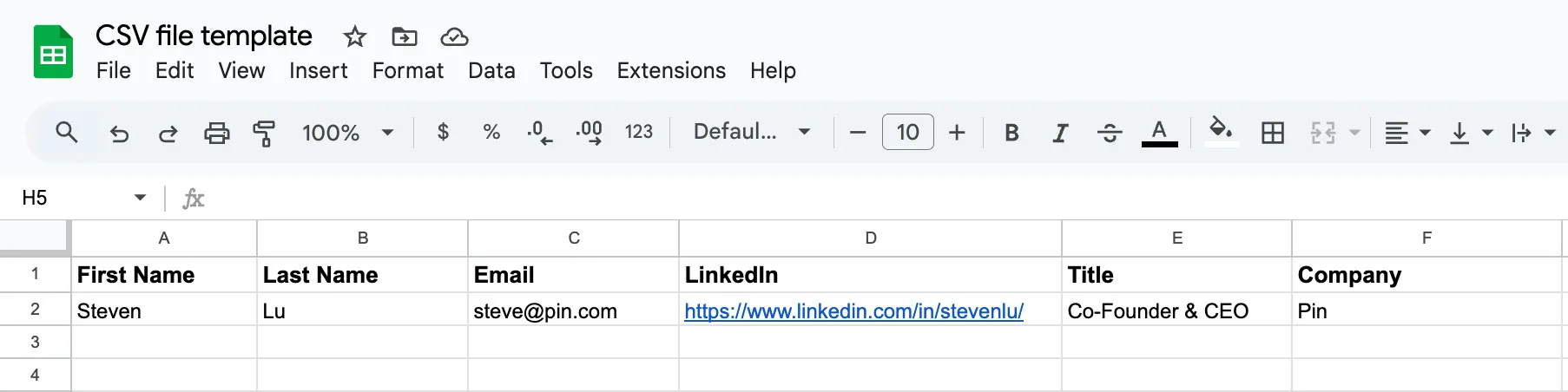
To import candidates through CSV files, include the candidate’s first name, last name, email, job title, and company. For the optimal results, we also recommend including the candidate’s LinkedIn URL so Pin can accurately enrich their profile.
For your convenience, we’ve provided a sample CSV you can download:
Note: Pin will notify you of any rows that can’t be imported due to missing information, but valid candidates will still be imported. To enable email lookup, your CSV must include first name, last name, job title, company, and LinkedIn URL. Once candidates are added to Outreach, Pin will automatically search for their emails.
Your CSV file should look something like this:
Here's a quick tutorial on how to add candidates via CSV upload:
Warning: Most of the problems we've come across from uploaded CSVs are due to bad data. Examples include LinkedIn URLs in fields meant for phone numbers and multiple emails or phone numbers entered (+123456789 / +1112223334 / +8881239999)
Add candidates through LinkedIn URLs
You can also add candidates by pasting their LinkedIn URLs directly.
Check out our step-by-step walkthrough on adding candidates' LinkedIn URLs:
If you see a “Candidate Not Found” error appear when trying to add someone via their LinkedIn URL, you can try adding them through the Pin Chrome extension instead:
Copy candidates from an existing job
If you have an existing job, you can copy candidates into the new one.
Follow the steps in this tutorial on how to copy candidates to the new job:
Add candidates using the Pin Chrome extension
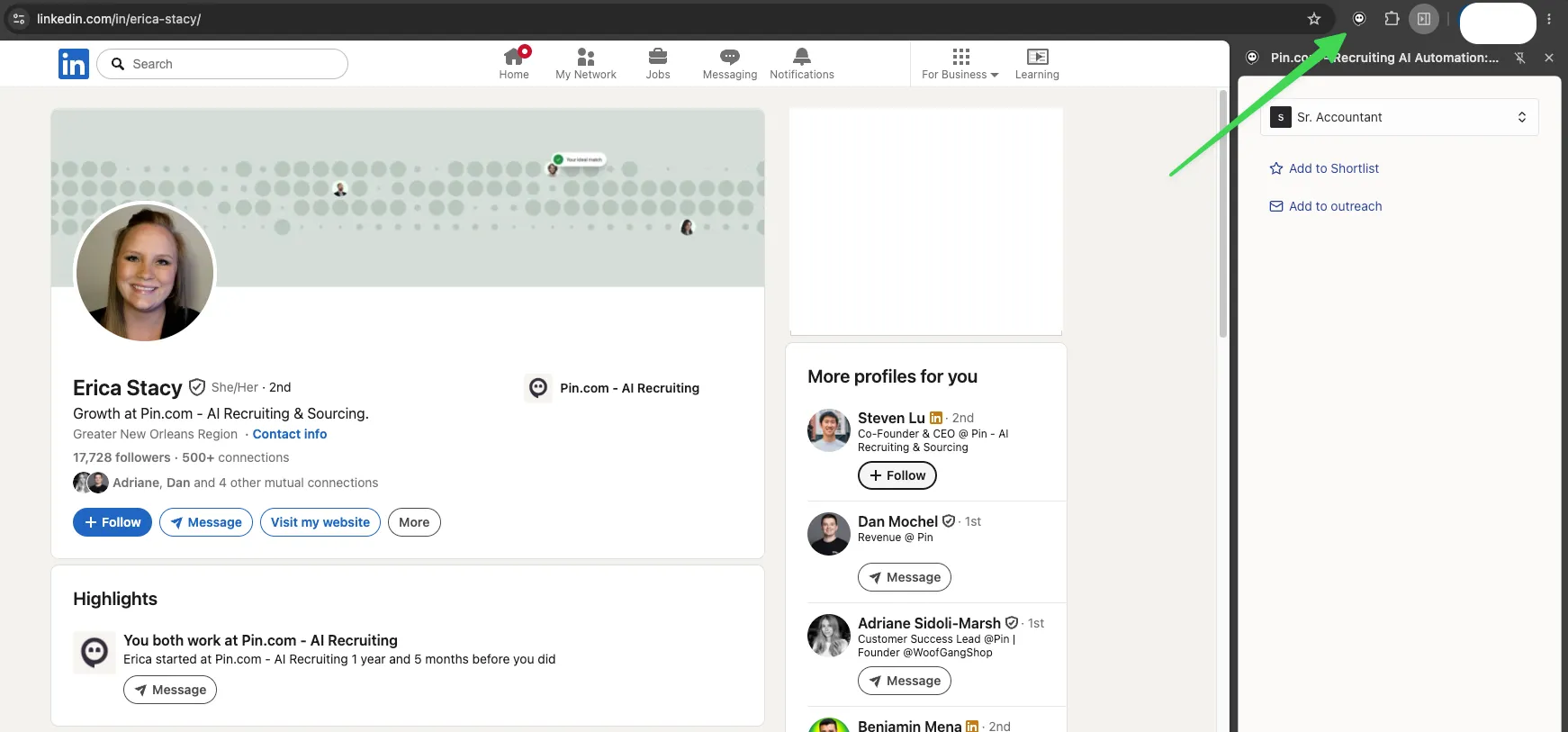
You can visit a candidate's LinkedIn profile and click the Pin icon. From there, you can choose which job to add them to and decide whether to shortlist them or include them in an outreach sequence.
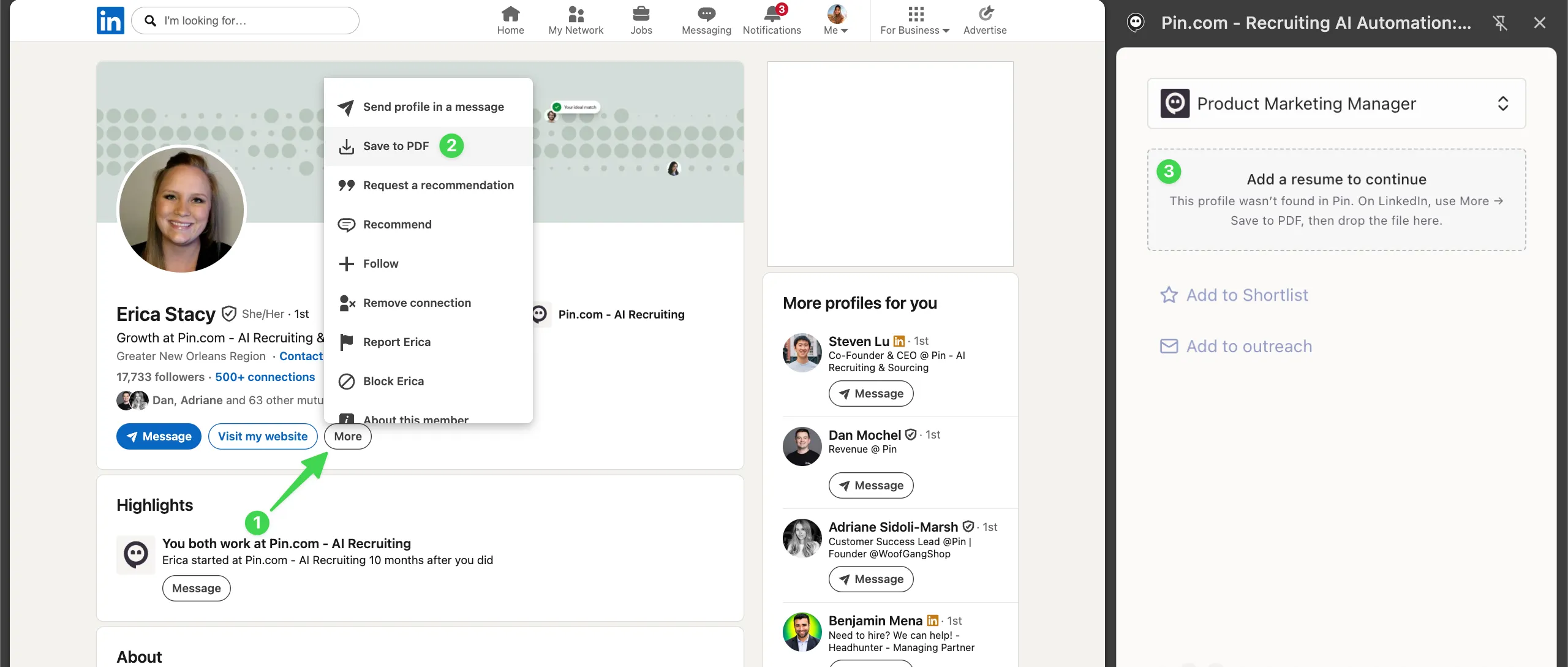
If a candidate isn't found, you can download a PDF of their LinkedIn profile and then upload it in the side panel.